16
4.2.2 Edit Camera Group
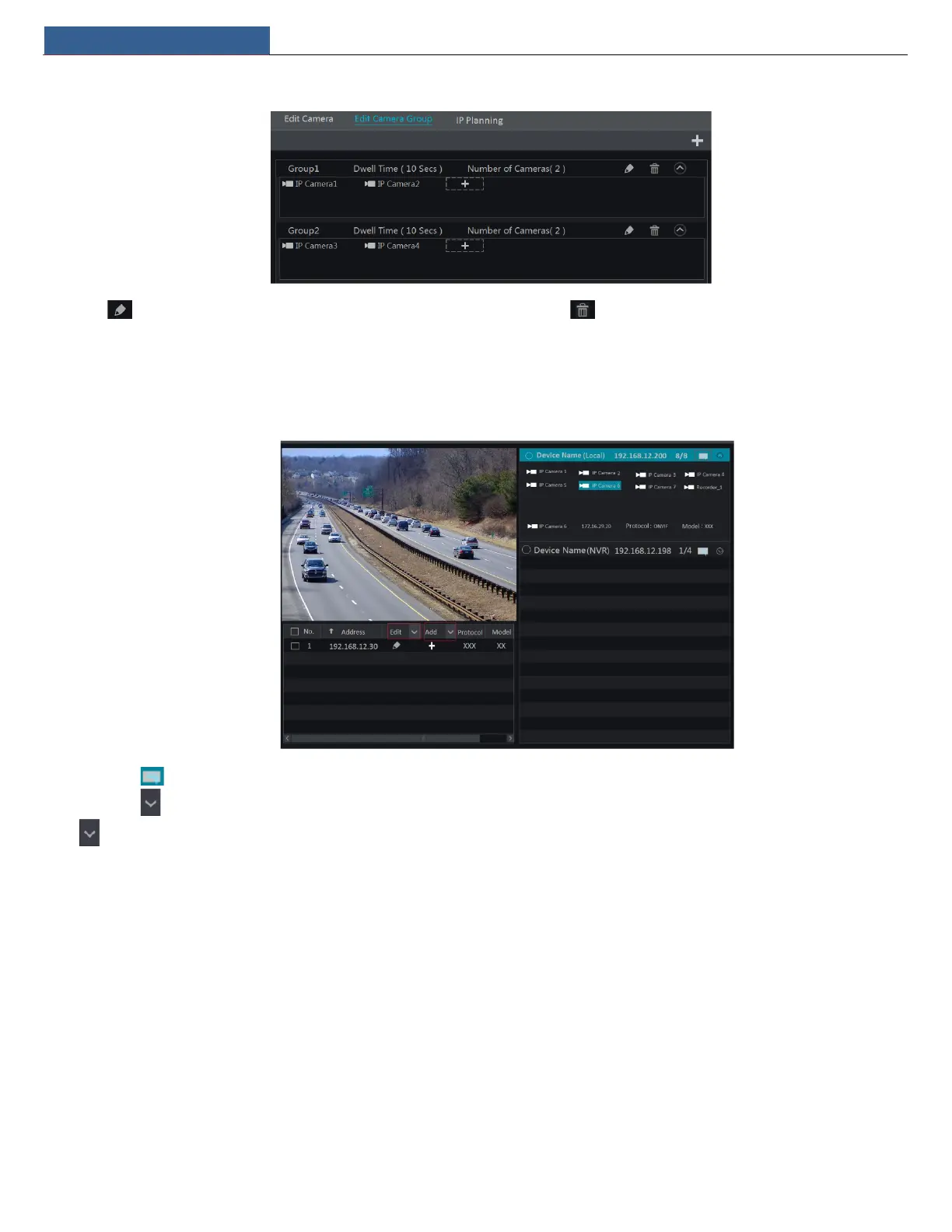
Click to modify the group information such as group name and dwell time. Click to delete the group.
4.2.3 IP Planning
Some models may not support this function.
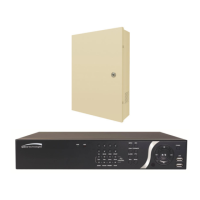
Click “IP Planning” to go to the interface as shown below. This function supports searching other NVRs/DVRs that is in the same local network as
the local NVR. The user may add camera channels of other NVRs/DVRs into the unoccupied channels of the local NVR.
Click to edit the IP address, user name or password and other information of the NVRs.
Click behind “Add” button to add the camera channel selected and the user may edit the IP address, user name or password by clicking
behind “Edit” button.


 To Next Page