Functions & Controls
Massage Mode & Expression Mode
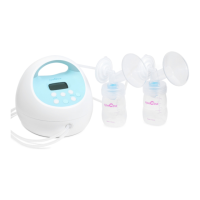
The Spectra S1 comes equipped with Massage Mode and Expression Mode
to best mimic the patterns of your baby’s suckling. The Massage Mode is a
fast method of pumping designed to initiate your letdown, the start of milk
flow. Expression Mode mimics the slow, deep suckling of your baby once the
milk has begun flowing. To use these modes, follow the instructions below:
1. Press the button to turn on your Spectra S1.
2. Press the button to switch to Massage Mode. The screen will
display the icon.
3. Once your milk is flowing, press the button again to enter the
Expression Mode.
4. You may find good results switching between Massage Mode and
Expression Mode multiple times throughout the pumping session.


 To Next Page