7
2) Testing
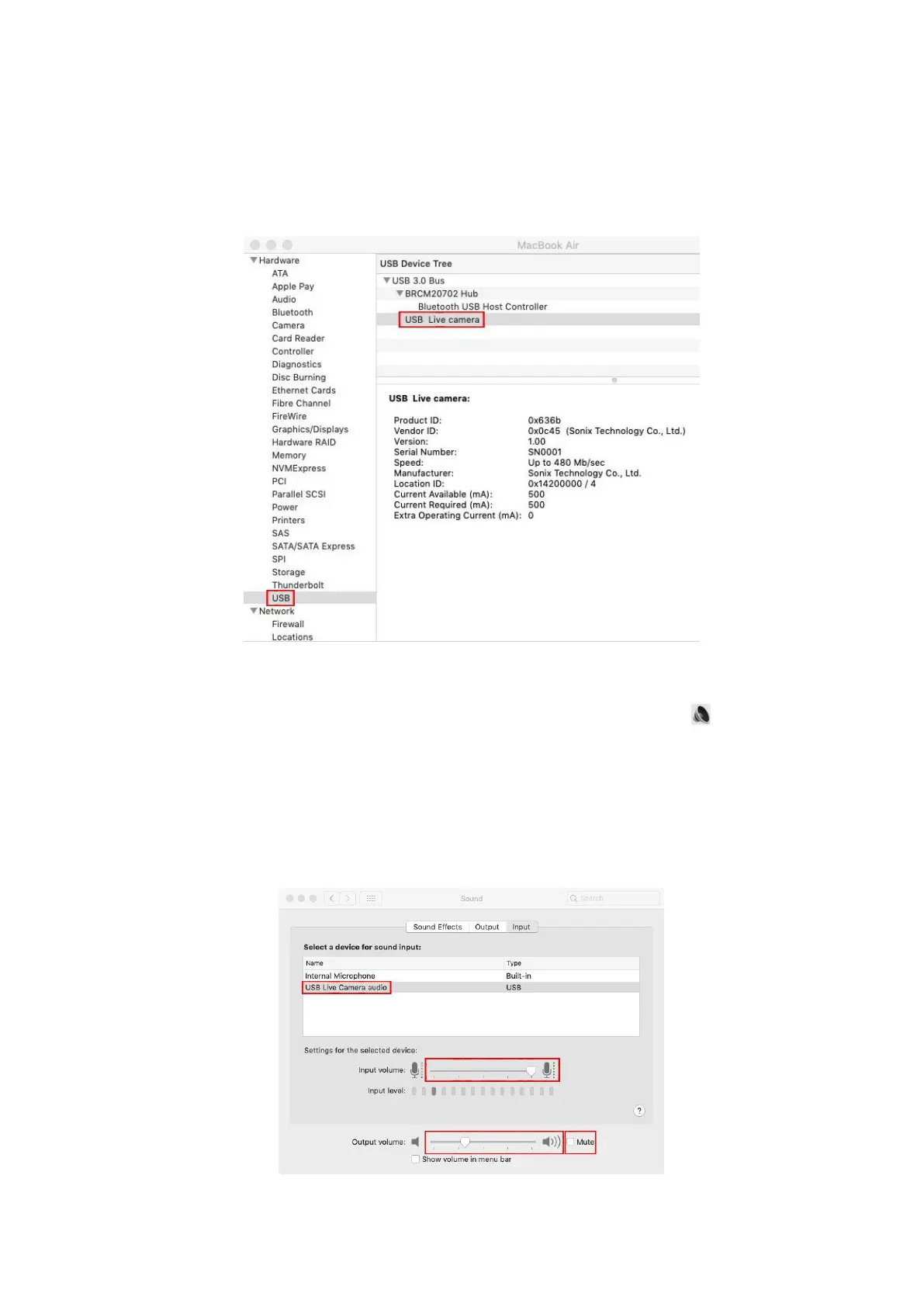
① Click on the Apple "Menu" and then click on "About this Mac" to view
"System Report".
② Pull down "Hardware -USB-USB Device Tree", and if "USB Live Camera"
is displayed, then the relevant installation is successful.
3) Audio input (microphone) and output (speaker) settings
① On the "System Preferences" page, click on the sound icon to enter
the "Sound" settings page.
② Select "USB Live Camera Audio" in "Select a devices for sound input"
under "Input". Adjust the input volume to an appropriate level.
③ Select the appropriate output device under "Output". Adjust the output
volume to an appropriate level, and make sure the "Mute" option is not
checked.



 To Next Page