8
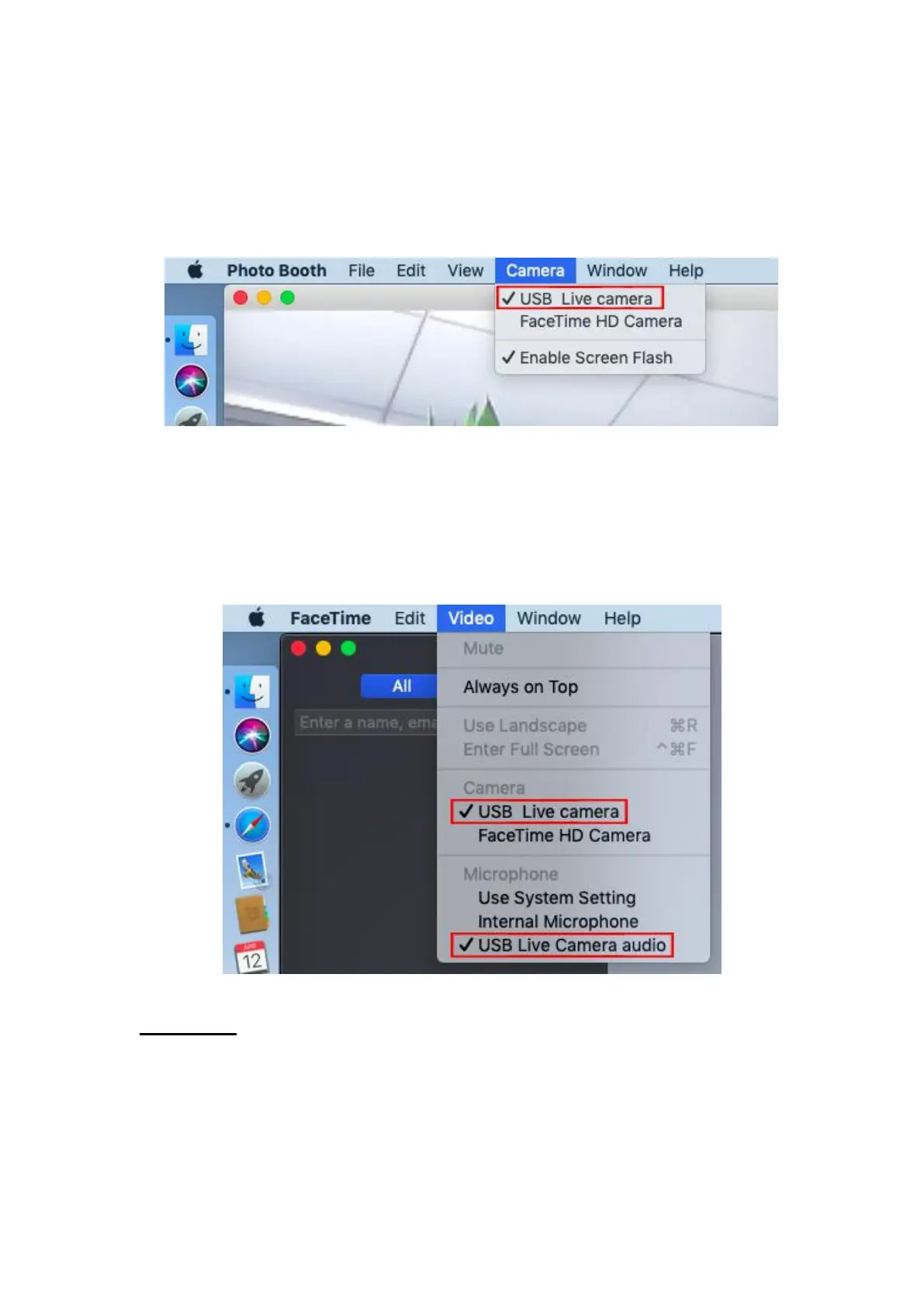
4) Photo Booth video recording settings
① Open Photo Booth.
② Click on the "Camera" menu.
③ Select "USB Live Camera" as the system default camera.
5) Face Time video call settings
① Open Face Time.
② Click on the "Video" menu.
③ Select "USB Live Camera" as the system default camera.
④ Select "USB Live Camera Audio" as the system default microphone.
4. Webcast
The following browser versions are recommended: Google Chrome (32bit or
64bit PC version 65.0.3325.XXX or above) and Firefox (32bit or 64bit PC
version 59.0.2 or above) .



 To Next Page