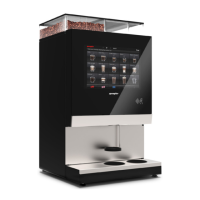
The dispenser has a very in-depth operator menu which can be used for controlling settings, checking
diagnostics, setting and calibrating operating parameters and more, as shown below. The access level for some
features may be off limits to prevent unintended changes which could result in damage or personal injury. The
specic level of access offered to users and operators is determined by the manufacturer, operating company or
distributor.
Accessing the Operator Menu’s base level functions is a task that is explained and demonstrated during the
initial dispenser set up and training session provided by the installing technician.
If you have any questions as to the level of access permitted on your dispenser, contact your operating
company or distributor for clarication or increased access options.
Function
SERVICE MENU
Home
buttonto
exitand
returnto
thismenu
whendeeper
insidethe
menu
Component
overview
Serviceand
cleaning
functions
Maintenance
functions
Errorsand
warnings
Milk relling
(for PSL CLM
only)
Recipe
bank
Recipe
and
price
editor
Openthe
Service
menu
Money
return
View
system
messages
System
reboot
System
info
Cashbox
contents
Backbuttonto
gobackonelevel
insidethemenu
Accesslevel
granted
Products
delivered
counter


 To Next Page