EasyManua.ls Logo

SPM IPro R290 - User Manual

SPM IPro R290
23 pages
Print Icon
To Next Page IconTo Next Page
Loading...
Ausgabedatum: October, 2018 Revision: 2 Seite : 1/76
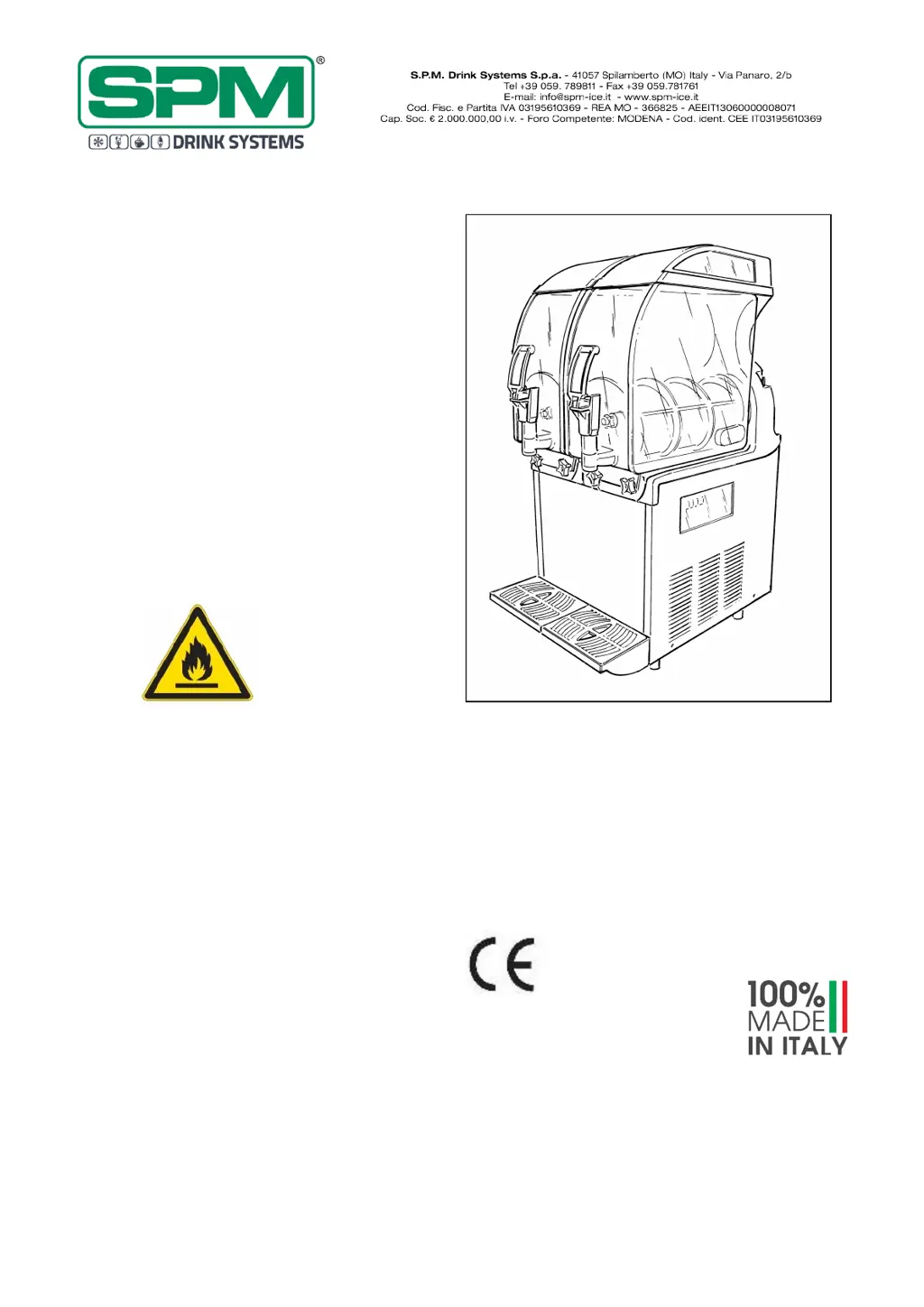
GRANITAMASCHINE
SLUSH MACHINE
APPAREIL À GRANITÉS
IPro
R290
Achtung: Brandgefahr - R290
Attention: risk of fire – R290
Attention: risque d'incendie - R290
GEBRAUCHS- UND WARTUNGSANLEITUNG
OPERATOR’S MANUAL
NOTICE D'UTILISATION ET D'ENTRETIEN
DEUTSCH SEITE 2
ENGLISH PAGE 24
FRANÇAIS PAGE 47

Questions and Answers

Summary

Important Warnings and Advice

Equipment Kit Contents

Transport and Lifting Tips

Technical Specifications

Noise Emissions

Acoustic pressure level is below 70 dB.

Disposal Guidelines

Dispose of packaging and machine according to environmental regulations.

Positioning the Machine

Packing Removal and Storage

Preserve packing for winter storage and check machine condition. Keep away from children.

Machine Placement and Ventilation

Place on a flat surface with 20cm gap, away from heat sources. Maintain room temperature between 24-38°C.

Electrical Connection Check

Verify power mains voltage meets specifications and plug into an earthed socket.

Installation Compliance and Grounding

Install according to manufacturer instructions and ensure a legally required grounding system.

Connecting to Power Supply

Ventilation Grill Requirements

Do not obstruct ventilation grills to ensure proper machine function and prevent damage.

Data Plate Specifications

Always verify electrical specifications on the machine's data plate.

Socket and Wiring Safety

Use a suitable socket with a thermal cut-out switch; never use extensions or adaptors.

Power Lead Inspection and Unplugging

Check power lead for damage. To unplug, switch off the unit first.

Start-Up Procedures

Pre-operation Cleaning

Carry out cleaning and sanitizing procedures before starting the machine.

Product Dilution and Mixing

Dilute product correctly, never pour dry powder directly. Ensure correct sugar content.

Cover Removal and Replacement

Remove luminous and transparent covers before pouring mix, then restore them securely.

Safety Mechanism and Operation

The safety mechanism stops parts when covers are lifted. Unit will not work if main cover is not positioned correctly.

Electronic Control Board

Manual Mode Operation

Unit turns on via ON/OFF symbol. Display shows operational status for manual mode.

Control Panel Buttons Overview

Description of buttons like ON/OFF, LIGHT, AM/PM, DAY, FREEZE, CHILL, AUTO.

Auger Rotation Activation

FREEZE, CHILL, AUTO buttons require auger rotation to activate corresponding refrigerating function.

Automatic Mode Functionality

AUTO button starts automatic mode, switching between freezing/chilling per set parameters.

Insulated Bowl Benefits

Insulated bowl preserves product temperature for hours; extend defrost/chill mode for complete melting.

Night Shutdown Ice Formation Warning

If machine is turned off with product, ice may form. Verify melting before restart to prevent auger damage.

Setting Mode Activation

Activate setting mode by touching ON/OFF for 6-7 seconds to adjust parameters.

Time, Day and Time Mode Settings

Setting Current Day and Time Format

Set the current day and choose between 12h/24h format using specific buttons.

Adjusting Time and Confirming Settings

Adjust hours and minutes using +/- buttons and confirm with ENTER for each setting.

Automatic Function Time Setting

Set CHILL and FREEZE start/stop times for each day of the week for automatic operation.

Automatic Mode Notes

Automatic time table is maintained automatically; FREEZE/CHILL buttons require auger rotation.

FILTER CLEANING Alarm

Condition A: Dirty Filter

Filter needs cleaning. Corrective action: clean and replace filter as per instructions.

Condition B: Poor Ventilation

Unit positioned too close, restricting airflow and causing high temperature. Reposition unit.

Condition C: Heat Source Proximity

Unit near heat source causes high temperature. Reposition unit and avoid such locations.

SYSTEM OVER TEMPERATURE Alarm

Over Temperature Status and Action

CUT/OUT message indicates overheating; compressor stops, augers continue to prevent ice blocks.

Corrective Action for Overheating

Turn off all switches, determine the cause, and perform necessary corrective action.

Mechanical Control Board

General Power Switch (D)

Activate the general switch (D) to power the unit on.

Bowl Operation Switches (1 & 2)

Switches control mixer and cooling for freeze/defrost modes for each bowl (L, C, R).

LED Lights Control Switch (E)

The (E) switch is used to control the covers' LED lights.

Bowl Shutdown Ice Warning

Avoid turning off with full bowls; ice may form. Verify melting before restart to prevent auger damage.

Operating Instructions

Dispensing Product

Position cup under tap and pull dispensing lever to serve product.

Adjusting Product Consistency

Turn screws on the back to alter consistency (clockwise for less dense, counter-clockwise for denser).

Consistency vs. Temperature

Consistency adjustment affects dispensed product density, not cooling temperature.

Bowl Slush Level Management

Refill bowl when slush level is low to prevent product becoming too thick.

Daily Cleaning and Sanitizing Procedures

Cleaning for Prolonged Shutdown

Disassemble, wash, and sanitize all parts before re-startup after extended periods of inactivity.

Electrical Safety During Cleaning

Avoid splashing water on switches or electrical components to prevent shock hazard.

Sanitizer Selection and Use

Use only approved sanitizers for plastic/rubber; failure to do so creates a health hazard.

Operator Responsibility for Hygiene

Operators must comply with local laws for cleaning and product conservation practices.

Component Cleaning and Disassembly

Bowl Emptying and Cover Removal

Empty the bowl and remove the main cover after unlocking.

Melting Residuals and Draining

Use lukewarm water to melt residuals, then drain the water before proceeding.

Disassembly Safety Precautions

Ensure all switches are OFF and power is disconnected before beginning disassembly.

Knob Unscrewing and Bowl Lowering

Unscrew knobs, lower bowl to drain residue through the tap.

Bowl Removal Technique

Move the bowl up/down while pulling outwards for full removal.

Dispensing Tap Disassembly

Press tabs, lift tap, then disassemble tap by pressing part R and slipping lever L.

Part Washing and Reassembly

Wash all parts with hot water and detergent, rinse well, and reassemble them.

O-ring Cleaning for Hygiene

Remove all o-rings during cleaning to prevent bacteria growth and ensure health safety.

Component Washing and Sanitization Steps

Mixing Unit and Washer Removal

Unscrew bolt (S), pull off mixing unit (U), and remove sealing washers (X) and (T).

Cleaner and Dishwasher Caution

Avoid abrasive cleaners and dishwashers, as they can damage plastic parts and auger gears.

Component Washing Procedure

Wash components with hot water and mild detergent; avoid abrasive detergents or powders.

Sanitizer Solution Preparation

Use approved sanitizer, rinse parts, and plunge them in the solution as per manufacturer's recommendations.

Sanitizer Usage Guidelines

Carefully follow the sanitizer producer's prescriptions regarding time and modes of usage.

Post-Sanitizing Rinse and Drying

After sanitizing, rinse all components with clean water and dry them with a clean cloth.

Evaporator and Drip Tray Cleaning

Wash evaporator and drip tray surfaces with a sponge soaked with sanitizer.

Final Cleaning and Drying

Repeat cleaning with water-soaked sponge and dry surfaces with a clean cloth.

Component Reassembly and Lubrication

Component Reassembly

Reassemble components correctly using lubricant to prevent leakage and damage.

Lubricating Suction Gaskets

Spread Vaseline grease on suction gaskets (X) to reduce friction and wear.

Bowl Seal Mounting

Mount bowl seal (T) ensuring it is correctly oriented.

Scraper Auger Assembly

Engage scraper auger (U) head with shaft. Secure parts by screwing bolt (S) counter-clockwise.

Bowl Mounting Procedure

Mount bowl back, ensuring tight gasket hold. Moisten rear part of bowl for easier fitting.

Bowl Securing Knobs

Secure bowl by tightening two knobs without excessive pressure.

Bowl Knob Tightening Caution

Do not over-tighten bowl knobs; excessive force can damage threads or the bowl.

Dispensing Tap and Drip Tray Procedures

Dispensing Tap Reassembly

Lubricate tap gaskets (J) with Vaseline for smooth sliding and proper seal.

Tap Sliding Importance

Proper tap sliding is crucial for maintaining its seal.

Drip Tray Cleaning and Reassembly

Remove, wash, and reassemble the drip tray following previous procedures.

Post-Cleaning Sanitizer Fill

Fill bowl with water and approved sanitizer after cleaning and reassembly.

Sanitizing Cycle Start

Start the machine's mixing part to sanitize components with the cleaning solution.

Draining and Sanitizing Product Path

Drain the solution, open/close plunger multiple times to sanitize the product way out area.

Fixing Bowls with Knobs

Screw the knobs to fix the bowls securely in place.

Sanitizing Procedures

Pre-Startup Sanitizing

Perform sanitizing procedures before startup if the machine has been unused for some days.

Sanitizer Pouring and Circulation

Pour sanitizing solution into the bowl and let auger rotate with sanitizer for specified time.

Sanitizer Contact Time Limit

Important: Never let the sanitizer inside the bowl for more than 15 minutes.

Draining and Rinsing Sanitizer

Drain the solution and rinse thoroughly with clean water.

Special Maintenance

Maintenance Safety Precautions

Always switch off and unplug the machine before performing any maintenance operation.

Condenser Cleaning Schedule

Clean the condenser monthly to ensure good cooling system performance.

Accessing the Condenser

Switch off, disconnect power, unscrew knob (K), and remove the back panel.

Filter and Panel Cleaning

Remove and clean the panel and filter properly with water or a vacuum cleaner.

Filter Replacement and Panel Reinstallation

Replace the clean filter and reinstall the back panel on the machine.

Filter;Condenser Maintenance Importance

Failure to maintain clean filter and condenser voids warranty and causes unit damage.

Cleaning Fins Safety

Never use sharp objects to clean between fins to avoid damaging the refrigerating system.

Skilled Personnel for Maintenance

Special maintenance operations must be performed ONLY by skilled service men due to flammability risks.

Control and Replacement of Seals

Bowl Gasket Replacement

Replace the bowl gasket every 12 months based on usage and maintenance level.

Dispense Valve O-Ring Replacement

Replace o-rings as needed for wear. Lubricate them during replacement or cleaning.

Suction Gasket Replacement

Replace suction gasket every 3 months. Lubricate with Vaseline during reassembly.

Evaporator Hard Seal Replacement

Replace the evaporator hard seal every 9 to 12 months based on usage.

Winter Storage Procedures

Disconnecting Power and Disassembly

Disconnect all power and disassemble, wash, and sanitize parts that contact the mix.

Exterior Cleaning and Reassembly

Clean exterior panels and reassemble all parts correctly.

Protecting and Storing the Unit

Cover the machine to protect from dust and store it in a dry location.

Disclaimer

Manufacturer Liability

Manufacturer is not responsible for damage due to non-compliance with manual instructions.

Accuracy of Information

Manufacturer not liable for errors in printing, copying, or translating the manual.

Right to Modify Specifications

Manufacturer reserves the right to modify machine specifications as deemed necessary.

Troubleshooting: Core Issues

Machine Not Cooling Issues

Common causes include ventilation, DEFROST mode, clogged filter, fan motor, or refrigerant leak.

Compressor Not Running Issues

Causes may be electrical components, connections, compressor malfunction, or power to board.

Over-Freezing and Auger Issues

Low brix, incorrect consistency, bent switch, low product level, or PC board contacts.

Machine Noise Problems

Fan motor blades, blown fuses, connections, control board, or gear motor issues.

Troubleshooting: Unit and Auger Issues

Unit Not Running on Main Switch

Possible causes: blown fuses, incomplete connections, faulty control board, or malfunctioning gear motor.

Bowl Leakage Causes

Displaced bowl seal or incorrectly replaced dispensing valve.

Dispensing Valve Leakage

Impeded valve movement, damaged o-rings, or improperly installed seals.

Product Flow to Drip Tray

Damaged/worn seals or improperly reassembled bell-shaped seal.

Auger Not Turning

Incomplete connections, faulty control board, or malfunctioning gear motor.

Auger Noise During Rotation

Unlubricated/damaged shaft seal or incorrectly reassembled auger.

Filter or CUT;OUT Message

Filter is dirty and requires cleaning.

Troubleshooting: Error Codes and Probes

Unit Cleaned Status Issues

Unit is cleaned but running hot: check ventilation, filter installation, or heat source proximity.

Error E14;E24;E34: Consistency;Ice Block

High product consistency or ice block. Reduce consistency or remove ice blocks.

Error E15;E25;E35: Ice Block;Gear Motor

Ice block or defective gear motor. Remove ice blocks or replace gear motor.

Error E11;E21;E31: Shorted Probe

Temperature probe short-circuited. Check and replace the probe.

Error E12;E22;E32: Disconnected Probe

Temperature probe disconnected. Check and connect the probe.

Error E01;E04;E05;E06: Control Board

Control board is defective. Replace the board.

Error E02: Shorted Condenser Probe

Condenser temperature probe is short-circuited. Check and replace probe.

Error E03: Disconnected Condenser Probe

Condenser temperature probe is disconnected. Check and connect probe.

SPM IPro R290 Specifications

General IconGeneral
BrandSPM
ModelIPro R290
CategoryCommercial Food Equipment
LanguageEnglish