6 7
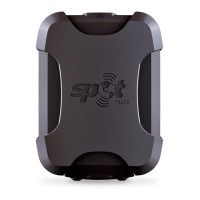
MOUNTING SPOT TRACE
• Usethereversiblemountingbracket,doublesidedindustrialstrengthtape,adhesivegrippador
adhesivevelcrostrips(allincluded)toafxtheSPOT TRACEtoyourasset
• EnsuretheSPOTlogoispointedtowardthesky
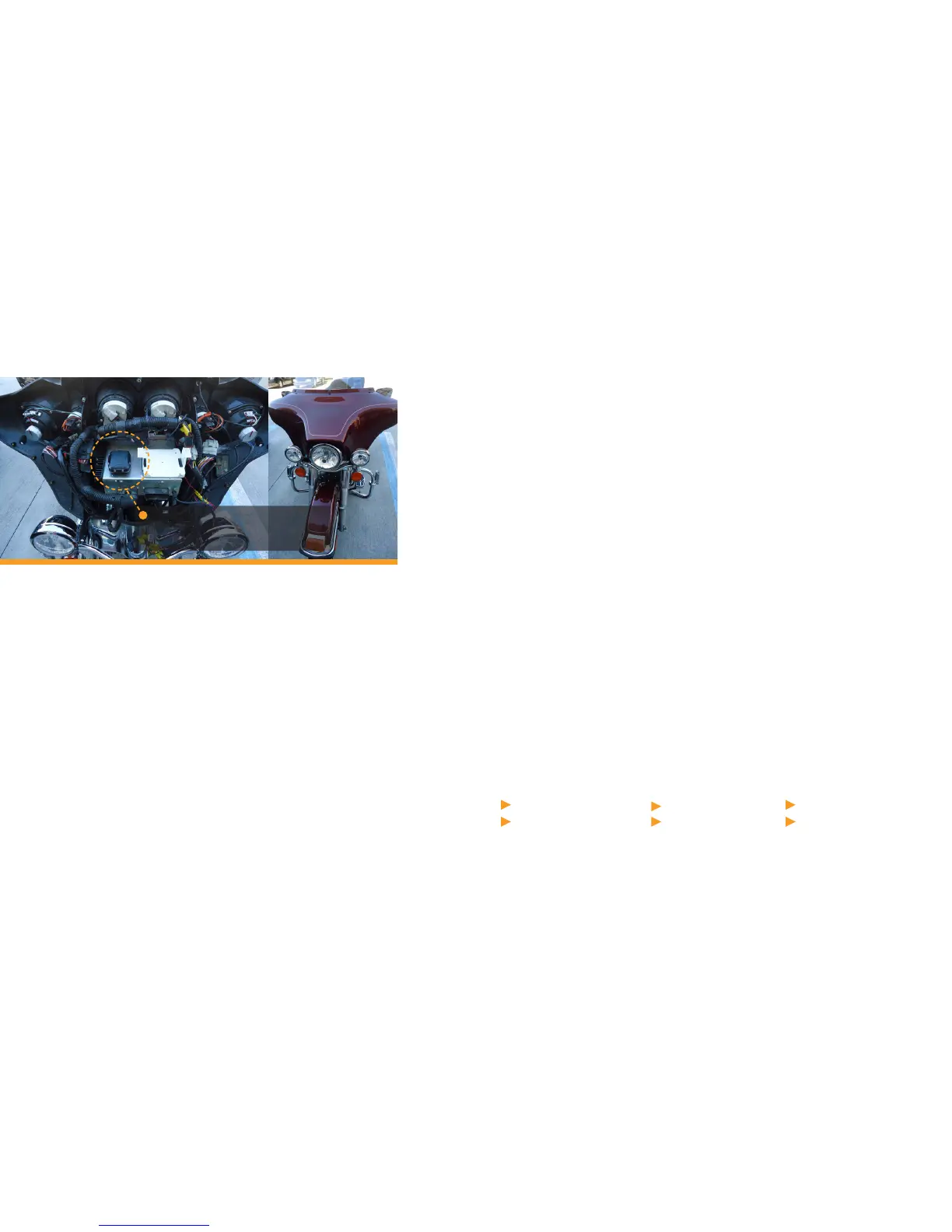
• Theunitedcanbemountedbeneathberglass,fabricorglass,butmetalobstructionsshouldbe
avoided(seeexamplesonpage5&6)
• IfusinganexternalDCsource,ensurethattheunitwillbemountedcloseenoughtothepowersource
• IfusinganExternalDCsource,SPOTTracewillNOTbewaterproofunlessusingtheWaterproof–
DCPowerCable(soldseparately).
• Experimentwithmountingoptionstodeterminewhatworksbestforyourassetandyourneeds
NOTE: Beforepermanentlyafxing SPOT TRACEtoyourasset,verifythatthetrackpoint/locationwas
receivedinyouraccountatFindMeSPOT.comtoensuretherearenophysicalbarriersthatmayinterfere
withtheGPSlocationacquisitionormessagetransmission.
PLACEMENT OF YOUR SPOT TRACE
TheplacementofyourSPOT TRACEcanmakeadifference.Forbestreception,alwaysmounttheunit
withtheSPOTlogopointedtowardsthesky(thesatelliteantennaislocatedunderthelogo).
SPOTTraceisnotdesignedtobeattachedorwornonaperson’sbody.SPOTTraceshouldonlybeused
whenlocatedatleast20cm(7.9inches)awayfromthehumanbody
SECTION 4: SPOT TRACE FEATURES
SPOT TRACEutilizesseveralfeaturestohelpyoutrackyourassets.Featurescanbeenabled/
disabledandeditedduringactivationandbyloggingintoyourSPOT TRACEaccount.Eachofthe
followingfeaturesisexplainedinmoredetailinthefollowingpages.
FEATURES:
Motion Activated Tracking
Dock Mode
Low Battery
Power Off
INITIAL SYSTEM TEST
Afteractivatingserviceandpoweringon,SPOT TRACE willperformaninitialsystemtestto
evaluateyourmessagingsystem,thechosenlocationoftheunitandprolesettings.
TurnSPOT TRACEon-pressandholdthePowerbutton;lightswillilluminate.
PowerandGPSlightswillblinkgreenastheunitperformsaself-testandstartsthe
trackingprocess.
LeaveSPOT TRACEoutdoors.Duringtheinitial20minutes,theGPSlightwillblinkgreenasSPOT
TRACEacquiresaGPSx.Once SPOT TRACEacquiresyourGPSlocation,theGPSlightwill
rapidlyblinkgreentonotifyyouthatyourmessageisbeingtransmittedwithyourGPSlocation.
Verifythatthetrackpoint/locationwasreceivedinyouraccountatFindMeSPOT.com.
IftheGPSlightblinksredduringinitialsystemtest,thismeansthateithertheGPSlocationx
hasfailedortheGPSsignalislow.YoushouldmoveyourSPOT TRACEtoanewlocation.
1
2
3
4
5
Movement Alerts
Status
SPOT TRACE mounted under the fiberglass
fairing of a motorcycle using the included
Velcro strip and mounting bracket.


 To Next Page