10 11
FEATURES
ENABLED
DISABLED
DEFAULT SETTINGS
Tracking
MovementAlerts
DockMode
PowerOff
Status
LowBattery
DISABLED
ENABLED
ENABLED
ENABLED
*
1
2
3
4
5
6
STATUS
Receiveadailyalertsoyouknowyourassetissecure.ThedailyalertwithGPScoordinateswillbesent
every24hours(basedontimeofdaywhentheunitwasmostrecentlypoweredon).TheStatusfeature
isDISABLEDbydefaultunlessotherwisechangedduringaccountsetup.
ThefollowingfeaturesareENABLEDbydefaultunlessotherwisechangedduringaccountsetup:
LOW BATTERYReceiveanoticationwhenthedevice’sbatteriesarelow.
POWER OFFReceiveanoticationifyourdeviceispoweredoff.
FACTORY SETTINGS FOR SPOT TRACE FEATURES
AllfeaturesettingsmaybechangedinyourSPOTAccountatanytime.
NOTE:ChangingrateofTrackingandMovementAlertsandenablingordisablingDockModeor
StatusmessageswillrequireanupdateoftheSPOT TRACEunit(seepage11forinstructions)
SECTION 5: SYSTEM FUNCTION AND INDICATORS
SPOT TRACE MESSAGE SCHEDULE
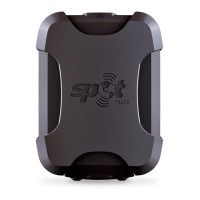
SPOT TRACEisdesignedtoprovideoutstandingqualityandreliability.Foroptimumreception
alwaysafxyourSPOT TRACEwiththelogopointedtowardthesky.Thedevicewilltransmitthrough
berglass,fabric,andglass.Receptioncanbeinhibitedduetohills,buildings,metalroofsorother
obstructionssoitisnormalthatsomemessagesmaynotgothrough.ThatiswhySPOT TRACE
automaticallysendsmultiplemessagesineverymode,givingyouexcellentoverallreliability.Insome
modes,thismeansmultipleattemptstosendthesamemessage,whileinothermodesitmeans
regularlyupdatingGPScoordinatesandsendinganewmessagewiththemostuptodateinformation.
PowerOff,StopandStatusMessagesareallcasesofsendingmultipleattemptsofthesamemessage
untilthemessagehasbeenreceived.
*
2 ½ MINUTES FOR EXTREME TRACKING
AND 5 MINUTES FOR BASIC TRACKING
USING SPOT DEVICE UPDATER
PLEASE NOTE:makinganychangetotherateoftrackingandMovementAlertsandenablingor
disablingDockModeandStatusfeaturesrequiresyoutoupdateyourSPOT TRACEwiththenew
featuresettings.SPOT TRACEmustbepluggedintoyourcomputerwiththeincludedUSBcableto
successfullycompleteanupdate.
Haveyour SPOT TRACEandUSBcablewithyou
Clickontheorangestarburstthatappearsoneverypageonceafeatureischangedthatrequiresa
deviceupdate
DownloadtheSPOTDeviceUpdater
OpentheprogramandenteryourauthorizationcodelocatedatthebottomoftheQuickStartGuide
(includedinbox)andinsidethebatterycompartment
ClicktheUpdatebuttonintheprogram
Refreshyouraccountsettings


 To Next Page