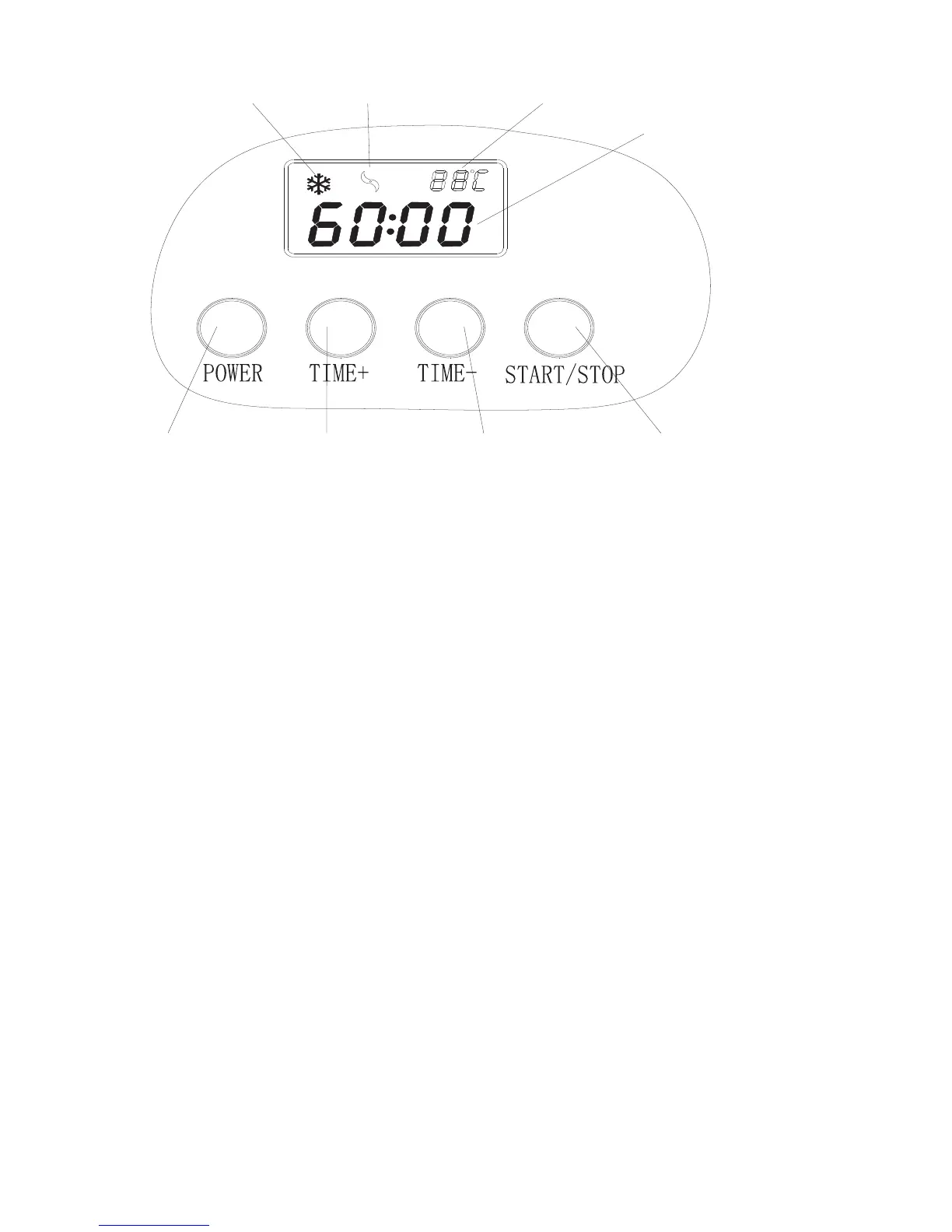
10. The device is set to a general 60
minute preparation cycle. Press the
TIME [+] or TIME [-] buons to set
another preparation time. This can be
set in 1 minute increments from 60 to 1.
11. Now press the START/STOP buon.
The appliance will begin the freezing
and mixing process.
12. If the ice cream is not yet solid
aer the cycle, it can be le to freeze
for up to 60 minutes. If the mixture
freezes before the cycle ends, the
machine will stop and the ice cream
can be removed.
13. During use, the duration of the
cycle can be increase by pressing
the TIME [+] buon to increase the
duration by 1 minute increments
between 60 and 1 minutes. Pressing
the TIME [-] buon will reduce length
of the cycle.
14. The remaining time will be
displayed on the machine.
15. Aer the cycle is finished, the
appliance will automatically switch off
aer a signal tone. This display will read
0:00.
16. If the ice cream is not removed
within 10 minutes aer the signal
tone, the automatic cooling function
will remain on for a maximum of 60
minutes to prevent any melting. Do not
leave the ice cream in the machine for
any longer, as it may become hard and
splinter.


 To Next Page