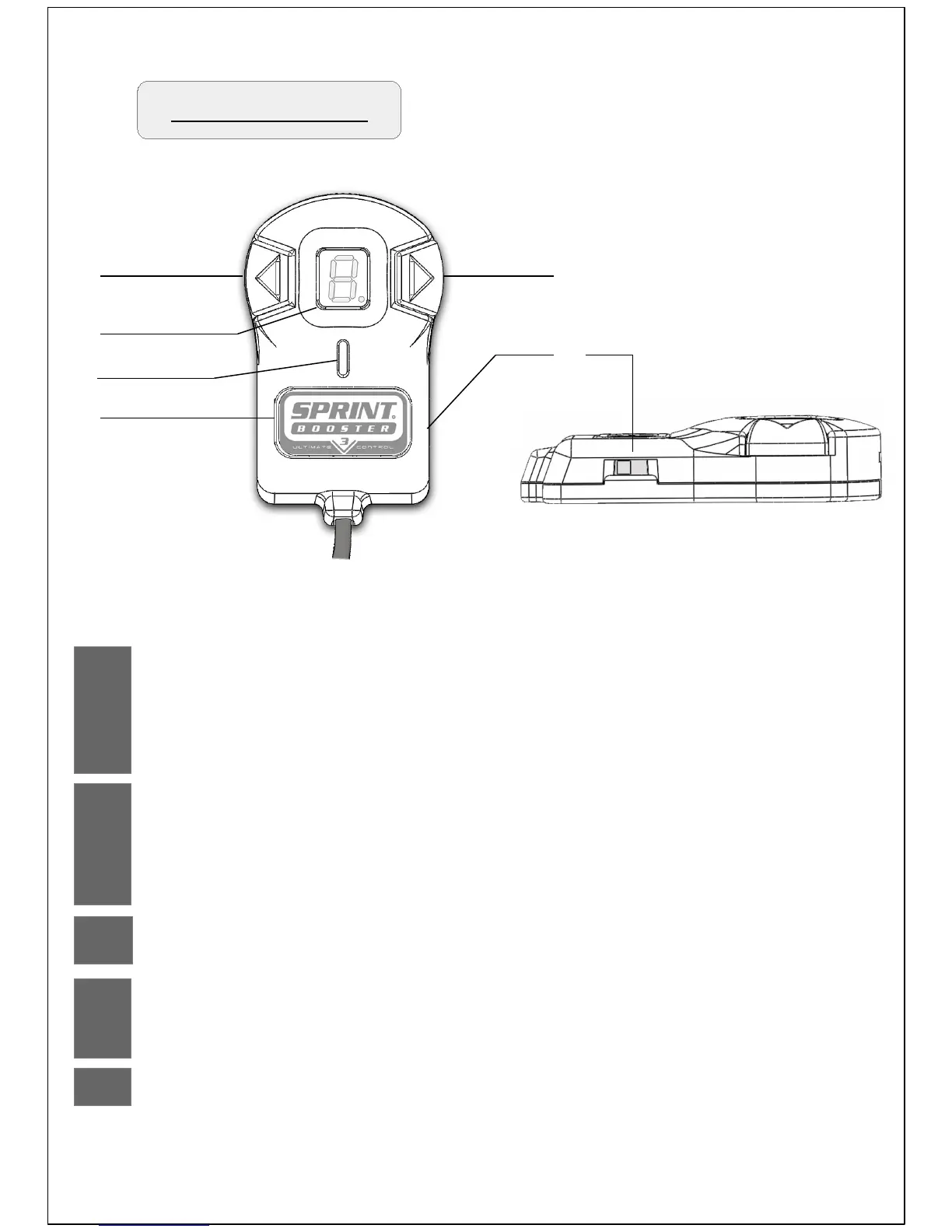
Selector Switch
1 & 2
3
Arrow buttons
7 Segment LED display
Navigate through the Acceleration programs.............................. 5-6
Enter PEDAL LOCK mode / VALET Mode Menu ....................... 10-11
Navigate through the PEDAL LOCK mode / PIN selection.......... 12,14
Navigate through the VALET mode / Level - PIN selection......... 16-18,20
Display of the selected Acceleration program............................. 5,7
PEDAL LOCK mode / VALET Mode Menu display...................... 9-11
PEDAL LOCK mode PIN selection display................................. 12-14
VALET mode Level-PIN selection display …............................... 16-18
4
LED indicator
Indicate the selected Acceleration mode …............................... 3
5
Main selection button / Set button
Acceleration mode -SELECT....................................................... 4
PEDAL LOCK mode / VALET Mode – SET …............................. 11
6
Type of transmission selection............................................ 2
1
3
4
5
2
6


 To Next Page