Acceleration modes
Default settings
Once you start your engine for the first time after you install the Sprint
Booster , the device will be in Race mode on program 5 (Acceleration
programs 5-6).
Sprint Booster comes with 3 Acceleration modes/presets (SPORT /
RACE / OFF):
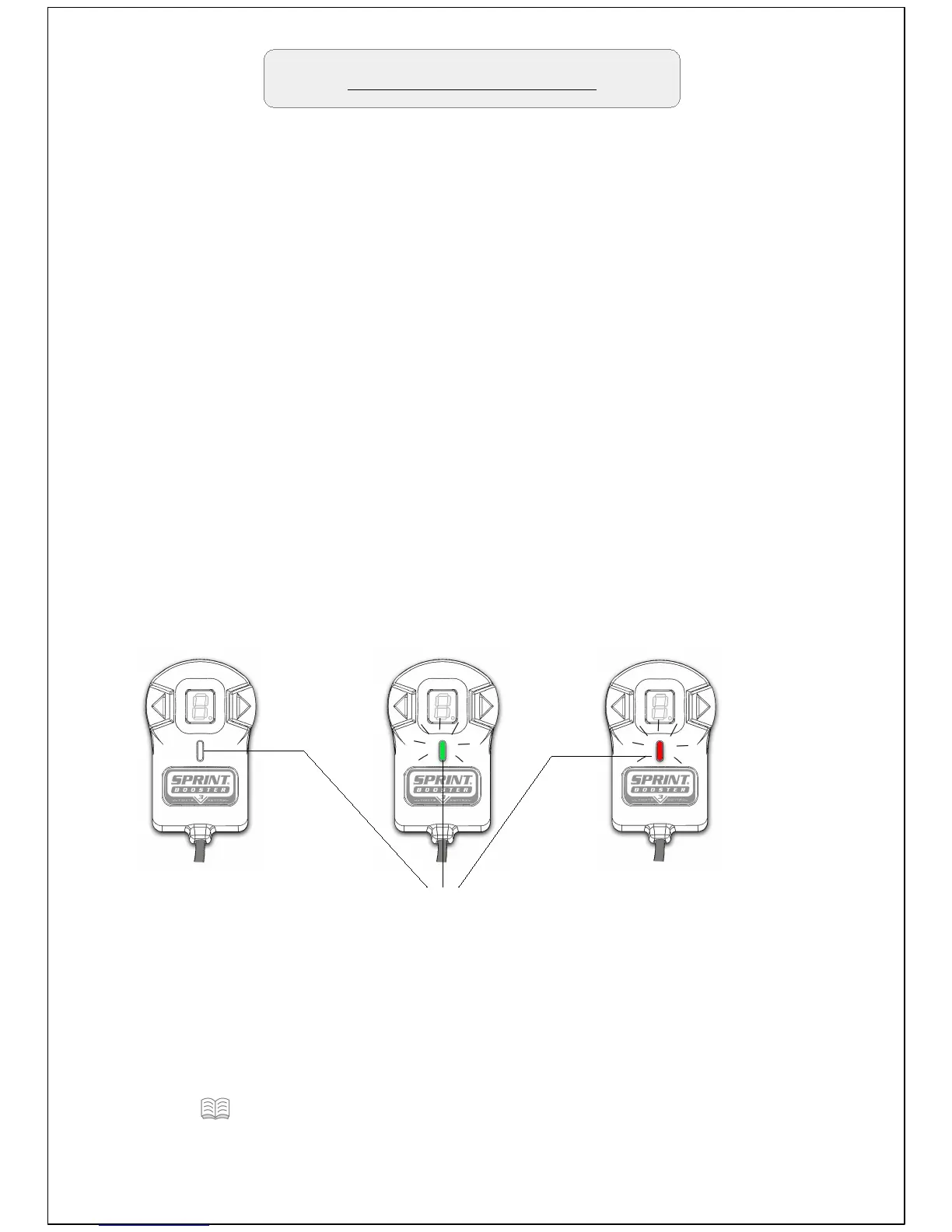
Off mode – Sprint Booster is deactivated. The response of the car
has the factory settings.The LED of the Selector switch is OFF.
SPORT mode- Sprint Booster provides improved response up to
30%. The LED of the selector switch in Sport mode is Green.
RACE mode – Sprint Booster provides improved response up to
60%. The LED of the selector switch in Race mode is Red.
OFF
(No light)
SPORT
(Green light)
LED Indicator
RACE
(Red light)


 To Next Page