Switch Off LED display
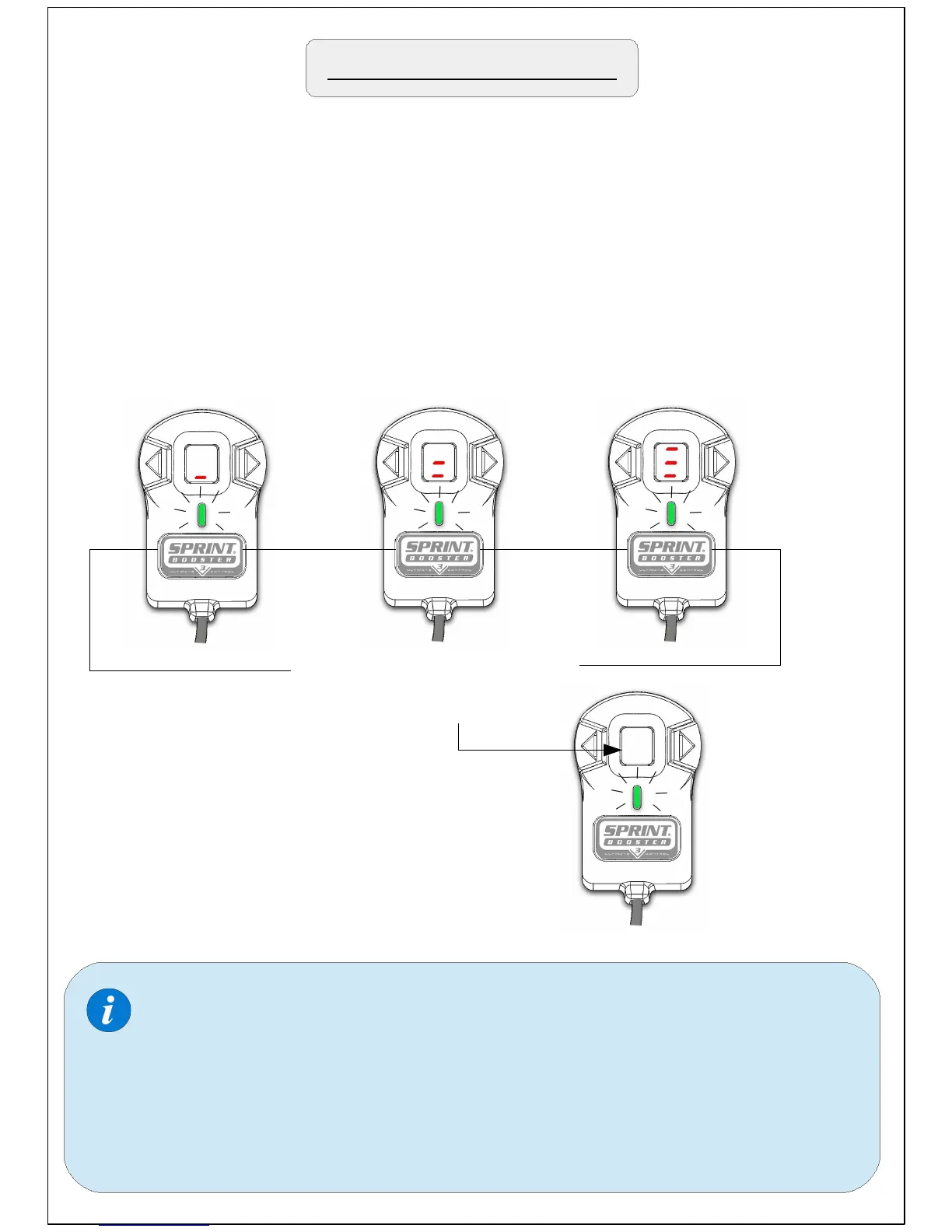
Anytime, you have the option to switch Off the 7 segment LED display
( in SPORT & RACE mode).
To do so , just keep the main selection button pressed for 3 seconds.
During the time you have the button pressed, 3 dashes will appear to
indicate 3 seconds. When the third dash appears the LED Display will
go Off.
1 ''
Keep button pressed for 3
seconds to turn Off LED
display
2 ''
3 ''
Repeat the same procedure to
turn the LED Display On.
When you turn Off the LED display , the arrow buttons are
deactivated and the programs (1-9) cannot be changed. The
programs you had selected are stored in the memory.
After you switch Off the LED display you will only have the
LED light On (SPORT & RACE) that indicates the mode you
are in.


 To Next Page