AUTO
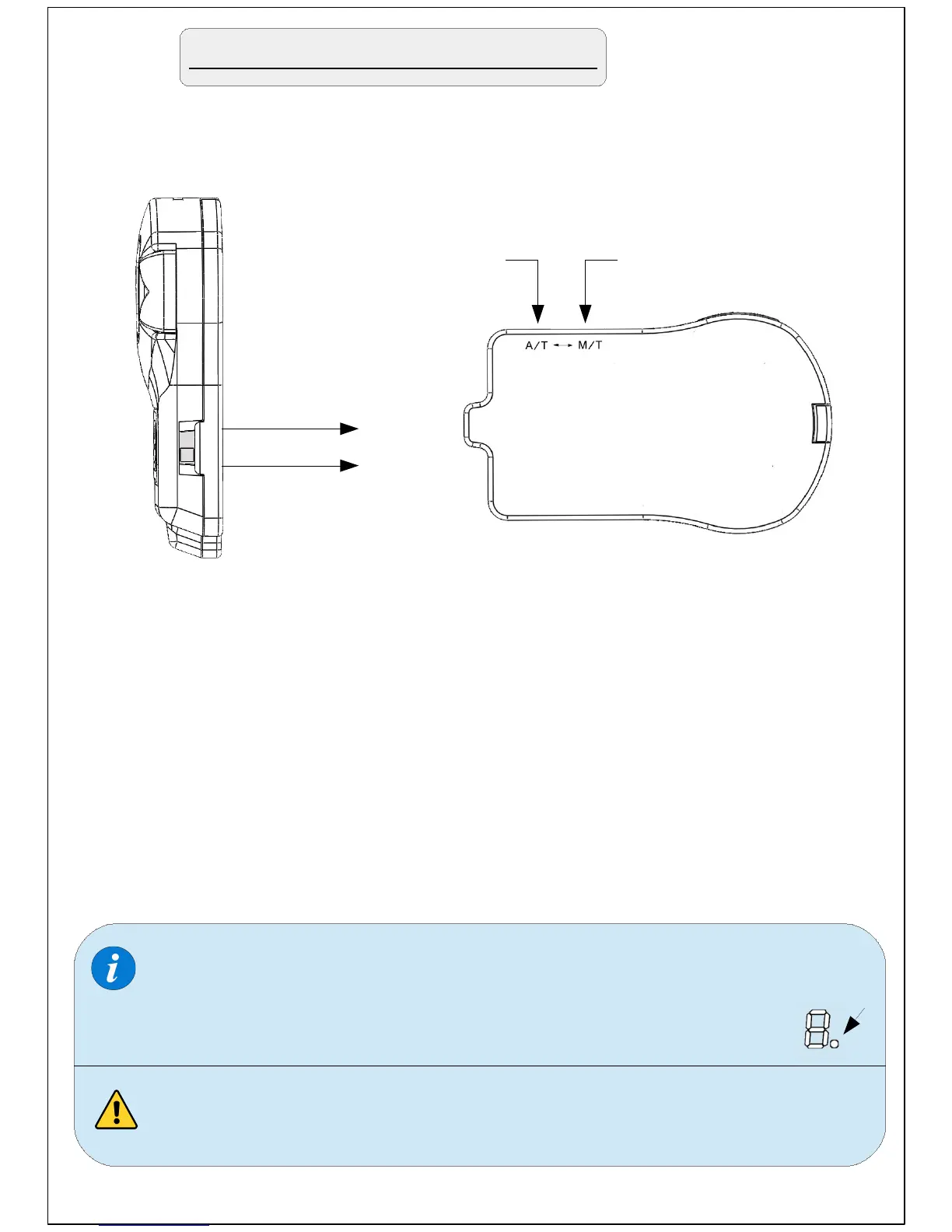
On the right side of the selector , there is a slide switch.
Using a pointed object (pen/pin/paper clip..etc) move the
switch to one of the 2 positions depending on the type
of your vehicle's transmission.
Move to 'M/T' position for vehicles equipped with manual
transmission or to 'A/T' position for vehicles equipped with
automatic transmission.
For 'semi-automatic' transmissions (DCT, S tronic, DSG, PDK,
SMG, ..etc) move to 'A/T' position
A/T
M/T
Choose the type of transmission
When the slide switch is in the 'M/T' position (manual) a red
dot will appear on the LED display indicating the selection of
manual transmission once you operate the device.
Never change this selection while driving.
MANUAL


 To Next Page