Acceleration Programs
Each mode (SPORT – RACE) comes with 9 steps-programs so the
driver can choose the one that suits his driving style (18 programs in
total).
This allows the driver to fine-tune each mode (SPORT – RACE)
according his needs by selecting one of the nine different programs on
each mode.
You can select 1-9 in SPORT mode (Green light) and 1-9 in RACE
mode (Red light) with '1' being the least aggressive program and '9'
the most aggressive one.
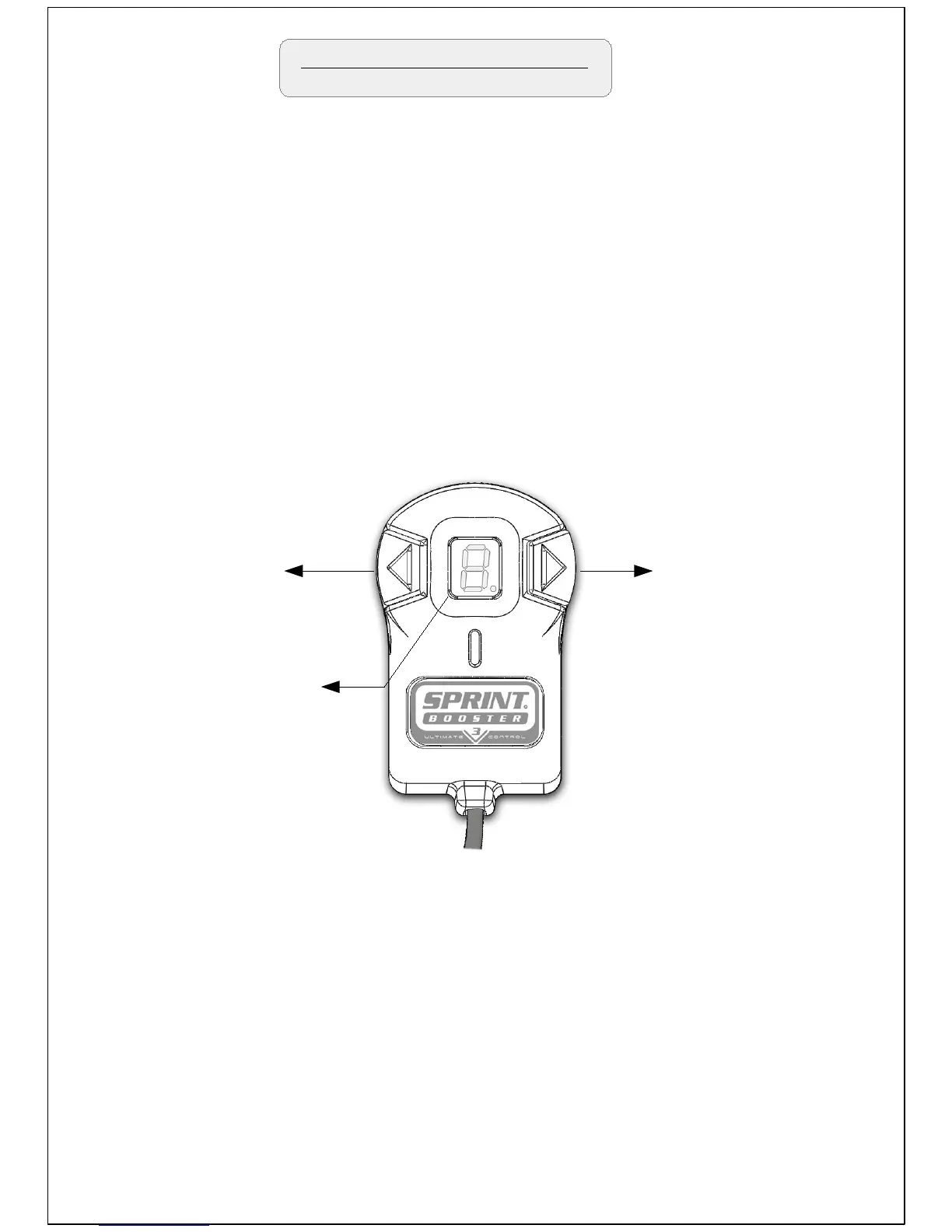
Left arrow button
Select to decrease
(9->1)
Right arrow button
Select to increase
(1->9)
In order to navigate through the different programs-steps on each
mode you need to press one of the arrow buttons (left -right) as shown
above .
Press left arrow button to decrease (9->1) or right button to increase
(1->9).
The programs are only available in the SPORT and RACE mode.
The selected program
is shown on the LED
Display
The selected program is shown on the LED Display.


 To Next Page