Acceleration Programs
The default programs on the Selector switch are SPORT- 5 &
RACE- 5.
With the main selection button move to SPORT or RACE mode and
with the arrow buttons select 1-9 to choose acceleration program.
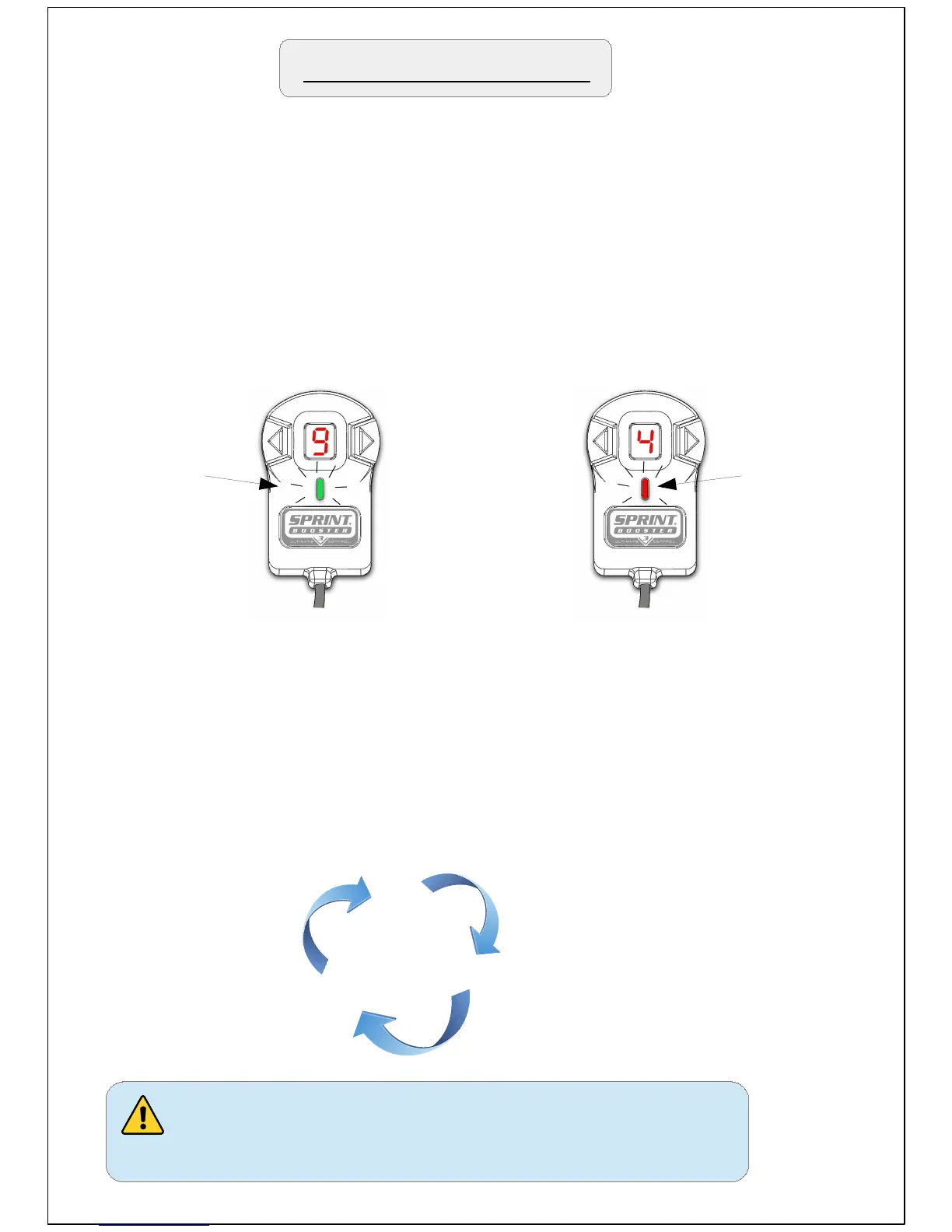
Go to SPORT mode (green light) and press the right arrow until
you reach 9. Then press the main button to switch to RACE (red
light) and press the left arrow button to go to 4.
The 2 modes now are set as SPORT-9 & RACE-4.
After that , by pressing the main button you will have :
Sport-9
Race-4
Off
Never change programs while pressing
the accelerator pedal.
SPORT-9
(Green)
RACE-4
(RED)
Example : Selecting the program SPORT-9 and RACE-4.


 To Next Page