12
Web UI Configuration
Home
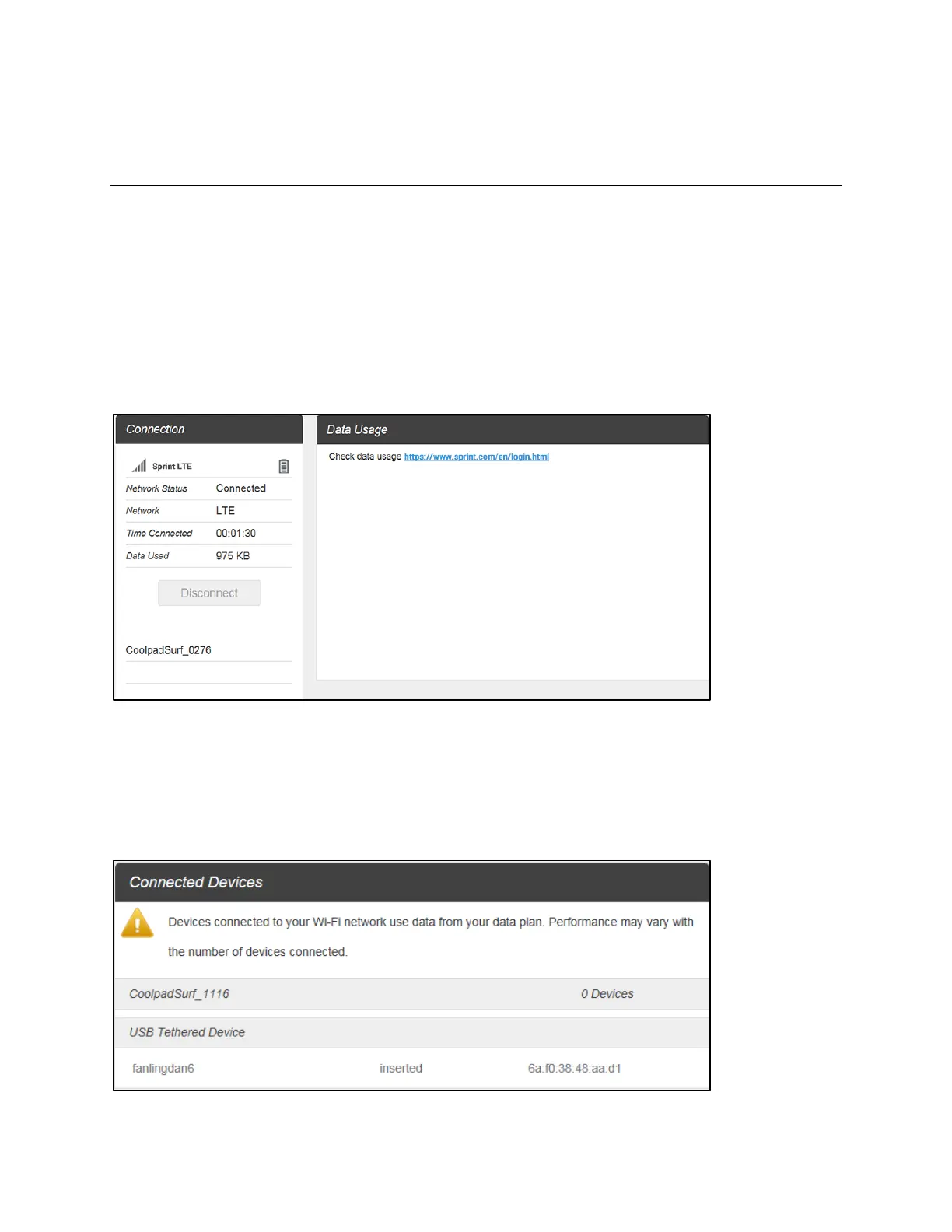
On the Web User Interface screen, click Home to enter the Home screen. Here you can view network
status, network name, time connected, data used, etc.
■ Connection: Displays network status, network name, time connected, data used, and more. Click
Connect/Disconnect to connect/disconnect the Internet.
■ Data Usage: Click the website to check data usage in details.
Connected Devices
On the Web User Interface screen, click Connected Devices to enter the Connected Devices screen.
Here you can view details of connected device(s), including host name and MAC address, and you can
change the mobile hotspot's access status.


 To Next Page