17
3. Select the Wi-Fi tab and click Basic.
4. Select WPA2-PSK for the Authentication Method.
5. Enter a new password in the Wi-Fi Password field.
6. Click Save Changes.
WPS
You can enable Wi-Fi Protected Setup (WPS) by PIN (PIN code) or PBC (push-button) mode. If your
client device supports WPS, there’s no need to enter the password manually when WPS is available.
■ PIN: Enter the PIN that is generated by the wireless access client.
■ PBC: Select PBC or press the WPS button on the device.
Note: If there is no client connected to the Hotspot within two minutes, WPS will be deactivated.
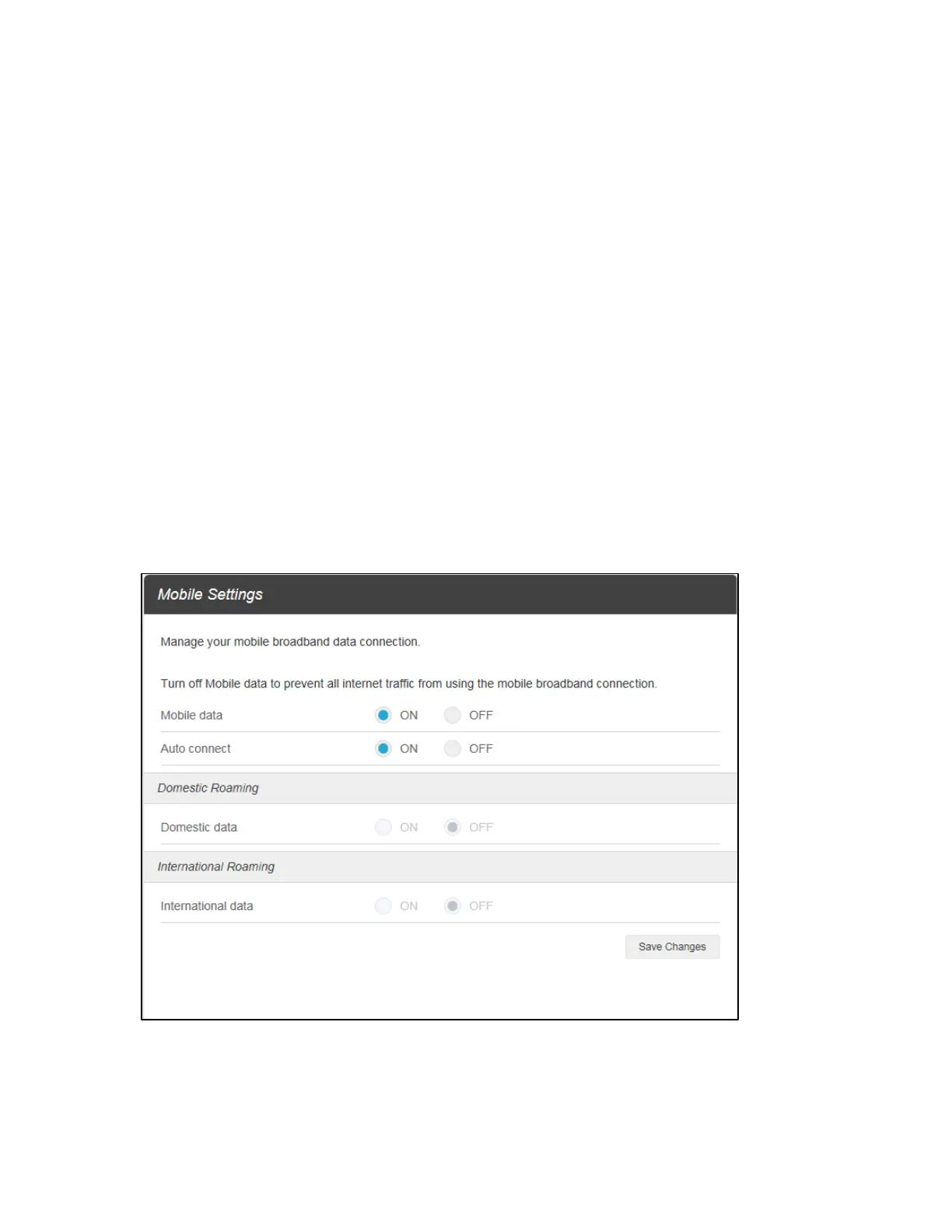
Mobile Network
Mobile Settings: Manage your mobile broadband data connection, domestic roaming and
international roaming setting.


 To Next Page