15
Settings
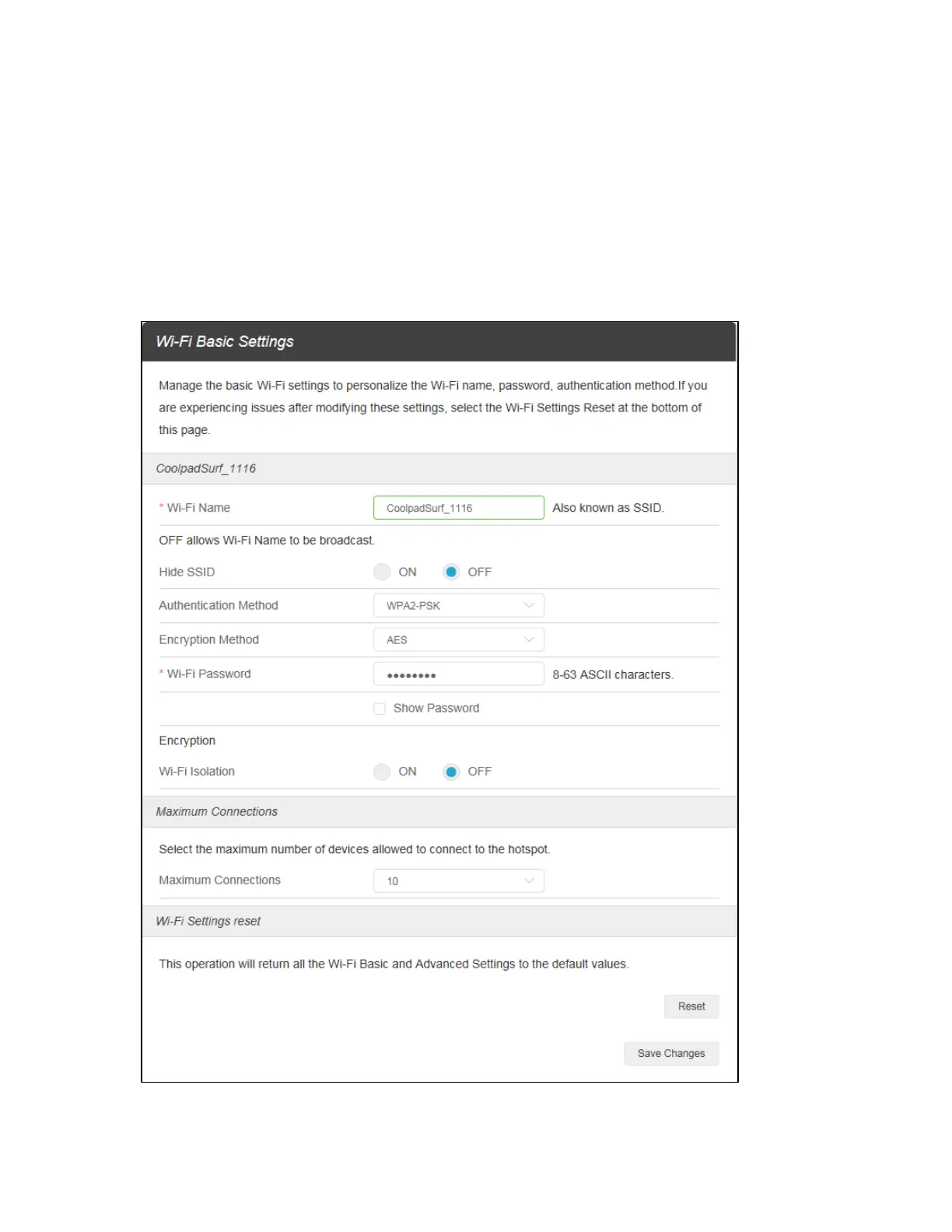
On the Web User Interface screen, click Settings to enter the Settings screen. Here you can view and
change Wi-Fi settings, mobile network settings, device settings and advanced router settings.
Wi-Fi
Basic: Manage the basic Wi-Fi settings to personalize the Wi-Fi name, password, authentication
method, maximum number of devices connected, and more.


 To Next Page