5
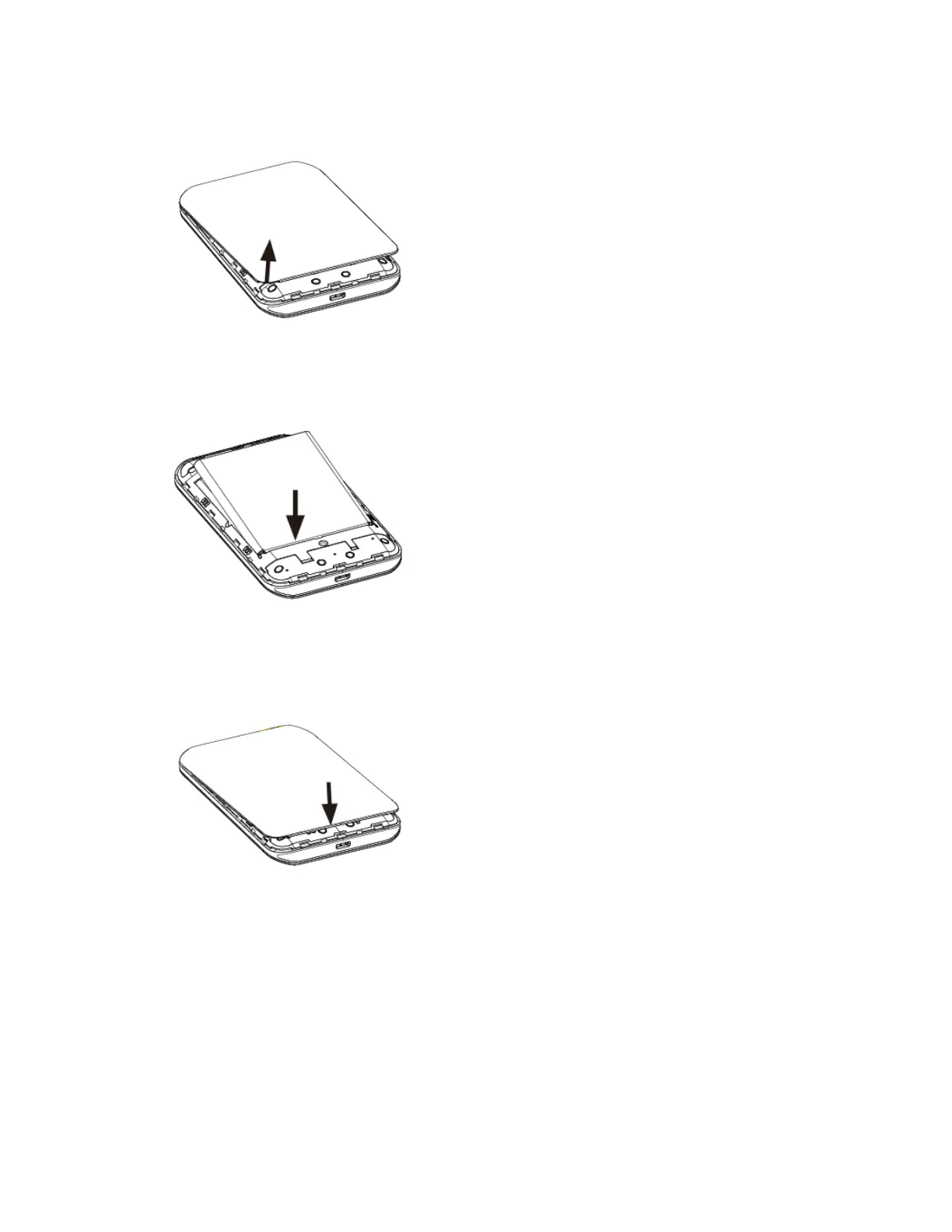
1. Remove the battery cover.
Lift gently in the direction shown.
2. Insert the battery.
Align the contacts of the battery with the contacts in the mobile hotspot.
3. Attach the battery cover.
Make sure all the tabs are secure and there are no gaps around the cover.
Remove the Battery
Follow these instructions to remove your mobile hotspot’s battery. Always power the mobile hotspot off
before removing the battery.


 To Next Page