6
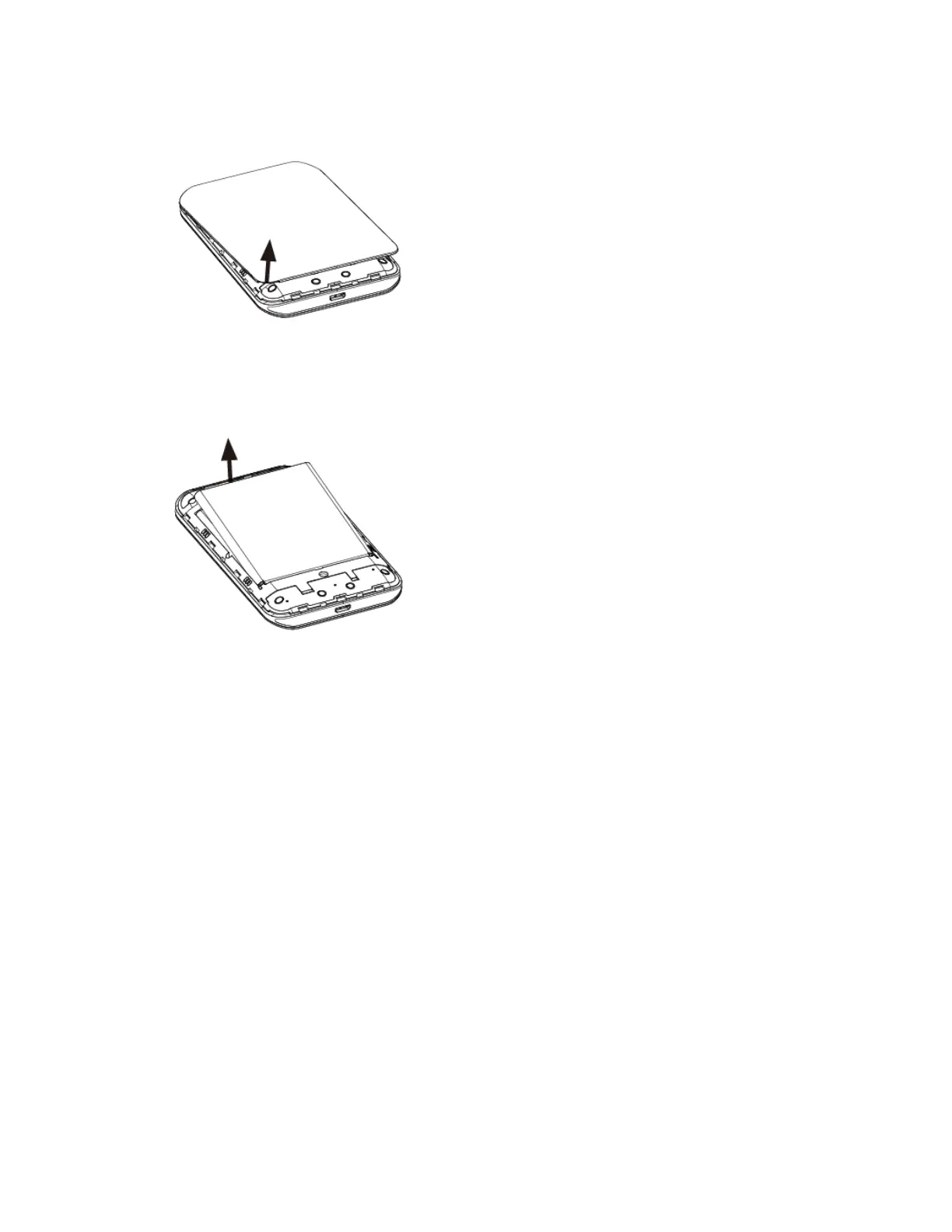
1. Remove the battery cover.
Lift gently in the direction shown.
2. Remove the battery.
Lift upward gently as shown.
Charge the Battery
Follow these instructions to charge your mobile hotspot’s battery using either the included AC adapter or
via a USB connection on your computer.
Charge Using the AC Adapter
1. Plug the USB connector into the USB port of your mobile hotspot.
2. Plug the other end of the USB cable into the AC adapter.
3. Plug the AC adapter into an electrical outlet.
4. After charging, disconnect the mobile hotspot from the charger.
Unplug the AC adapter from the outlet, and remove the USB cable from the mobile hotspot
and the AC adapter.
Charge Using a PC Connection
Before using a PC connection to charge your mobile hotspot, ensure that the computer is turned on.
Depending on the type of connection, your mobile hotspot’s battery may not charge.


 To Next Page