1. Pay attention to the direction of loading paper, make the printing
surface face to the print head.
2. Please don’t feed or draw the paper forwards or backwards by
hands.
3. Keep clean of the print head, avoid to influence the printing
quality.
2.3 Interface Connection
2.3.1 Serial Interface Connection
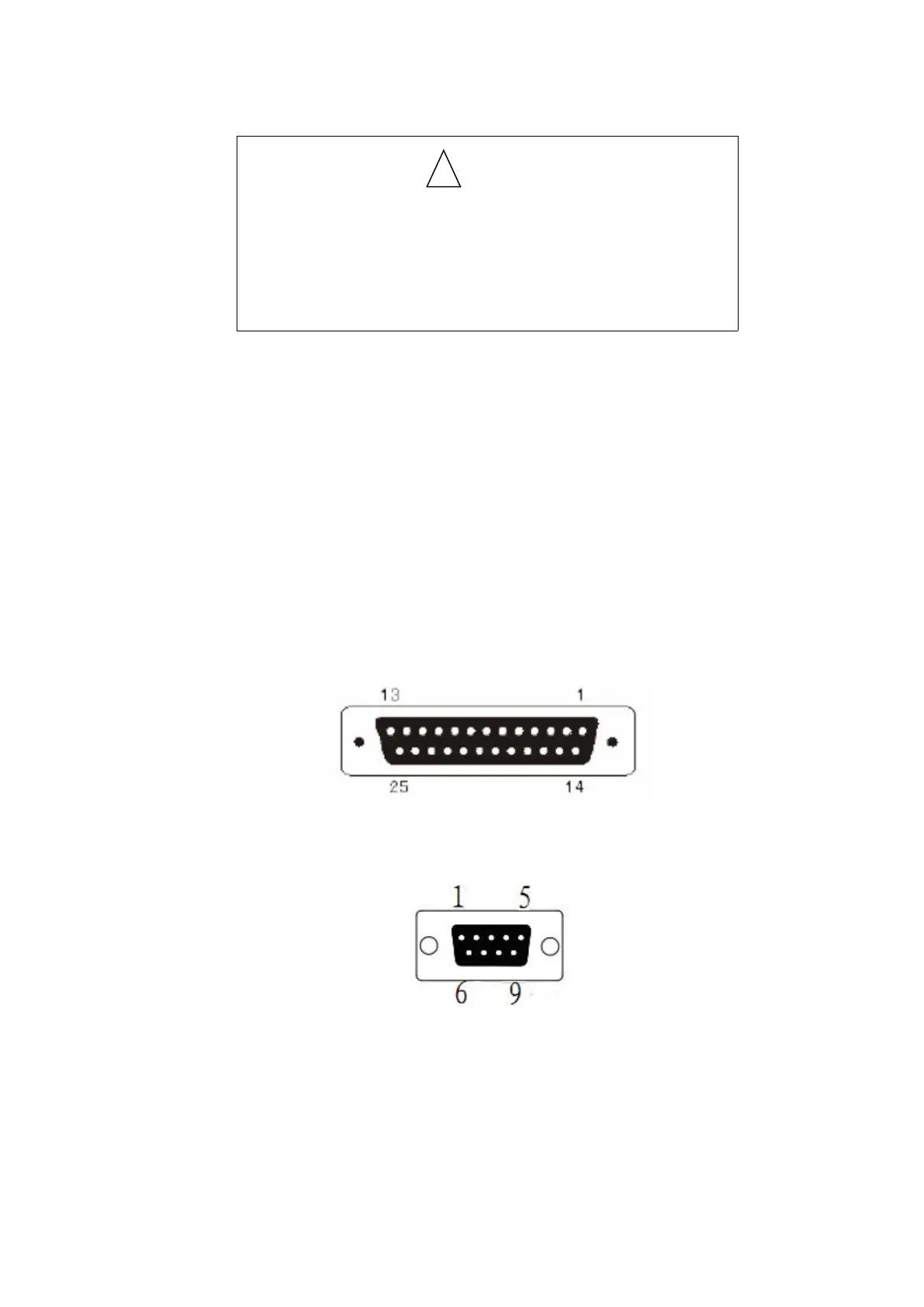
The serial interface of TL51 printer is compatible with RS-232C, supports DTR/DSR and
XON/XOFF handshake protocol, the interface socket is DB-25 socket (female) and DB-9
socket(female). The pin order of the serial port is as Fig 2-2, 2-3:
Fig 2-2 Pin order of DB-25socket (female)serial port
Fig 2-3 Pin order of DB-9socket(female) serial port



 To Next Page