12
FORCE
Settings
GENERAL SETTINGS
Sets the general options of the camera.
Device name
Allows naming the camera with the electronic keyboard to identify it
clearly. This option is particularly useful for users with more than one
camera.
Language:
(English/Français/Deutsch)
Allows the user to select a language for the camera menus.
Date format:
(MM/DD/YY, DD/MM/YY)
Allows the user to set the date as Month/Day/Year or as Day/Month/Year.
Time format:
(12H/24H)
Allows the user to set to standard time or millitary time.
Date:
Allows the user to set the date
Time:
Allows the user to set the time
Sentitivity:
(Low/Medium/High)
Allow the user to choose the sensitivity of the motion sensor.
The camera will only detect sources of heat in movement. Make sure to
have the least possible objects in front of the camera during the positioning.
This prevents the camera of taking photos when oriented towards the sun
while an object moves in front of the camera (e.g. a branch).
Quality:
(Normal/High)
Allow the user to set the photo quality.
Info on photos:
(Yes/No)
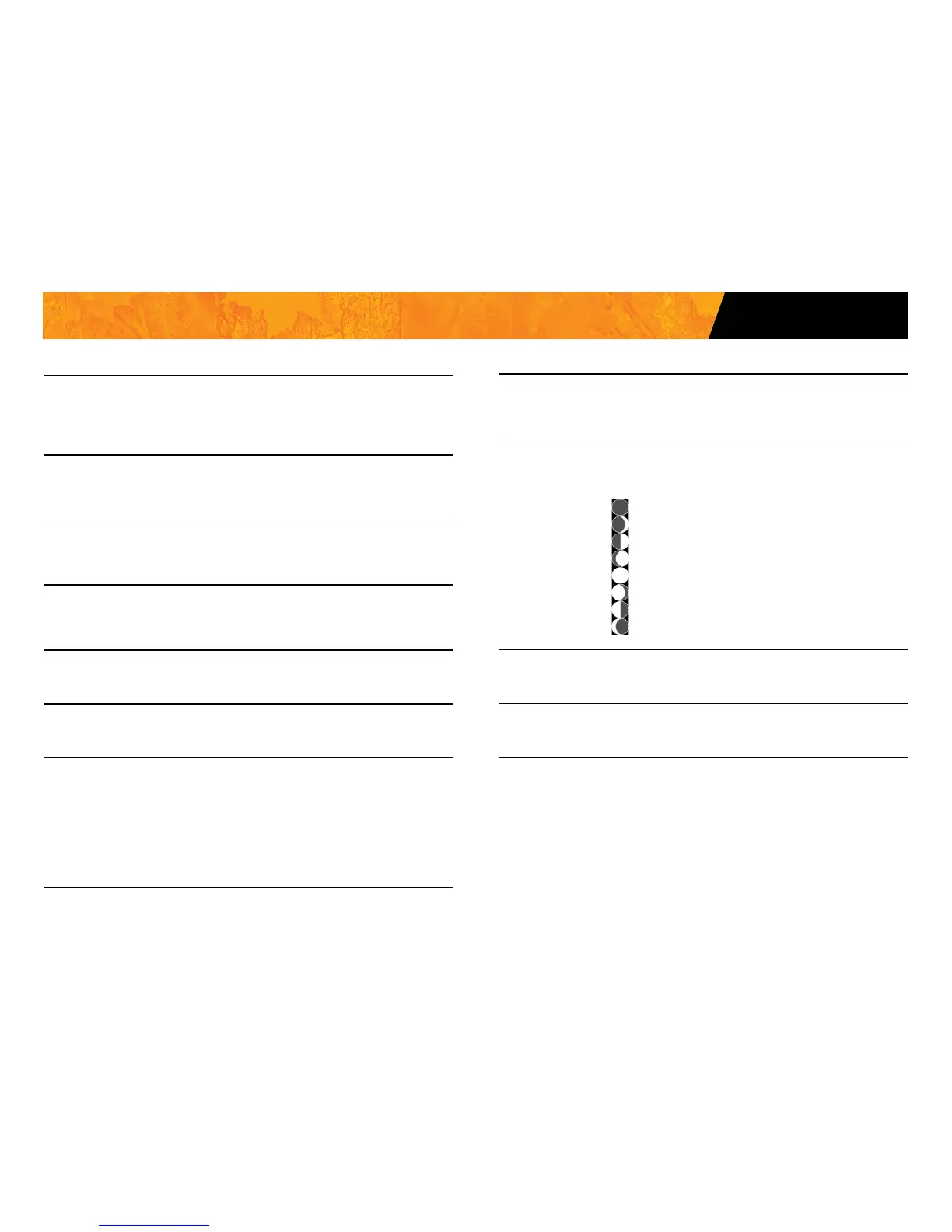
Allows the user to have date, time, temperature and moon phases printed
on the photos.
New moon:
Waxing Crescent:
First Quarter:
Waxing Gibbous:
Full moon:
Waning Gibbous:
Last Quarter:
Waning crescent:
Start time:
Allows the user to set the start time of the motion detector.
Stop time:
Allows the user to set the stop time of the motion detector.















 To Next Page