EasyManua.ls Logo

Spypoint FORCE-PRO-S - User Manual

Spypoint FORCE-PRO-S
24 pages
Print Icon
To Next Page IconTo Next Page
Loading...
1
FORCE-PRO-SSPYPOINT
v.1.0
USER MANUAL
FORCE-PRO-S

Questions and Answers

Summary

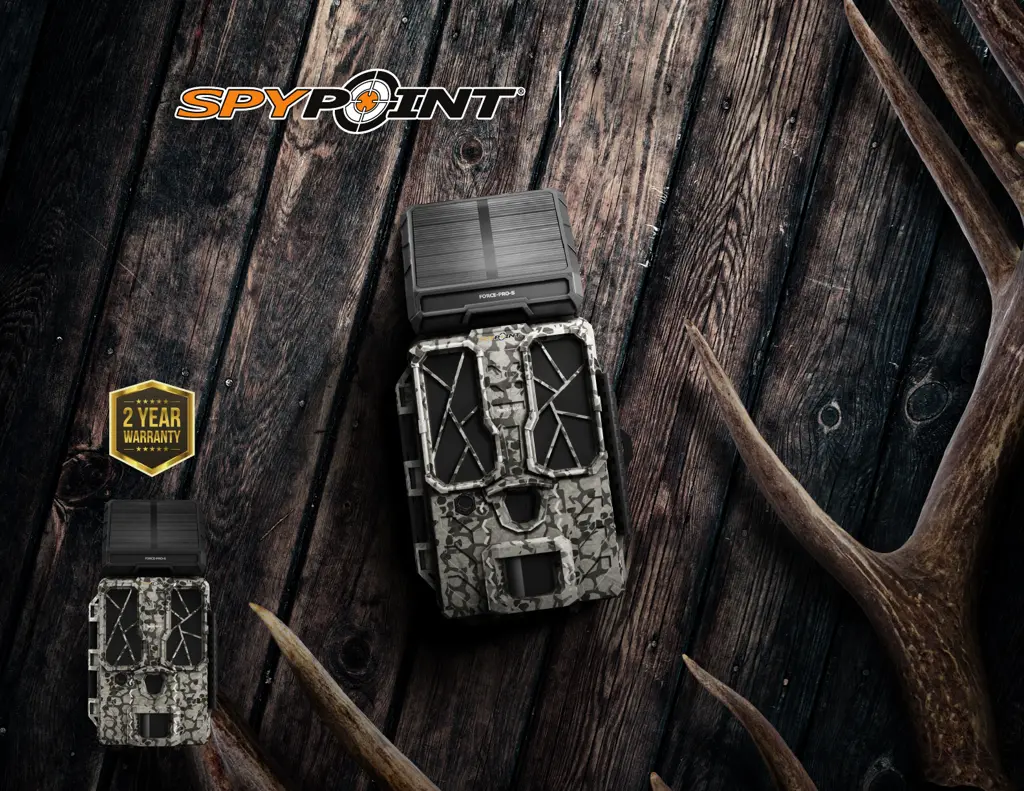
Introduction to the Spypoint Force-Pro-S

Force-Pro-S Camera Presentation

Highlights the key features and benefits of the FORCE-PRO-S trail camera for hunters.

Customer Support and Contact

Provides contact details and hours for technical support and customer service inquiries.

About Spypoint Company

Details SPYPOINT's mission, product philosophy, and commitment to quality and innovation.

Join the Spypoint Community

Lists SPYPOINT's social media channels for users to connect and share experiences.

Key Features of the Force-Pro-S

Photo and Video Capture Capabilities

Details specifications for photo resolution, video formats, and audio recording.

Power Sources and Detection System

Outlines camera power options, motion detection range, angle, and illumination features.

Memory, Viewing, and Recommendations

Covers memory card requirements, built-in screen, operating, and storage temperatures.

Powering Your Spypoint Camera

Battery Level and Management

Explains battery icons, choosing power sources, and managing power supply priority.

Solar Panel Battery Accessory

Details the SPLB-22 solar panel lithium battery combo unit for extended power.

Optimal Battery Usage Tips

Provides recommendations for best results and avoiding battery-related issues.

Using Memory Cards

Memory Card Installation Guide

Recommends SD card types and capacities for optimal camera operation.

Video Capacity and Resolutions

Provides tables on video storage capacity and available resolution options.

Memory Card Procedures

Inserting the Memory Card

Step-by-step instructions for inserting an SD card, including formatting advice.

Removing the Memory Card

Instructions for safely removing the SD card to prevent data loss or damage.

Camera Setup and Configuration

General Settings Configuration

Guides on navigating menus to set language, date, time, and temperature.

Configuring Camera Modes

Photo Mode Delay Settings

Adjusts the time interval between photo detections and captures.

Photo Mode Quality Settings

Selects the resolution for still photos (4 MP, 16 MP, or 30 MP).

Photo Mode Multi-Shot

Configures the number of consecutive photos taken per detection.

Photo Mode Detection Sensitivity

Adjusts the sensitivity of the motion detector for photo captures.

Configuring Camera Modes

Video Mode Delay Settings

Adjusts the time interval between video detections and captures.

Video Mode Quality Settings

Selects the resolution for video recordings (VGA, HD, FHD, QHD, 4K).

Video Mode Duration Settings

Sets the length of each video recording.

Video Mode Detection Sensitivity

Adjusts the sensitivity of the motion detector for video captures.

Configuring Camera Modes

Time-Lapse Mode Settings

Enables timed photo capture at regular intervals, independent of motion detection.

Time-Lapse Delay Settings

Sets the interval between time-lapse photos.

Additional Camera Settings

Camera Naming and Photo Metadata

Allows naming the camera and configuring photo metadata like date and moon phase.

System Management and Defaults

Covers software version, updates, resetting to defaults, and SD card formatting.

Night Mode Lighting Options

Selects optimal lighting for nighttime photos and videos (Optimal, Boost, Min Blur).

Installation and Operation

Camera Software Updates

Provides guidance on how to perform software updates for the camera.

Camera Operation and Indicators

Explains how to turn the camera on/off and the function of the red LED indicator.

Physical Camera Installation

Details steps for mounting the camera on a tree using the supplied strap.

Transferring Files to a Computer

PC File Transfer Procedures

Instructions for transferring photos and videos from the SD card to a PC.

Mac File Transfer Procedures

Instructions for transferring photos and videos from the SD card to a Mac.

Available Accessories

Power and Battery Accessories

Details solar panels, 12V power cables, and battery kits compatible with the camera.

Security and Storage Accessories

Lists cable locks, security boxes, and SD cards for camera protection and storage.

Mounting Accessories

Describes the adjustable mounting arm for camera positioning.

Troubleshooting Camera Issues

Troubleshooting Power Issues

Solutions for problems related to turning the camera on or screen shut-offs.

Troubleshooting Operational Failures

Resolves issues like camera unresponsiveness or failure to take pictures/videos.

Troubleshooting Image Quality

Solutions for blurry photos and issues with dark or black images at night.

Understanding Red LED Indicator

Explains the meaning of the red LED flashes during installation and detection.

Troubleshooting Detection and Image Issues

Troubleshooting Detection Failures

Solutions for when no animals or detections are captured in photos/videos.

Troubleshooting Night Image Quality

Addresses issues with dark, black, or poor-quality photos/videos at night.

Troubleshooting Screen Messages

SD Card Related Messages

Solutions for 'NO CARD', 'CARD ERROR', and formatting progress/completion messages.

Battery Status and Formatting

Explains 'BATTERY LOW' messages and the formatting process status.

Troubleshooting System and Update Issues

SD Card Error and Memory Issues

Solutions for 'FORMATTING ERROR' and 'MEMORY FULL' messages.

System Status and Update Problems

Addresses 'BUSY', 'UPDATE', and 'NO UPDATE FILES' messages during operations.

Warranty Information

Limited Warranty Coverage

Details the 2-year limited warranty, coverage, and proof of purchase requirements.

Warranty Exclusions

Lists conditions and damages not covered by the SPYPOINT warranty.

Regulatory Compliance

FCC Compliance Statement

Provides the FCC statement regarding device compliance and interference.

Product Disposal Guidelines

Proper Disposal Procedures

Instructions for environmentally responsible disposal of the camera and its components.

Spypoint FORCE-PRO-S Specifications

General IconGeneral
Megapixels30 MP
Video Resolution4K
Trigger Speed0.2 seconds
Type of LEDsLow glow
Battery LifeUp to 12 months
Wireless ConnectivityNo
Detection Range110 ft
Screen2.4-inch color LCD
Flash Range80 feet

Related product manuals