9
FORCE-PRO-SSPYPOINT
INSERTING YOUR MEMORY CARD
Before inserting the SD card into your camera, it must be formatted via a computer to ensure proper
operations. Visit www.spypoint.com/en/support if you need help formatting your SD card.
• Make sure the camera is turned OFF to prevent any loss or damage to photos already saved on
the memory card. Also, make sure the switch on the side of the SD card is not set on LOCK.
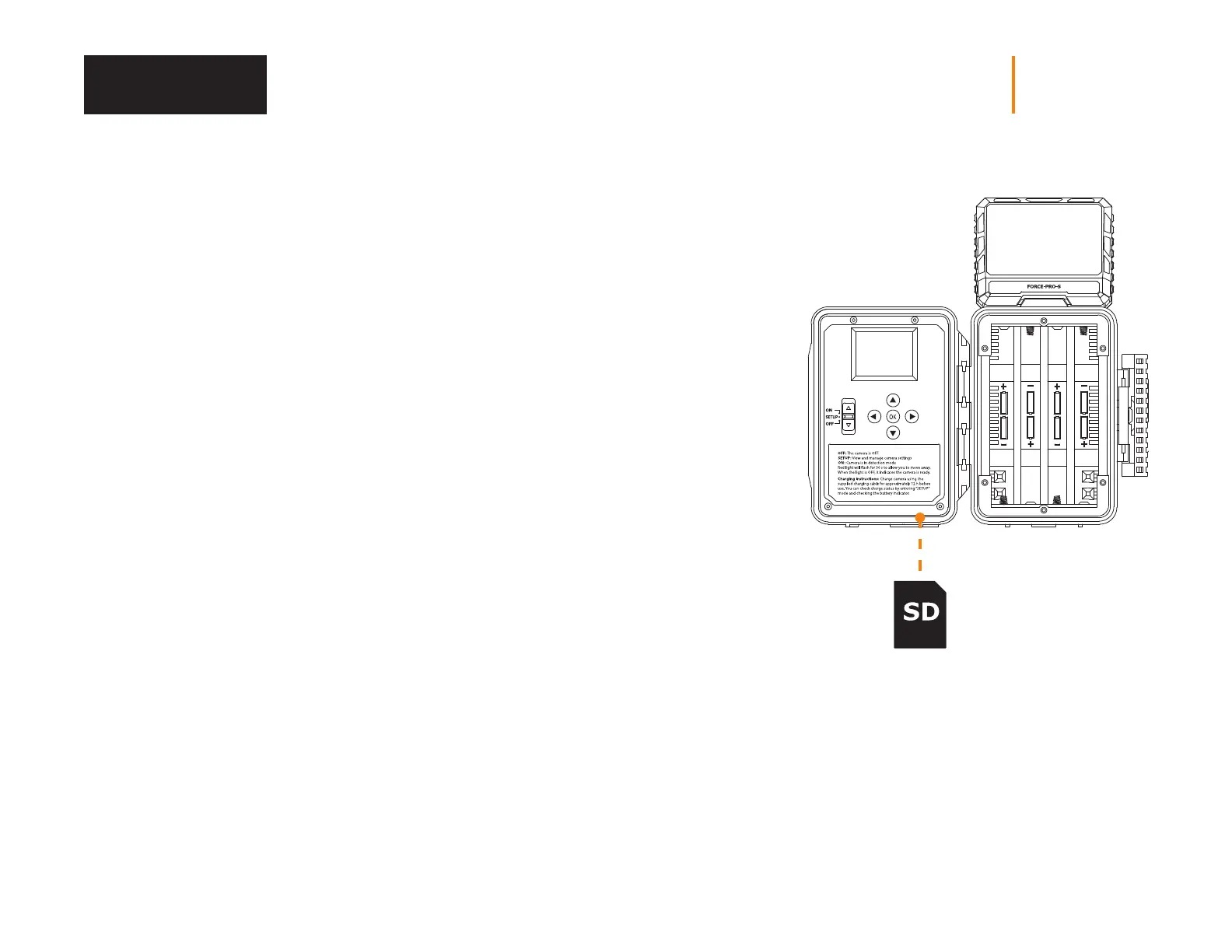
• Locate the SD card slot. It is on the bottom right corner of the camera (see diagram).
• Insert a standard SD memory card (up to a 128 GB capacity) in the SD card slot placing
the bevelled corner on the upper right-hand side (see diagram).
• The card is inserted correctly when a click is heard.
REMOVING YOUR MEMORY CARD
• Before removing a memory card, always turn your camera OFF
to prevent les from on the card from being deleted or damaged.
• To remove the card, push it lightly into the camera until you hear a click.
Then take it out of the device.
Memory Card















 To Next Page