EasyManua.ls Logo

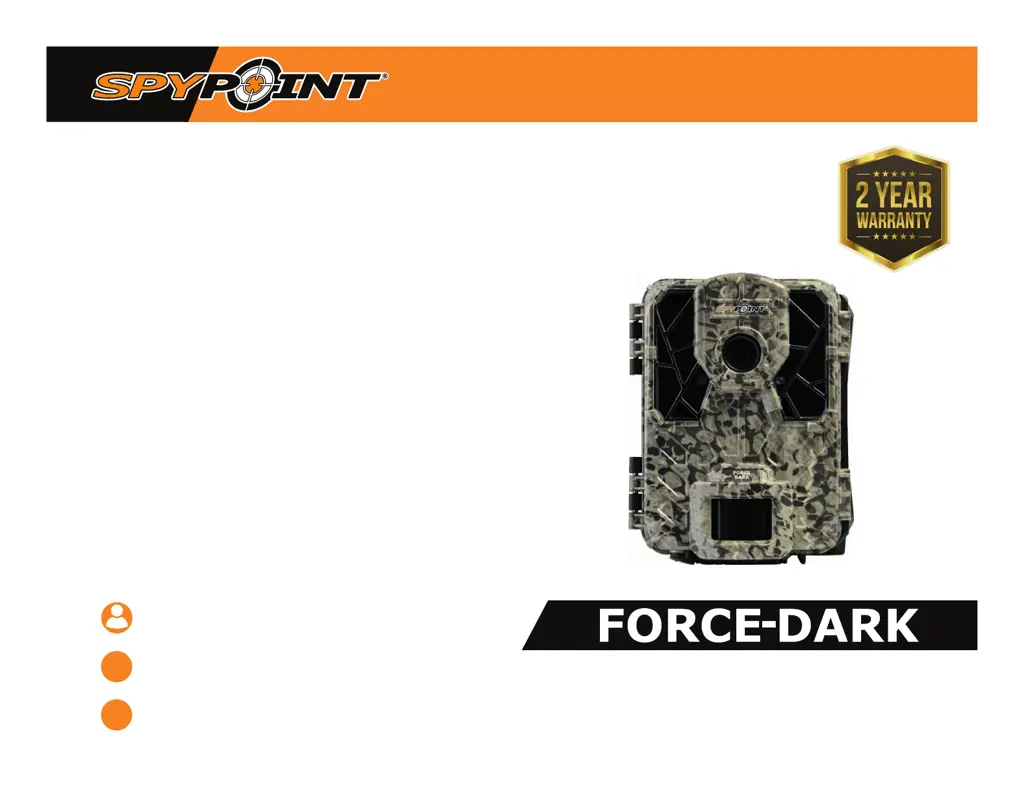
Spypoint Force-Dark - User Manual

Spypoint Force-Dark
17 pages
Print Icon
To Next Page IconTo Next Page
Loading...
* Specications and features may vary according to model.
Refer to our website or package for details.
user manual
ultracompact trail camera
models :
force-dark and similar models*
Version 5.0
www.spypoint.com
service@spypoint.com
support.spypoint.com

Other manuals for Spypoint Force-Dark

Questions and Answers

  • B
    Becky StoutAug 18, 2025
    Why Spypoint Force-Dark impossible to take photos or videos?
    • R
      Ricardo GrayAug 18, 2025
      If your Spypoint Scouting Camera can't take photos or videos, verify that there are batteries in the camera. Also, you can try replacing the batteries or recharging the lithium battery pack. Formatting the SD card, ensuring the camera is turned on, and removing the protective sticker from the detection lens are other possible solutions.
  • E
    Evelyn JenkinsAug 20, 2025
    How to turn on Spypoint Force-Dark Scouting Camera if it's impossible?
    • M
      mreedAug 20, 2025
      If you're having trouble turning on your Spypoint Scouting Camera, start by checking if batteries are present and correctly installed. You might also need to replace the batteries or recharge the lithium battery pack. As a last resort, try installing the latest update from the Spypoint website under the SUPPORT section.
  • J
    Jane CherryAug 23, 2025
    Why is the red light on the front of my Spypoint Force-Dark Scouting Camera flashing?
    • R
      Robert RothAug 23, 2025
      The red light on the front of your Spypoint Scouting Camera flashes because the camera is in Test mode and detects motion. If the camera is in Photo or Video mode, the test light will flash for 30 seconds to allow you to leave the site without being photographed.
  • V
    vleeAug 26, 2025
    Why does Spypoint Force-Dark Scouting Camera say insert memory card?
    • R
      Randy SchmittAug 26, 2025
      A memory card is required to save photos and videos on your Spypoint Scouting Camera.
  • S
    Sara NormanAug 27, 2025
    What to do if Spypoint Force-Dark shows low battery?
    • R
      russell01Aug 28, 2025
      If your Spypoint Scouting Camera displays a low battery warning, recharge the batteries or replace them with new ones. Always check the battery level before using the camera.
  • P
    peter99Aug 30, 2025
    Why Spypoint Force-Dark Scouting Camera photos/videos are dark?
    • J
      Jennifer HendrixAug 31, 2025
      Dark photos or videos on your Spypoint Scouting Camera can occur if the flash stops operating near the end of the battery life, especially when recording video, so check the battery level. Also, ensure there are elements in the background to reflect the camera's infrared light. You can test the camera’s nighttime illumination mode in a dark room to see if the camera takes black-and-white photos or videos.
  • W
    williamfloresSep 2, 2025
    Why no person or animal appearing in Spypoint Force-Dark Scouting Camera photos?
    • M
      Marcus PerrySep 2, 2025
      If no person or animal is appearing in your Spypoint Scouting Camera photos, check if the camera is pointing towards the sunrise or sunset. Try reducing the detection sensitivity of the camera because the motion sensor may detect beyond the range of the flash. If small animals may trigger the device, reduce the sensitivity and/or increase the height of the camera. Ensure the mounting post or tree is stable.
  • L
    Linda WilliamsSep 4, 2025
    How to fix dark photos/videos during nighttime on Spypoint Scouting Camera?
    • C
      Courtney HernandezSep 4, 2025
      To fix dark nighttime photos or videos on your Spypoint Scouting Camera, ensure the subject is within the nighttime flash range. Also, check that there are elements in the background to reflect the camera's infrared light.
  • A
    Abigail MartinezSep 7, 2025
    Why does the screen of Spypoint Scouting Camera turns off?
    • R
      Ryan PerezSep 7, 2025
      The screen of your Spypoint Scouting Camera might turn off to preserve battery life if set to Photo or Video mode; this happens after 30 seconds. Also, the camera will initialize PHOTO or VIDEO mode after 2 minutes of inactivity on the main menu. To return to the screen, turn the camera off and on again.
  • B
    Barbara HamptonSep 9, 2025
    What to do if Spypoint Scouting Camera does not respond?
    • A
      Anna MartinSep 9, 2025
      If your Spypoint Scouting Camera is unresponsive, try removing the batteries and reinserting them. If that doesn't work, replace the batteries.

Summary

Power Sources

AA Batteries

Details on powering the camera using AA batteries, including polarity and battery type recommendations.

Memory Card and Busy Light

Main Menu

Configuration Menu

Photo Settings

Configuration options for photo mode, including delay between shots and multishot settings.

Recommended Settings

Suggested configuration settings for trail and feeder usage to optimize photo capture.

Configuration and General Settings

Timelapse Settings

Settings for the TIME LAPSE mode, including delay intervals for photo capture.

Video Settings

Configuration options for video mode, such as delay, video length, and photo first setting.

General Settings

Options for configuring device name, language, date, and time formats.

Installation, Mounting Bracket and Updates

Camera Software Updates

Information on how to perform software updates for the camera via the support website.

Installation and Mounting

Guidance on recommended installation height, ideal placement, and using the mounting strap.

Transferring Files to a Computer

Troubleshooting

Warranty and Repairs

Spypoint Force-Dark Specifications

General IconGeneral
Camera TypeTrail Camera
Megapixels12 MP
Trigger Speed0.5 seconds
StorageSD Card (up to 32 GB)
Multi-shot mode3 photos per trigger
Weight1.5 lbs
Flash Range80 feet
Video Resolution720p HD
Battery TypeAA Batteries

Related product manuals