EasyManua.ls Logo

Spypoint FORCE-PRO - User Manual

Spypoint FORCE-PRO
24 pages
Print Icon
To Next Page IconTo Next Page
Loading...
1
FORCE-PROSPYPOINT
v.1.0
USER MANUAL
FORCE-PRO
AND COMPARABLE

Other manuals for Spypoint FORCE-PRO

Questions and Answers

Summary

Introduction to the Spypoint Force-Pro

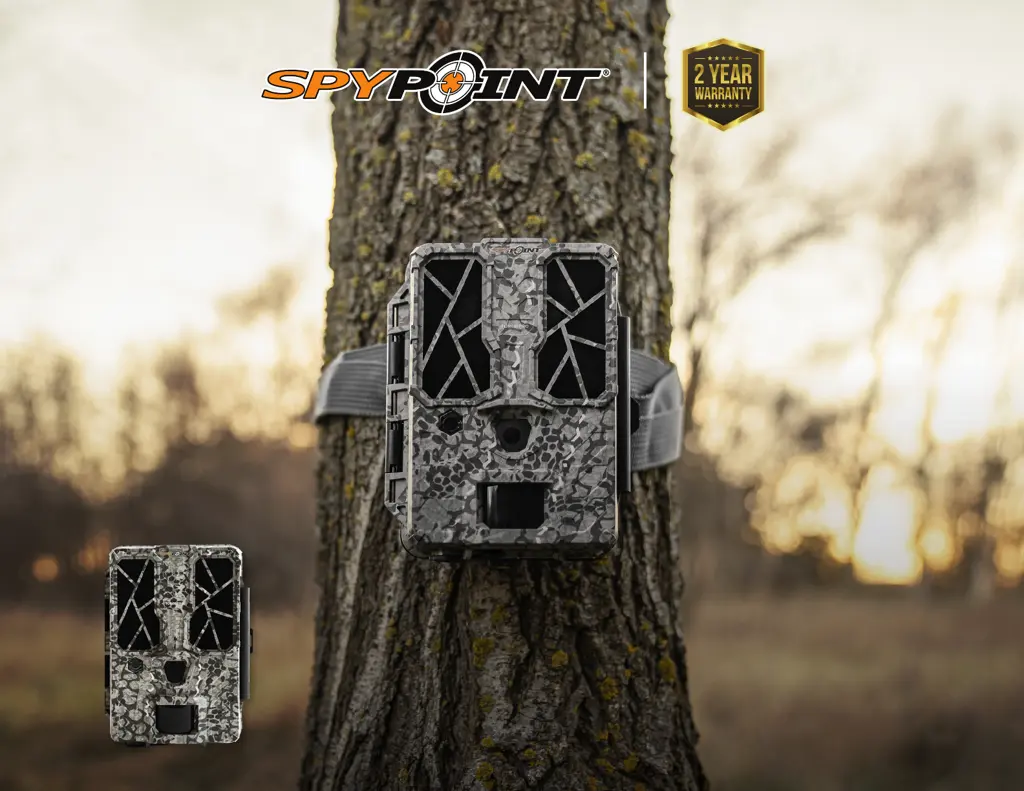
Force-Pro Camera Presentation

Highlights the key features and performance of the Force-Pro trail camera.

Customer Support and Community

Provides contact information for technical support and links to Spypoint's online community.

About Spypoint Company

Details Spypoint's mission to provide innovative, easy-to-use, and quality products.

Camera Components Overview

Key Controls and Indicators

Identifies main controls and status displays like the ON/SETUP/OFF switch, LCD screen, and LED indicators.

Connectivity and Storage Interfaces

Details ports for power and data storage, including the 12V jack, SD card slot, and battery compartment.

Optical Components

Identifies lenses for image capture and the no-glow flash for night illumination.

Mounting and Security Features

Describes features for installation and security, such as the strap slot, lock latch, and tripod mount.

Camera Features and Specifications

Photo and Video Specifications

Details on photo resolution, file format, video resolution, and file format.

Power and Storage Options

Information on battery types, external power sources, and memory card capacity.

Detection and Night Performance

Covers movement detector, detection angle, range, trigger speed, and night lighting system.

General Specifications and Usage

Includes details on audio, viewing, physical dimensions, and operating temperature recommendations.

Powering the Camera

Battery Status and Usage Tips

Explains the battery level icon and provides tips for optimal battery performance and preventing leakage.

External Power Integration

Details on using an external 12V battery as a power source and managing power supply.

Memory Card Management

SD Card Installation Guidance

Provides instructions on how to properly insert an SD card into the camera.

SD Card Handling Procedures

Instructions for safely inserting and removing SD cards to prevent data loss or damage.

Camera Setup and Configuration

General Settings Configuration

Configuring basic settings like language, date, time, and temperature.

Photo Mode Configuration

Adjusting photo settings: delay, quality, multi-shot, and detection sensitivity.

Video Mode Configuration

Adjusting video settings: delay, quality, duration, and detection sensitivity.

Time-Lapse Mode Configuration

Setting up the camera for time-lapse photo capture at regular intervals.

Additional Setup Options

Managing camera naming, software info, default reset, SD card format, and night settings.

Recommended Configuration

Optimizing Settings for Usage Scenarios

Suggests optimal camera configurations for trail use versus bait site use.

Installation and Updates

Camera Software Updates

Instructions on how to perform camera software updates via the Spypoint website.

Camera Mounting and Installation

Steps and advice for physically installing the camera on a tree using the supplied strap.

Transferring Files to a Computer

PC File Transfer Procedures

Step-by-step guide for transferring files from the camera to a PC.

Mac File Transfer Procedures

Step-by-step guide for transferring files from the camera to a Mac.

File Selection and Folder Management

Notes on selecting specific files and creating new folders for efficient file transfer.

Offered Accessories

Power and Storage Accessories

Details on compatible 12V battery kits, power cables, and SD memory cards.

Security and Mounting Accessories

Information on security boxes, cable locks, and adjustable mounting arms.

Troubleshooting Common Issues

General Operational Problems

Troubleshooting steps for power, screen, responsiveness, capture, and red light indicator issues.

Image Quality and Detection Issues

Resolving problems with blurry photos, dark night images, or no animals being detected.

Memory and Battery Messages

Troubleshooting common screen messages like 'No Card', 'Card Error', and 'Battery Low'.

System and Update Messages

Resolving formatting errors, memory full, busy status, and update-related issues.

Warranty and Repair Services

Limited Warranty Terms

Details on the 2-year warranty coverage, exclusions, and conditions for the product.

Repair Service Instructions

Procedure for returning the product for repair, including necessary documentation and contact.

Return Authorization Process

Important steps for obtaining an RMA number and contacting support before returning a product.

Regulations and Disposal

FCC Compliance Information

Information regarding the device's compliance with FCC regulations for digital devices.

Product Disposal Guidelines

Instructions on how to properly dispose of the camera at the end of its life cycle.

Spypoint FORCE-PRO Specifications

General IconGeneral
BrandSpypoint
ModelFORCE-PRO
CategoryScouting Camera
LanguageEnglish

Related product manuals