8
FORCE-PROSPYPOINT
INSTALLING A SD CARD (NOT INCLUDED)
The use of a memory card is necessary for the operation of the camera.
It allows you to save photos and videos. For better performance, we
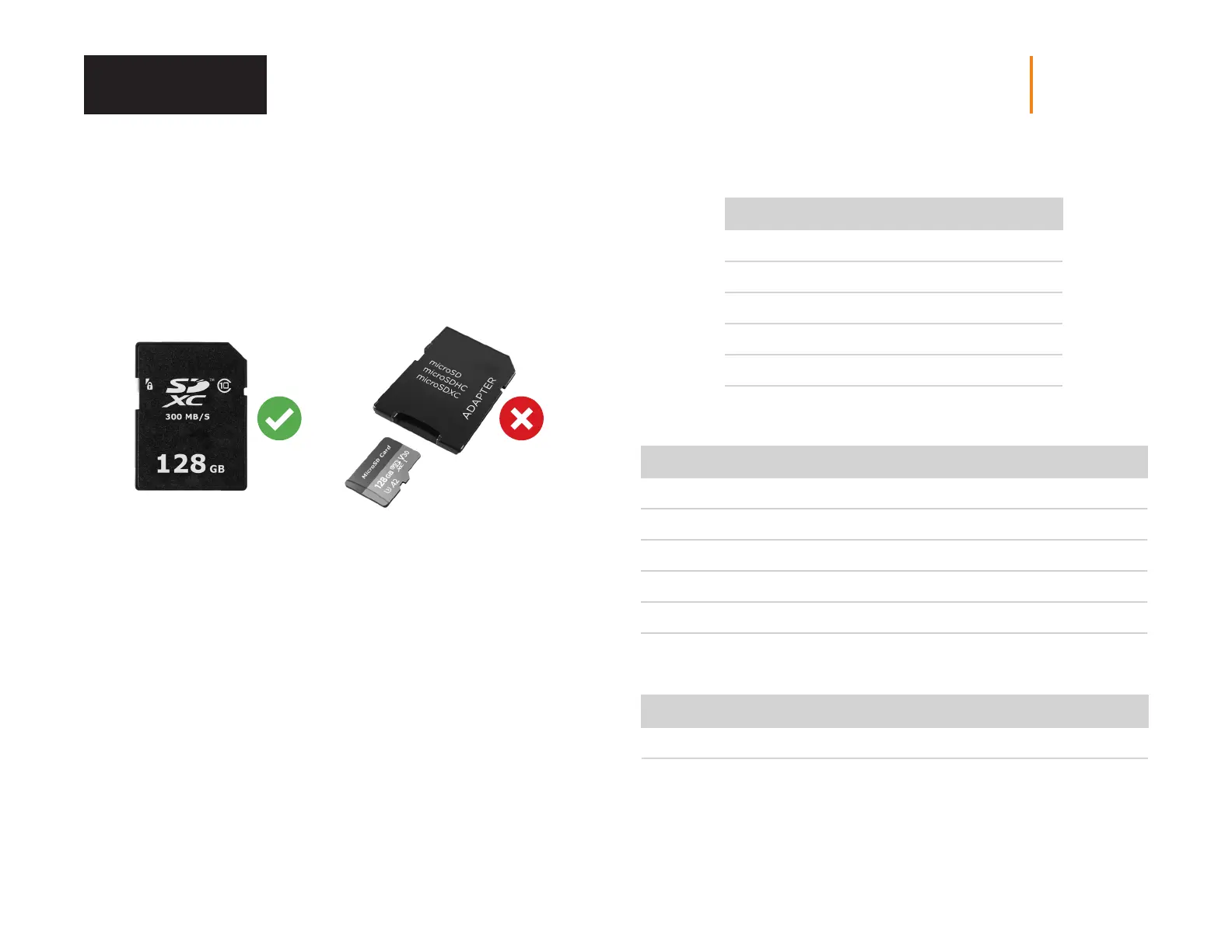
recommend that you insert only an SD/SDHC/SDXC card with a capacity
of 128 GB. Avoid using a microSD card with an SD adapter.
Once the SD card reaches its storage limit, your camera will stop taking photos
or videos. Replace it or transfer its content on another media.
When the camera is turned ON and no memory card is inserted, the screen will
display the message “No card”
Here is three tables showing the approximate number of videos that can be
saved, based on different memory card capacities.
PHOTOS RESOLUTIONS
4 MP 16 MP 30 MP
8 GB 9 450 3 025 1 860
16 GB 18 900 6 050 3 721
32 GB 37 800 12 100 7 442
64 GB 75 600 24 200 14 884
128 GB 151 200 48 400 29 768
CAPACITY FOR ONE-MINUTE VIDEOS
VGA HD FHD QHD 4K
8 GB 70 30 25 25 20
16 GB 140 60 50 50 40
32 GB 280 120 100 100 80
64 GB 560 240 200 200 160
128 GB 1 120 480 400 400 320
VIDEOS RESOLUTIONS
VGA HD FHD QHD 4K
640 x 480 1 280 x 720 1 920 x 1080 2 560 x 1 440 3 840 x 2 160
Memory Card















 To Next Page