7
FORCE-PROSPYPOINT
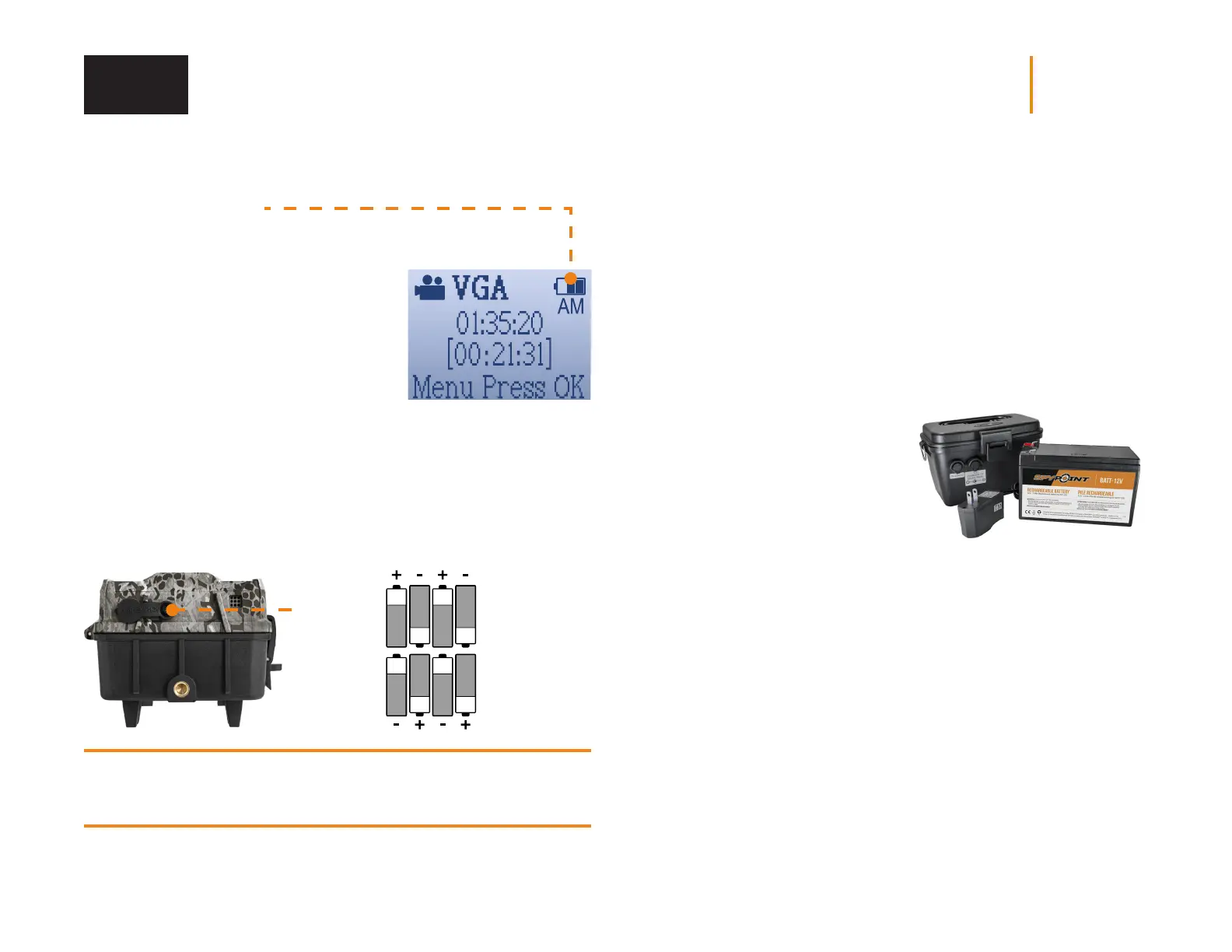
BATTERY LEVEL ICON
The battery level is shown in the top right corner
of the screen when the camera is in SETUP
mode. When a single bar remains, the camera
will continue to take photos. However, we
strongly recommend changing the AA batteries
or charging the lithium battery pack before
they are drained of power. If a video is being
recorded and the battery level reaches 0%, the
camera saves the file before shutting down.
CHOOSING A POWER SOURCE
2 options are available to you:
• Alkaline or lithium AA batteries
• Rechargeable battery 12 V (#KIT-12V sold separately)
Make sure to insert the AA batteries according to their polarity
(+) and (-) as shown in the battery compartment.
8 AA alkaline
or lithium
batteries
12 V
jack
FOR BEST RESULTS AND NO LEAKAGE
• Use only new alkaline or lithium batteries.
• Do not mix new and old batteries.
• Do not use rechargeable AA batteries
(their lower voltage can generate operational issues).
AN EXTERNAL 12 V BATTERY
• The camera was designed to
recognize and use an optional
power source other than the
8 AA batteries.
• If the user configures the camera in
a way that requires a lot of battery
power, it is recommended to use a
secondary power source.
• You can purchase a 12 V cable
and battery kit (like the #KIT12V,
sold separately). Simply plug the
12 V cable into the 12 V jack of
the camera and connect the
other cable end to the 12 V battery.
MANAGING VARIOUS CAMERA POWER SUPPLY
If you choose to plug an external 12 V battery (#KIT-12V, sold separately)
into your camera, it becomes your camera’s new primary power source.
The AA batteries will only be used once the 12 V battery is depleted.
Power















 To Next Page