13
FORCE-PROSPYPOINT
TIME-LAPSE MODE
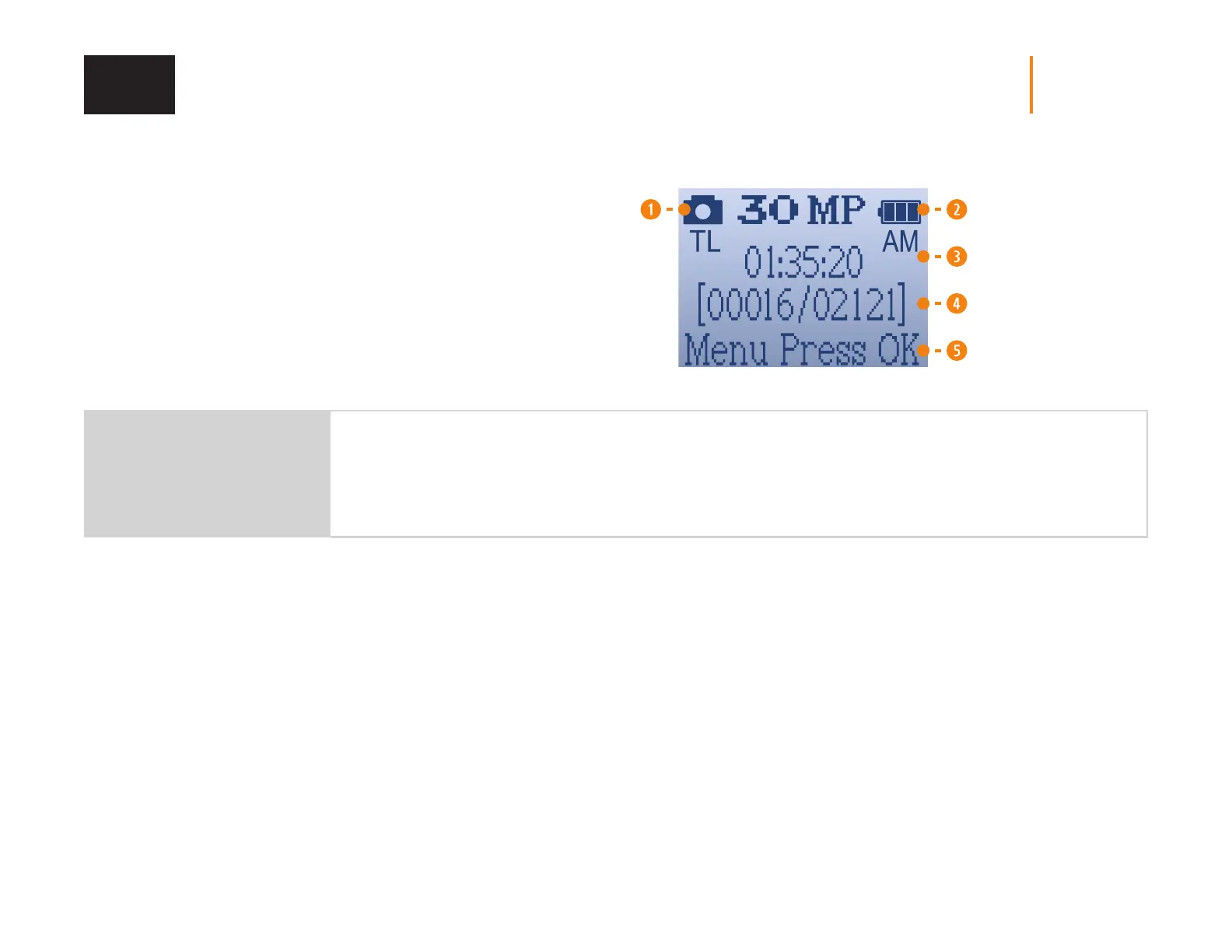
1. Camera icon showing the Time-lapse mode.
2. Battery power level icon.
3. Time.
4. Number of shots available on the SD card
(photos taken so far/number of shots left).
5. Press OK to access the settings.
TLDELAY
5 minutes ; 10 minutes ;
15 minutes ; 30 minutes
Allows the camera to take photos at regular preset intervals. For example, if “5 minutes“ is selected in the Time-lapse mode,
the camera takes a photo every 5 minutes even if there is no detection. This option allows the user, among other things, to
obtain photos of game outside the detection range of the camera.
Note: The Time-lapse mode only applies for photos, not videos. When the Time-lapse mode is selected, the Delay option and the Multi-shot mode are
disabled.
SETUP















 To Next Page