11
FORCE-PRO-SSPYPOINT
ADJUST THE SETTINGS FOR THE 3 MODES OF OPERATION
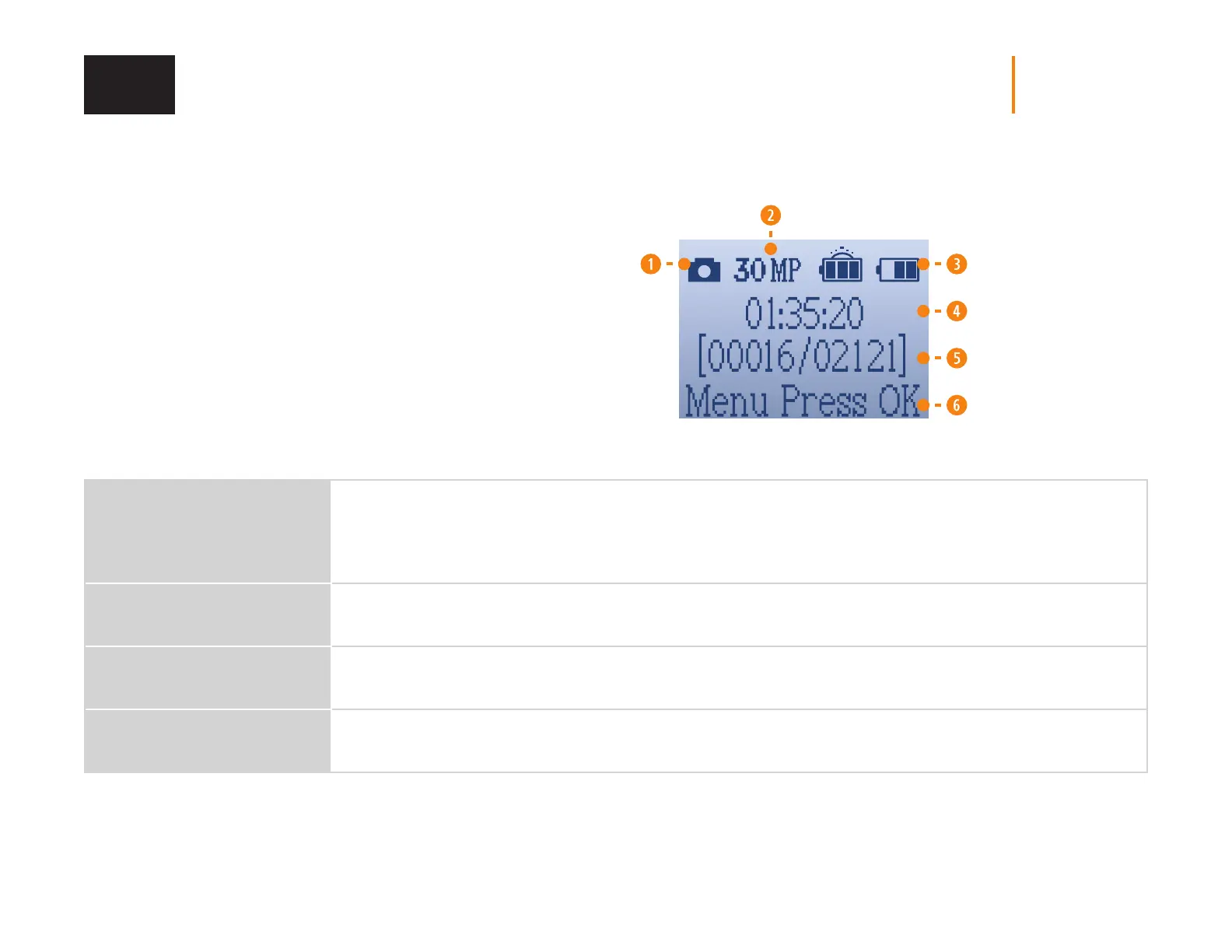
PHOTO MODE
1. Camera icon showing the Photo mode.
2. The number of mega pixels selected (4, 16 or 30 MP).
3. Battery power level icon.
4. Time.
5. Number of shots available on the SD card
(photos taken so far/number of shots left).
6. Press OK to access the settings.
DELAY
Instant ; 3 seconds ; 5 seconds ;
10 seconds ; 20 seconds ;
30 seconds ; 1 minute ; 5 minutes ;
10 minutes ; 30 minutes ; 60 minutes
Allows you to choose the period of time to wait before the camera detects again and records the next picture.
A longer delay minimizes the number of photos taken and therefore maximizes battery life. A shorter delay
maximizes surveillance in the area but consumes more power. Shorter delays are recommended when the camera
is used for security purposes. Once you have selected the delay, press OK.
QUALITY
4 MP ; 16 MP ; 30 MP
Allows you to select a resolution of 4, 16 or 30 MP. Once your selection is made, press OK.
MULTI
1 ; 2 ; 3 ; 4 ; 5 ; 6
Allows you to take up to 6 consecutive photos per detection with a delay of 5-second between each photo.
Once your selection is made, press OK.
DETECT
Low ; Normal ; High ; Auto
Allows you to choose the detection sensitivity of the device. A higher sensitivity allows you to detect movement
in front of the camera more eectively, so the camera will take more pictures. Once your selection is made, press OK.
SETUP















 To Next Page