6 Quick start
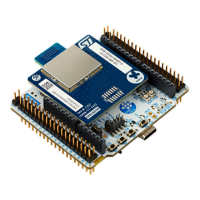
This section describes how to start development quickly using NUCLEO-WBA55CG.
To use the product, you must accept the evaluation product license agreement from the www.st.com/epla
webpage.
Before the first use, make sure that no damage occurred to the board during shipment:
• All socketed components must be firmly secured in their sockets.
• Nothing must be loose in the board blister.
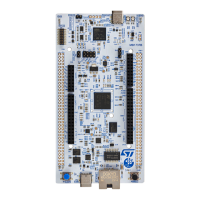
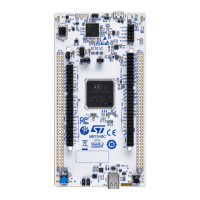
The Nucleo board is an easy-to-use development kit to evaluate quickly and start development with an STM32
microcontroller in a
UFQFPN48 package.
6.1 Getting started
Follow the sequence below to configure the STM32WBA55CG board and launch the demonstration application
(refer to
Figure 3 and Figure 5 for component location):
1. Check jumper positions on board: JP2 ON, JP1 on 5V_STLK [1-2].
2. Check that switch SW1 is on the 3V3 power supply.
3.
Install the ST BLE Toolbox mobile application on a Bluetooth
®
Low Energy compatible mobile device from the
App Store or Google Play.
4. Connect the Nucleo board to a PC with a USB Type-A or USB Type-C
®
to USB Type-C
®
cable through the
CN15 USB connector (5V_STLK). Once connected the green LED (LD2) lights up. Refer to the user manual
STLINK-V3MODS and STLINK-V3MINI debugger/programmer tiny probes for STM32 microcontrollers
(UM2502) available at www.st.com.
5. Use the ST BLE Toolbox mobile application to detect the STM32WBA P2P server (P2PSRV) and connect it.
The smartphone application displays the service and characteristics of the device.
6. Pushing the button (B1) on the board toggles the alarm on the smartphone display. On the smartphone, push
the lamp to switch ON/OFF the Nucleo board blue LED (LD1).
UM3301
Quick start
UM3301 - Rev 1
page 7/45


 To Next Page