10
LCD Model only.
3
4
3
D C B A F E
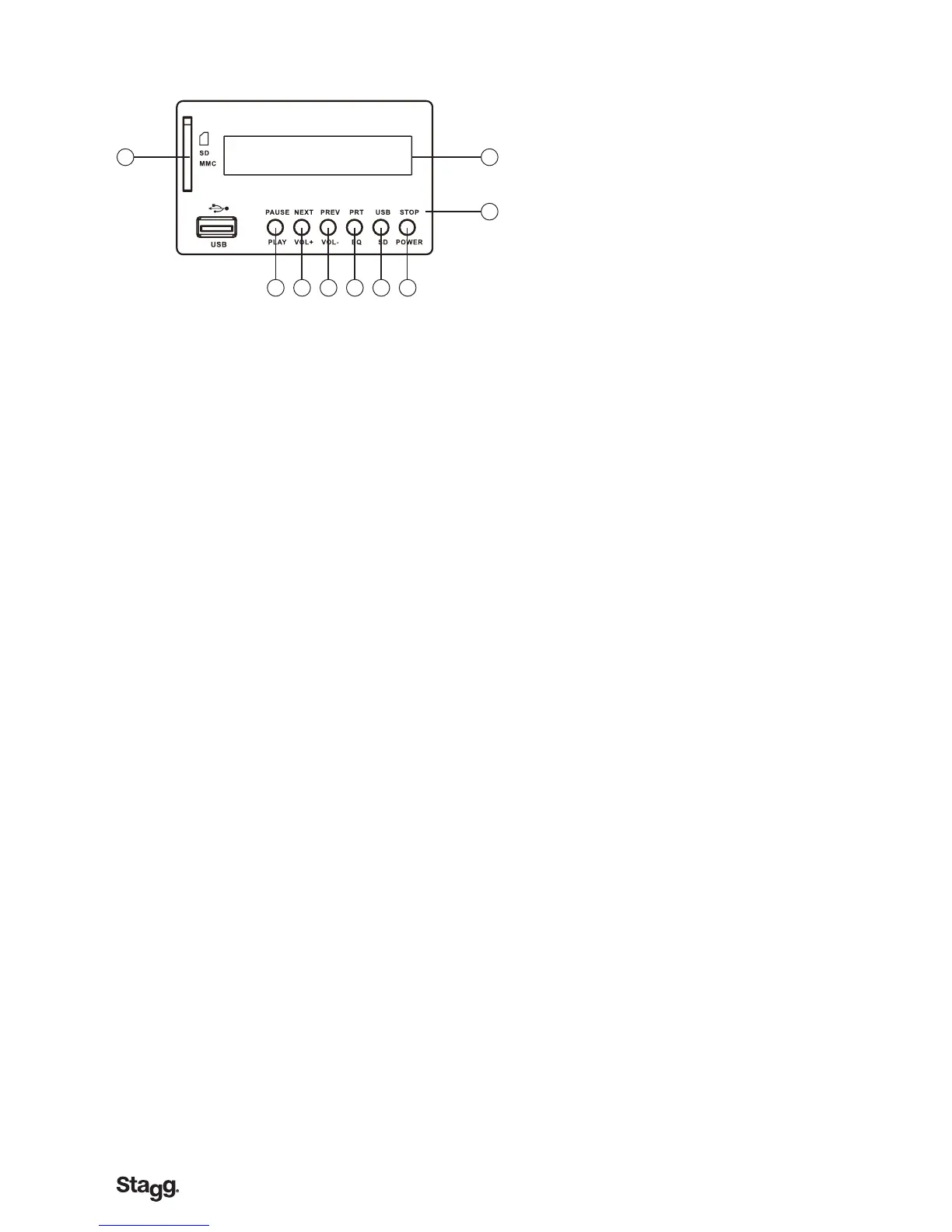
1. LCD:
This large, blue LCD screen displays all relevant information about the function being
selected or the MP3 le (or song) being played.
2. FUNCTION SELECTOR:
This section provides front-selectable push switches, allowing you to choose between one
A. Repeat/ EQ
• Pressthisbuttononcetoplaythecurrentsongrepeatedlyuntilthe“stop”stepis
activated.
• Pressthisbuttontwiceandallloadedsongswillbeplayedoneaftertheotheruntilthe
”stop“stepisselected.
• Pressthisbuttonathirdtimetostoptherepeatingprocess.
• Pressandholdthisbuttontoselectamongdifferenttypesofequalizationappliedtothe
song currently playing.
B. Previous/ Vol -
• Pressthisbuttononcetocomebacktotheprevioussong.
• PressandholdthisbuttontolowerthevolumeoftheMP3reader.
C. Next/ Vol +
• Pressthisbuttononcetogotothenextsong.
• PressandholdthisbuttontoincreasethevolumeoftheMP3reader.
D. Play/ Pause
• Pressthisbuttontoplaythechosensong.Pressitagaintomomentarilyinterruptthe
playing.
Press a third time to continue the reading of the song.
E. Stop SW
• Pressthisbuttontoendthesong.
F. USB/SD
• UsethisknobselecttheUSBmemerycardorSD/MMCmemerycard.
3. SD (Input):
This slot is used to insert a SD (Secured Digital), non-volatile memory card with MP3
les to be read.
4. USB (Input):
In this port, plug in any USB (Universal Serial Bus) memory stick with MP3 les to be
played.



 To Next Page