(5)
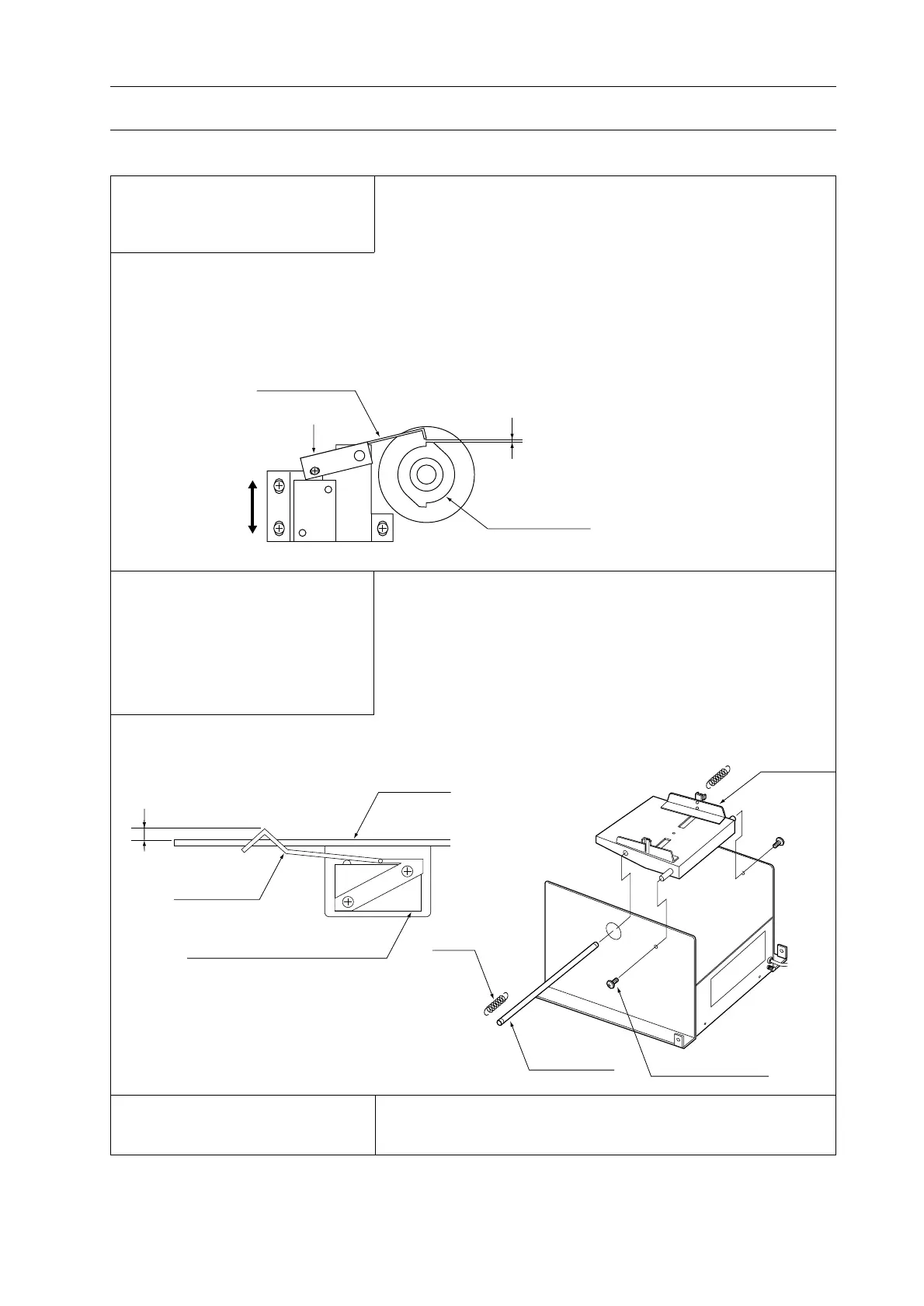
(Cause 1)
Feed clutch solenoid is not
positioned properly.
(Cause 2)
Sheet presence microswitch on
the top of feed tray is broken,
sheet sensor microswitch is not
positioned properly, or connec-
tor is not connected properly.
(Cause 3)
Start/Stop button is broken.
SpringShaft
Spring
M5x10Screw
FeedTray
ClutchStopper
0.5〜1mm
(0.02"〜0.04
ClutchLever
SolenoidON
Actuator
SheetPresenceMicroswitch
FeedTra
2〜4mm(0.08"〜0.16")
5. Troubleshooting
A. PF-P310 does not work with start button or test feed button.
(Remedy 1)
Adjust feed clutch solenoid position so that the clearance
between clutch lever and clutch stopper is 0.5 to 1 mm
(0.02" to 0.04") while feed clutch solenoid is on.
NOTE
- Fix feed clutch solenoid so that feed clutch solenoid
will not hit clutch lever.
(Remedy 2)
- Check on microswitch position or replace microswitch
after removing feed tray. Remove feed tray by removing
two M5 x 10 screws and spring from the both end of
spring shaft.
- Position microswitch so that actuator ON position where
click sound is heard is 2 to 4 mm (0.008" to 0.16") above
feed tray.
(Remedy 3)
Replace switch or whole P.C. Board.



 To Next Page