(11)
ス
ト
ッ
パ
の
移
動
方
向
L
S
1
ス
ト
ッ
パ
2
ス
ト
ッ
パ
1
0
1
5
2
0
2
5
3
0
5
1
0
1
5
2
0
5
PF-P310
P
E
P
E
R
F
O
L
D
E
R
SlideGuides
B3-16Wscrew(4pcs
Brack
B4-12Wscrew(6pcs)
B4-8Wscrew(4pcs)
B4-8Wscrew(4pcs)
B4-8Wscrew(2pcs)
BuckleStopperShaft
CountSensor
Upper:Projector
Lower:Receiver
IndicationSignPanel
SpringShaft
Spring
M5×10Wscrew
Stay
FeedTray
B4-8Wscrew
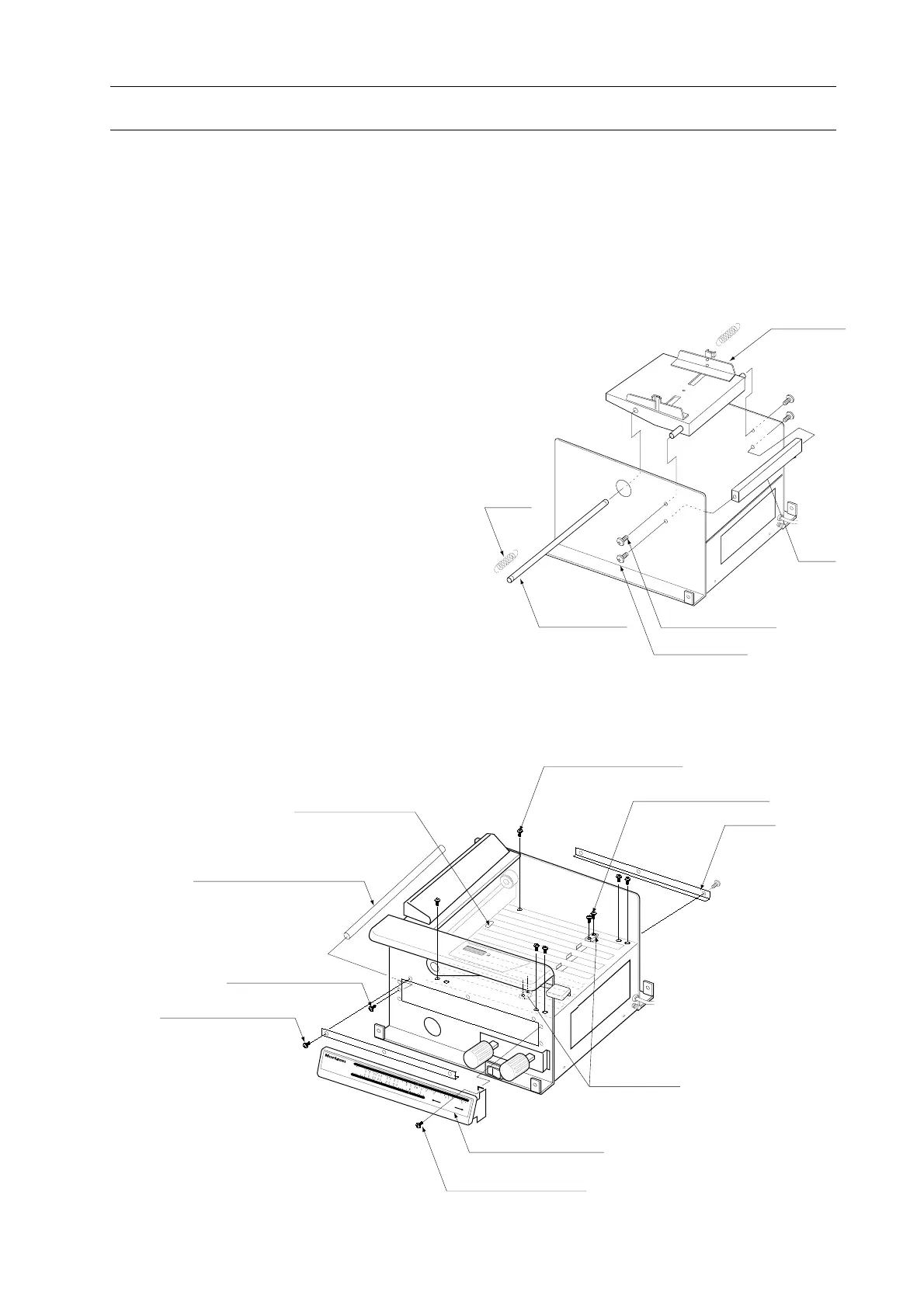
6. How to Replace Count Sensor (-S/N 061899)
1. Remove feed base. (B4-8W screw : 4 pcs)
2. Remove stay. (B4-8W screw : 4 pcs)
3. Remove slide guided.
(B3-16W screw : 6 pcs)
4. Remove buckle fix screws.
(B4-12W screw : 6 pcs)
5. Remove indication sign panel.
(B4-8W screw : 4 pcs)
6. Remove bracket. (B4-8W screw : 6 pcs)
7. Remove buckle stopper shaft.
(B4-8W screw : 2 pcs)
8. Pull out buckle. Replace sensor board.



 To Next Page