25
Folding Irregular Size Sheet
- The 1st stopper input range
is from 50 to 325 mm (1.97 to
12.79"). If the input figure is
out of range, [0.0 Set 1st
Stopper] will appear on the
display.
- If it takes two seconds or
more to input size. [0.0 Set 1st
Stopper] will appear on the
display. Input the size again
using the numeric keypad.
- After inputting the length for 1st
stopper, 2nd stopper setting
screen appears.
1
2
3
4
5
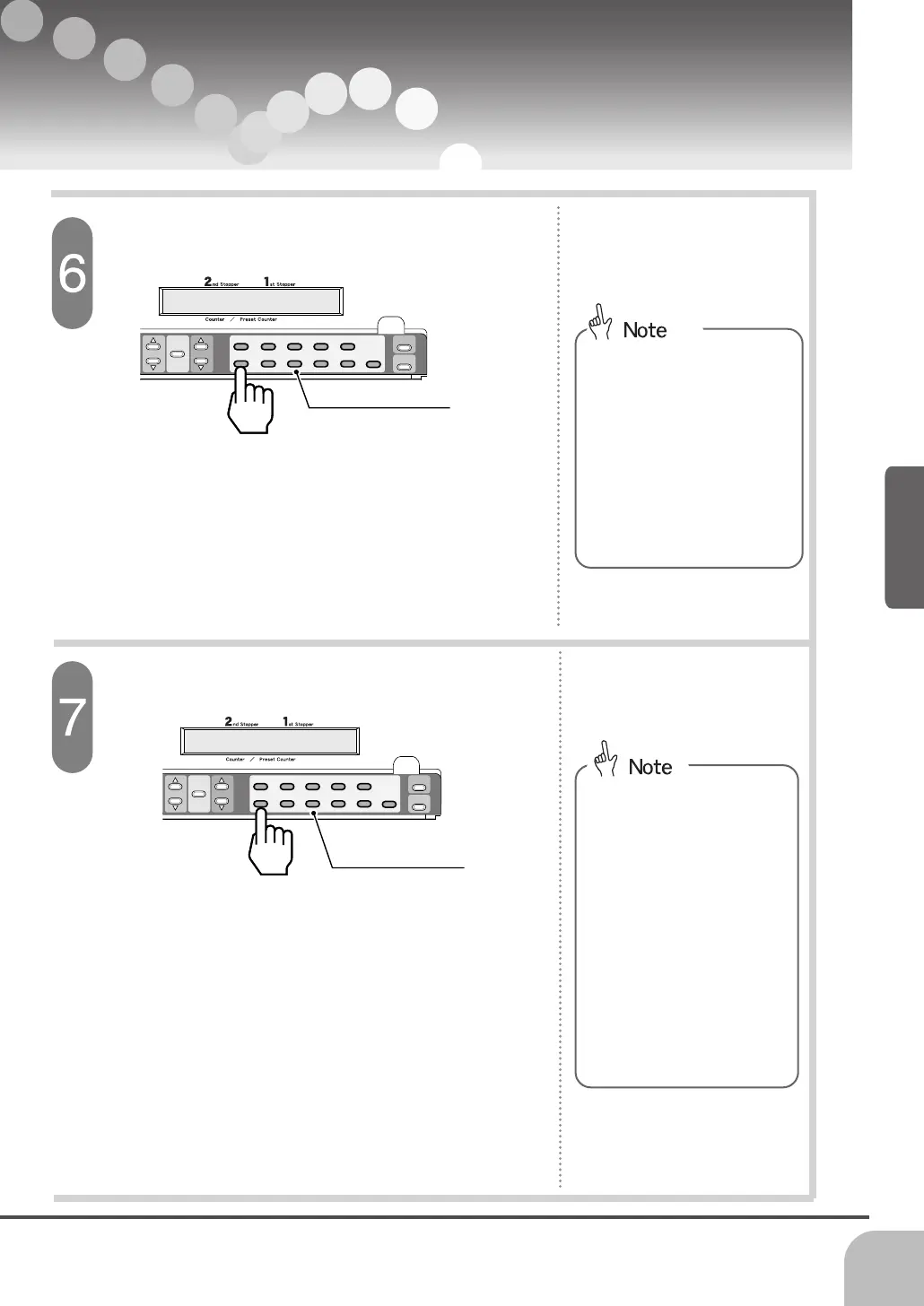
6
7
89
0
C
2
nd
Stopper
1
st
Stopper
Memory
Mode
Stopper
Position
Display
5.040 Set 1st Stopper
Numeric Keypad
Input the required size for 1 stopper.
- Input the length which was
measured in procedure 2 using
numeric keypad. The minimum
digit is 0.1 mm (0.001").
1
2
3
4
5
6
7
89
0
C
2nd
Stopper
1st
Stopper
Memory
Mode
Stopper
Position
Display
2.362 Set 2st Stopper
Input the required size for 2 stopper.
Numeric Keypad
- When single fold is selected,
[0.0 Set Stopper 2] will not
indicated.
- The 2nd stopper input range
is from 50 to 215 mm (1.97” to
8.46"). If the input figure is out
of range, [0.0 Set 2nd
Stopper] will appear on the
display.
- If it takes two seconds or
more to input size. [0.0 Set
2nd Stopper] will appear on
the display. Input the length
again using the numeric
keypad.
- Input the length which was mea-
sured in procedure 2 using
numeric keypad. The minimum
digit is 0.1 mm (0.001").
- After inputting the size for 2nd
stopper, [Stored To M1 Select
No.] will appear on the display.
- Stopper setting is now com-
pleted.


 To Next Page