29
Single Fold
Parallel Fold
Short Fold
Letter Fold
Accordion Fold
Gate Fold
R
R
L
L
1
2
3
4
5
6
7
89
0
2
nd
Stopper
1
st
Stopper
Stopper
Position
Display
2.898 5.827
Illustration above shows the figure when the sheet is delivered.
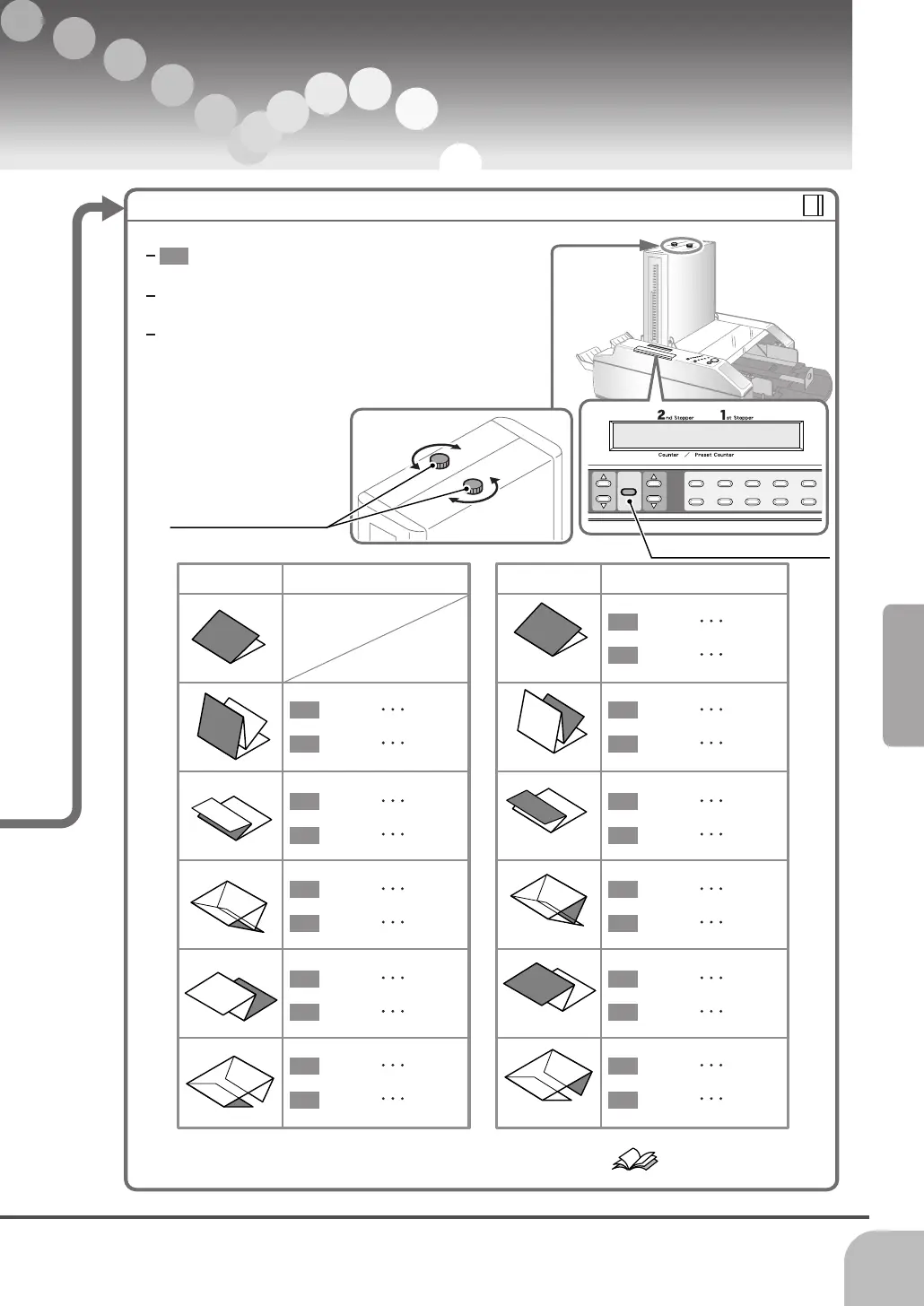
B. Remove the folding shift
The direction to turn the stopper adjusting knob
differs according to the length of shaded part.
Turn the knobs little by little and check the folding
quality using the test button.
To check the stopper position, press the stopper
position displaying button on the extension panel.
The stopper position is shown on the display while
stopper position displaying button is pressed.
Adjust the stopper positions.
1st Stopper Adjustment2nd Stopper Adjustment
Stopper Position Displaying Button
Stopper Adjusting Knob
Delivery Condition Delivery Condition
Reduce Turn to L
Increase Turn to R
Reduce Turn to L
Increase Turn to R
Reduce Turn to L
Increase Turn to R
Reduce Turn to L
Increase Turn to R
Reduce Turn to L
Increase Turn to R
Reduce Turn to L
Increase Turn to R
Reduce Turn to L
Increase Turn to R
Reduce Turn to L
Increase Turn to R
Reduce Turn to L
Increase Turn to R
Reduce Turn to L
Increase Turn to R
Reduce Turn to L
Increase Turn to R
The stoppers can be moved by stopper moving buttons also. Refer to page 12
Fold Line Shifts
Troubleshooting


 To Next Page