Need help?
Do you have a question about the Stanley 56325 and is the answer not in the manual?
Introduces the unique pairing feature for controlling multiple receivers from one transmitter.
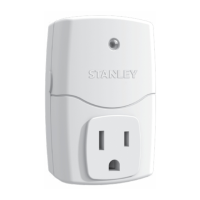
Press and hold the receiver's power button for 5 seconds to activate pairing mode.
Press the transmitter's ON button followed by the OFF button to finish pairing.
Press and hold the receiver power button for 5 seconds to start the reset process.
While flashing, press and hold the receiver power button for an additional 5 seconds.
Press the receiver power button once while flashing rapidly to confirm the reset.
Control receiver power ON/OFF manually using the transmitter buttons.
Activate receiver power automatically based on dawn/dusk using the PHOTOCELL setting.
Manually override programmed operations by pressing the receiver's front panel button.
 General
| Brand | Stanley |
|---|---|
| Model | 56325 |
| Category | Remote Control |
| Language | English |


 To Next Page