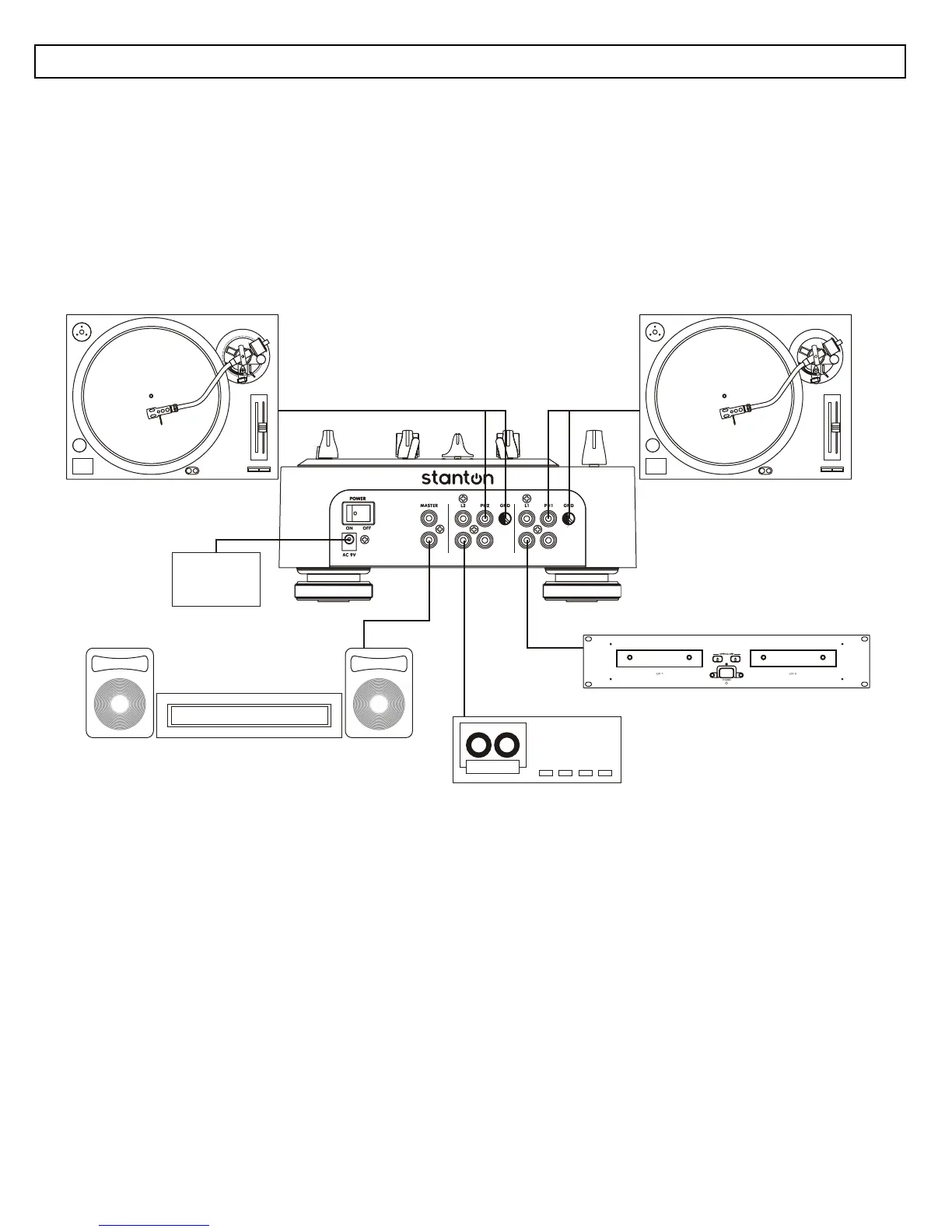
QUICK SETUP DIAGRAM
Study this setup diagram. Make sure all faders are at "zero" and all devices are off. First, connect all
input sources and processors. Next, connect your microphone and monitor headphones. Finally,
connect the stereo outputs to the power amplifier(s) and/or audio receivers such as tape decks. Plug
your mixer into AC power. Now you are ready to switch everything on. IMPORTANT: Always switch on
your audio input sources such as turntables or CD players first, then your mixer, and finally any
amplifiers. When turning off, always reverse this operation by turning off amplifiers, then your mixer,
and then input devices.
TURNTABLE TURNTABLE
SOUND SYSTEM
TAPE DECK
CD PLAYER
POWER
SUPPLY



 To Next Page