
 Need help?
Do you have a question about the Star Micronics SM-T300I SERIES and is the answer not in the manual?
Lists all included and optional accessories for the printer.
Identifies and labels all physical parts of the printer.
Instructions for inserting and removing the printer's battery pack.
Details on the battery charging process, time, and notes.
Guides on pairing the printer with Bluetooth devices and connection settings.
Explains automatic reconnection for iOS devices.
Step-by-step instructions for loading thermal paper into the printer.
How to configure printer settings using the memory switch function.
Instructions for attaching and using the printer's belt clip accessory.
Details the printer's control panel, buttons, lamps, and LCD display.
Procedures for performing a self test to check printer settings and print status.
How the printer enters and recovers from sleep mode.
Instructions and precautions for using the magnetic stripe card reader.
Technical specifications for compatible thermal paper rolls.
A list of recommended paper manufacturers and models.
Visual representation of the printable area on the paper.
Physical dimensions, weight, and body color of the printer.
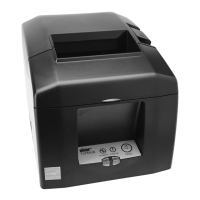
This document describes the Star Micronics SM-T300i Series Mobile Printer, a portable thermal printer designed for mobile banking systems, retail, POS terminals, and other mobile computing applications.
The SM-T300i Series Mobile Printer is a direct thermal printer capable of printing text and graphics. It supports secure Bluetooth communications, including Bluetooth Security Mode 3 with PINs up to 16 digits. A non-discoverable mode is available as a factory option. The printer is Apple Certified for direct printing from iOS devices over Bluetooth and offers an easy setup to switch between iOS and Android devices. Some models also include a Magnetic Stripe Reader (MSR) for reading magnetic cards.
Printing Method: Direct line thermal printing Characters per line: Maximum 64 cpl Character size: Alphanumeric characters: 9x24 dots, 12x24 dots, and 8x16 dots; Japanese characters: 24x24 dots Character types: Alphanumeric, expanded graphic, JIS Level-1 Kanji Set, JIS Level-2 Kanji Set, and special characters Dot density: 203 dpi (8 dots/mm) Printing width: 72mm, 576 dots Print speed: 75 mm/s (max) Interface: Standard-equipped dual interface (RS-232C serial interface and Bluetooth Ver. 2.1 + EDR interface). Bluetooth Specifications:
Portability: Extremely light and mobile (442 g), pocket-sized (120×130.5 × 58.3 mm for models without card reader). Durability: International Splash/Dust Proof "IP54" Certified, 1.5m Drop Resistance (Tough Rubber Type Case Design). Printing Modes: Supports High Quality Print Mode (Double-Stroke Mode) for enhanced print quality. Quiet Operation: Very silent printing through direct thermal printing method. Paper Loading: Drop-in design for easy paper loading. A printer cover can be opened with a touch of a button. Features printer cover open sensor & paper-out sensor. Control Panel: Includes a POWER button, FEED button, LCD display, POWER Lamp (Green), and ERROR Lamp (Red). LCD Display: Shows printer status, communication status, remaining battery power, and Bluetooth connection status. Memory Switch Settings: Allows configuration of communication port, baud rate, data bit, parity bit, stop bit, print density, print quality, black mark sensor settings, power down mode, and auto connection. Bluetooth Auto Connection (iOS only): When enabled, the printer automatically connects to the previously connected iOS host upon power-on, eliminating the need to manually tap the printer name on the iOS Bluetooth settings screen. This function is only available when the Communication mode is set to iOS mode [Bluetooth(iAP)]. Auto Power Down (Sleep) Mode: The printer recovers to Print Ready Mode upon receiving commands or button operations. However, print data received during the 1-second transition from Sleep Mode to Print Ready Mode is discarded. In iOS mode [Bluetooth(iAP)], the Auto sleep function should be set to "NO USE" or Auto OFF mode as the iOS device requires the printer to be turned on again when waking from sleep. Magnetic Card Reader (MSR): Swipe cards with the magnetic stripe side towards the printer, holding the card in the center for optimal reading. A single buzzer sound indicates a successful read; three sounds indicate a failed read. Belt Clip: A standard accessory that can be attached to the printer for hands-free carrying. When using the printer with the belt clip, hold the printer firmly when swiping a magnetic stripe card or cutting paper to ensure proper function.
General Maintenance: Recommended every 6 months.
 General
| Brand | Star Micronics |
|---|---|
| Model | SM-T300I SERIES |
| Category | Printer |
| Language | English |










 To Next Page