EasyManua.ls Logo

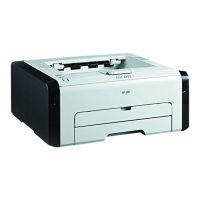
Star Micronics SP 200 - User Manual

Star Micronics SP 200
56 pages
Print Icon
To Next Page IconTo Next Page
Loading...
Operating Instructions
User Guide
For safe and correct use, be sure to read "Safety Information" before using the machine.

Table of Contents

Questions and Answers

  • M
    michelleburnsSep 8, 2025
    Why is there a delay in printing with Star Micronics SP 200?
    • M
      Melissa RuizSep 8, 2025
      If there's a considerable delay between the print start command and actual printing with your Star Micronics Printer, note that processing time depends on data volume; graphics-heavy documents take longer. To speed up printing, reduce the printing resolution using the printer driver.
  • G
    goodwinrubenSep 9, 2025
    How to prevent print job cancellation on Star Micronics SP 200?
    • L
      Louis DuncanSep 9, 2025
      To prevent print job cancellations on your Star Micronics Printer, set the I/O Timeout to a larger value than the current settings.
  • H
    holmesmiguelSep 12, 2025
    What to do if Star Micronics SP 200 Printer says 'Toner Almost Empty'?
    • S
      Stephen BarrettSep 12, 2025
      If your Star Micronics Printer indicates 'Toner Almost Empty', prepare a new print cartridge.
  • D
    Daniel MillerSep 13, 2025
    What to do if Star Micronics SP 200 displays 'Waste Toner Full'?
    • C
      Cindy WilsonSep 14, 2025
      If your Star Micronics Printer displays a 'Waste Toner Full' message, replace the print cartridge.
  • A
    aaronhortonSep 15, 2025
    How to fix 'Print Cartridge Not Detected' error on Star Micronics SP 200 Printer?
    • T
      Tanya AllenSep 15, 2025
      If your Star Micronics Printer shows a 'Print Cartridge Not Detected' error, reinstall the print cartridge.
  • D
    dbradleySep 18, 2025
    How to resolve 'Memory Overflow' error on Star Micronics SP 200 Printer?
    • M
      Matthew TaylorSep 18, 2025
      If your Star Micronics Printer displays a 'Memory Overflow' error, select [600 x 600 dpi] in [Resolution:] to reduce the size of data.

Summary

1. Guide to the Machine

2. Loading Paper

Loading Paper into Tray 1

Step-by-step guide on how to load paper into the main input tray (Tray 1).

Loading Paper into Bypass Tray

Step-by-step guide on how to load paper into the bypass tray.

3. Printing Documents

Basic Printing Operation

Explains how to print a document using the printer driver from a computer.

Canceling a Print Job

Provides methods for canceling print jobs before or during printing.

4. Configuring the Machine Using Smart Organizing Monitor

Configuring Machine Settings

Details how to modify machine settings such as custom paper sizes and energy saver modes.

Updating Machine Firmware

Provides instructions for updating the machine's firmware using the Smart Organizing Monitor.

5. Maintaining the Machine

Replacing the Print Cartridge

Step-by-step guide on how to replace the print cartridge when toner is depleted.

Cautions When Cleaning

Important precautions and guidelines for safely cleaning the machine's exterior and interior.

Cleaning the Inside of the Machine

Step-by-step instructions for cleaning the internal parts of the machine.

6. Troubleshooting

Common Problems and Solutions

Lists common issues like the machine not turning on or pages not printing, with their causes and solutions.

Star Micronics SP 200 Specifications

General IconGeneral
BrandStar Micronics
ModelSP 200
CategoryPrinter
LanguageEnglish

Related product manuals