20
|
Get to know your hearing aids 21
|
Get to know your hearing aids
Use your hearing aids
Turning ON Turning OFF
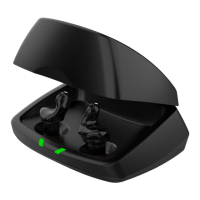
Charger
Each hearing aid will
turn ON after you
remove it from the
charger.
A 3-second delay
occurs before your
hearing aid turns
ON, allowing time
to place it in your
ear.
Each hearing aid
will turn OFF when
you place it in the
charging slot (and
begin charging).
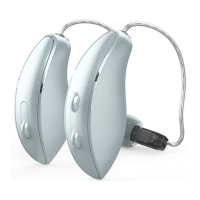
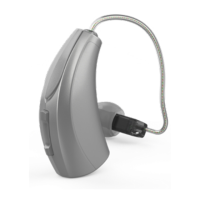
User control
If you turned OFF
each hearing aid by
pressing the user
control, pressing the
user control again
will turn it ON.
A 3-second delay
occurs before your
hearing aid turns
ON, allowing time
to place it in your
ear.
Turn OFF each
hearing aid by
pressing and
holding the
user control for
3 seconds.
Power ON/OFF
Reminder – Custom Chargers need
to be plugged in to an external power
source to charge hearing aids (i.e., wall
outlet). Premium Custom Chargers
must have a charged battery or can be
plugged into an external power source.
Battery indicators
• Low battery: An indicator voicing
the word “battery” will sound when
battery voltage is low. From there,
you’ll have about 30 minutes of
battery life left.
NOTE: Actual time between low battery
indicator and shutdown will vary depending
on environmental noise levels and your use
of the product.
• Battery shutdown: An indicator
may also sound just before the
battery stops working.
Use your hearing aids



 To Next Page