22
|
Get to know your hearing aids 23
|
Get to know your hearing aids
Expected battery operating time
Battery life varies based on wireless
usage.
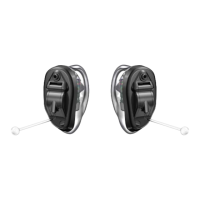
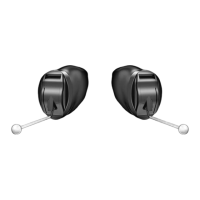
• ITC/HS R
– Without streaming: Up to 42 hours
– With streaming: Up to 36 hours
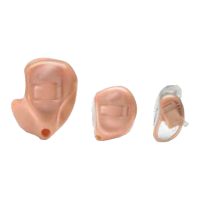
• ITE R
– Without streaming: Up to 42 hours
– With streaming: Up to 36 hours
User control (optional)
Your hearing aid user control lets
you control your hearing aids by
hand. This is set up by your hearing
care professional, who can also
program the button to let you use
many smart features.
Your user control operates in 3 ways:
• Short press: Press the user control
for 1 second and then release.
• Long press: Press and hold the user
control for 3 seconds or more.
• Tap Control: Firmly double-tap on
or near the user control on your
hearing aid.
Use your hearing aids
User control Smart feature
Short press
(1 second)
Long press
(3 seconds)
Tap Control
Did you know you can also control
your hearing aids using your mobile
phone or other smart device? See your
Setting Up Your Compatible Mobile
App guide to learn more.
Phone calls and hearing aids
Your hearing aids are designed to
accommodate calls on your mobile
or landline phone.
• Landline calls
To use your landline phone
while wearing hearing aids, talk
to your hearing care professional.
They can help you set up a
“telephone” setting on your
hearing aids and offer tips.
Use your hearing aids


 To Next Page