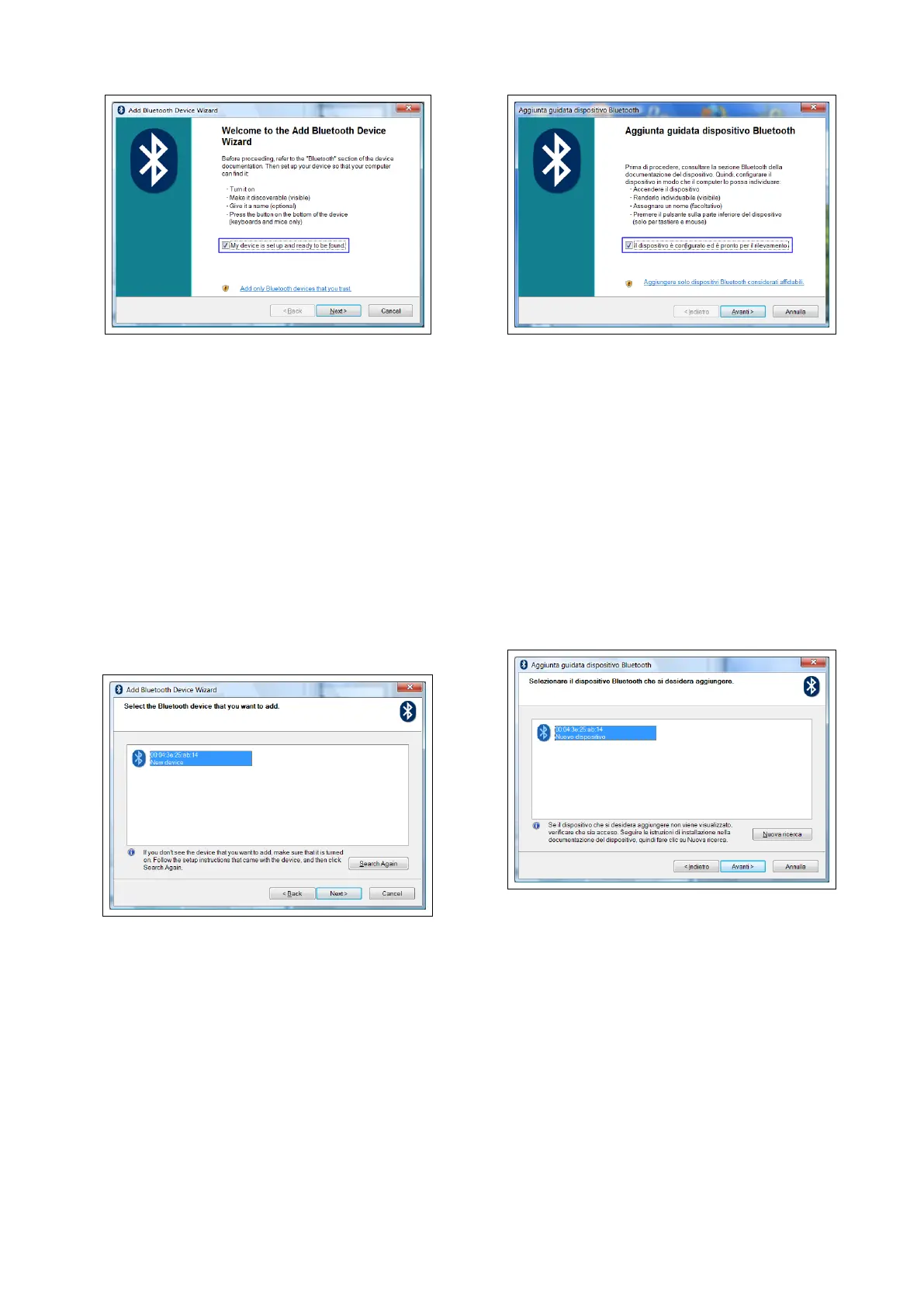
6. A new device will be found. It is speci-
fied by an abbreviation corresponding
to the unique code (device address, e.g.:
00:04:3E:25:ab:14) of your CORSARO.
The name STARLANE_CORSARO will
appear on the display after some sec-
onds.
If no device is found out, try powering
off and on CORSARO and click on the
button "Search Again".
7. Select the device and click on the "Next"
button.
8. In case you PC should require a passkey,
digit 0000 as a passkey.
9. If the pairing has been successfully
done, the (serial) COM ports in use for
the communication between the PC and
the CORSARO device appear on the dis-
play.
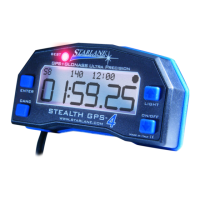
6. Verrà rilevato un nuovo dispositivo indi-
cato con una sigla corrispondente al co-
dice univoco (indirizzo dispositivo, es.:
00:04:3E:25:ab:14) del vostro CORSARO.
Dopo alcuni secondi verrà visualizzato il
nome STARLANE_CORSARO.
Se il dispositivo non viene rilevato, pro-
vare a spegnere e riaccendere CORSARO
e cliccare sul pulsante "Nuova Ricerca".
7. Selezionare il dispositivo e cliccare sul
pulsante "Avanti".
8. In caso venisse richiesta una passkey da
parte del PC, digitare 0000 come
passkey.
9. Se l'accoppiamento ha avuto successo
vengono visualizzate le porte COM
(seriali) utilizzate per la comunicazione
tra il PC e il dispositivo CORSARO.


 To Next Page