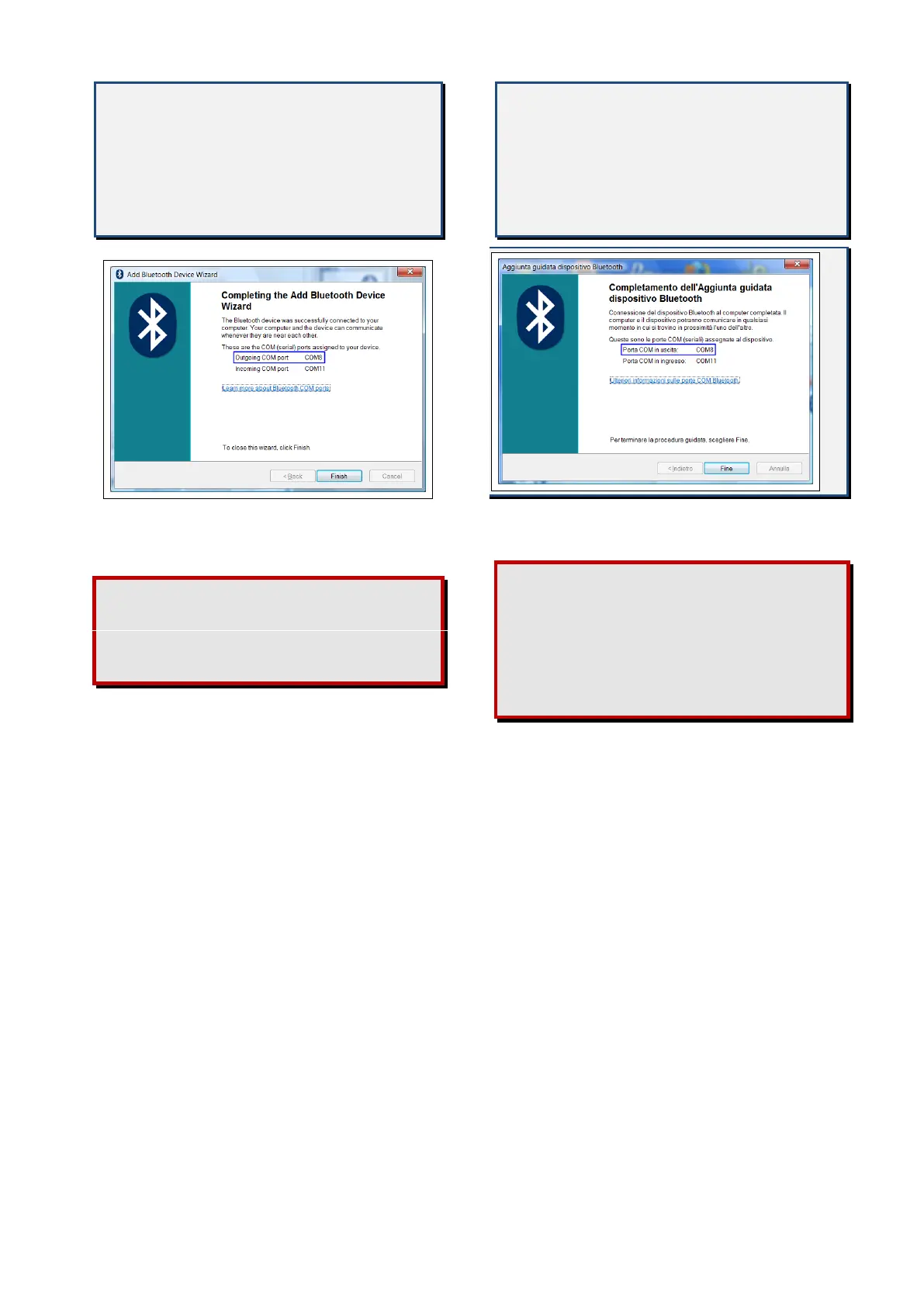
Therefore the port that you’ll have to
set in the Communication menu of
DigiRace-MMX software is the one
named "Outgoing COM port"
(COM8 in the example represented by
the figure).
Click on the button "Finish" to quit the pair-
ing procedure.
If the list of the COM ports assigned to
the device is not displayed, you can see
it by clicking on the device properties in
the Bluetooth panel of your PC.
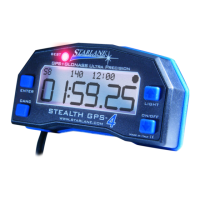
La porta che dovrete quindi impostare
nel menu Comunicazione del software
DigiRace-MMX è
quella denominata "Porta COM in uscita"
(COM8 nell'esempio rappresentato
in figura).
Cliccare sul pulsante "Fine" per terminare la
procedura di accoppiamento.
Qualora non comparisse la lista delle
porte COM assegnate dal PC al
dispositivo, è sempre possibile
visualizzarla
cliccando sulle proprietà del dispositivo
nel pannello Bluetooth del PC.


 To Next Page