11
• long — hold the button until the LED ashes. The duration of
depression can be of two levels:
• 1 level — hold the button until a long ash of the LED
corresponding to the current mode of operation appears;
• 2 level — press and hold the tag button, followed by two
short ashes and one long one, and again a series of short
ashes — release the button.
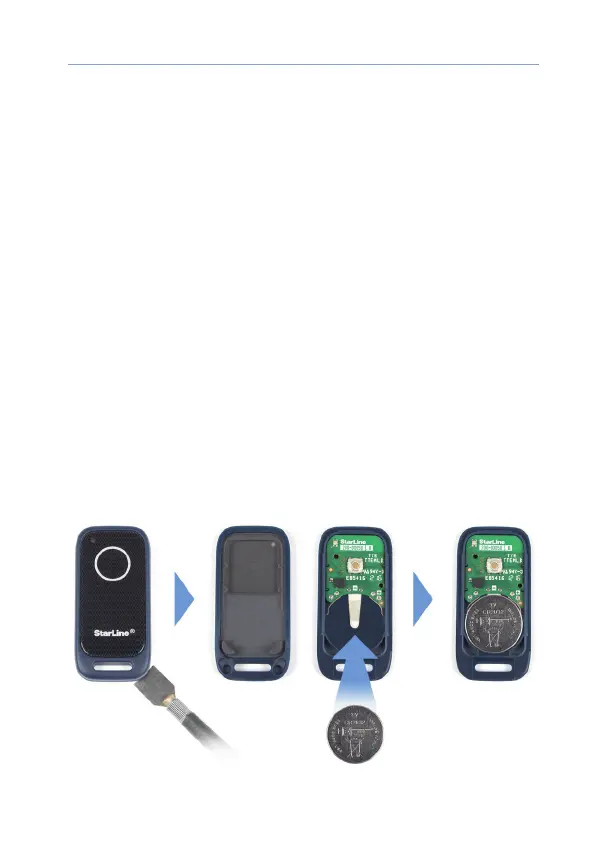
Replacing the tag’s battery
If the tag’s battery is discharg, then when the ignition ON 3 sounds of
the buzzer will sound and an SMS will be sent to the owner number.
We recommend that you replace the battery as soon as possible.
To replace the battery with a neatly at metal or plastic object (metal
ruler, thin plastic) open the tag body and, observing the polarity (as
pictured in the photo), install the battery in the compartment. Before
closing the tag body, install a waterproof seal between its parts. After
installing the battery in the tag, the system is ready for operation.



 To Next Page