32
Tag registration
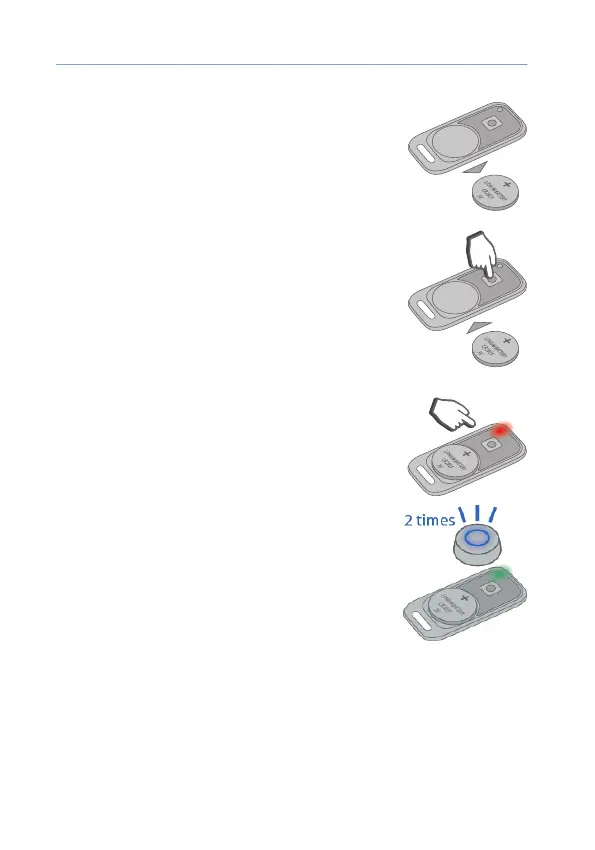
1) Remove the battery from the tag.
2) Press and hold the tag button and install the
battery. The tag LED will light up red.
3) Release the button and check presence of a
series of red ashes for 10 seconds.
4) Successful registration will be conrmed by a
green ash and 2 LED signals. If the tag was not
registered, the LED will light up red.
5) Repeat items 1-3 for the remaining tags.



 To Next Page