user manual
15
Command Button push
Arm / disarm 1 short
Enable / disable Anti-hijack by a tag away long 1 level
Enable / disable Service mode long 2 level
Replacing a tag battery
Wireless tag (transponder) is equipped with CR2032 type Li-ion battery.
Tag battery discharging is indicated with 3 sounds of
embedded main unit buzzer (or siren) at ignition On. Then
battery must be replaced as soon as possible.
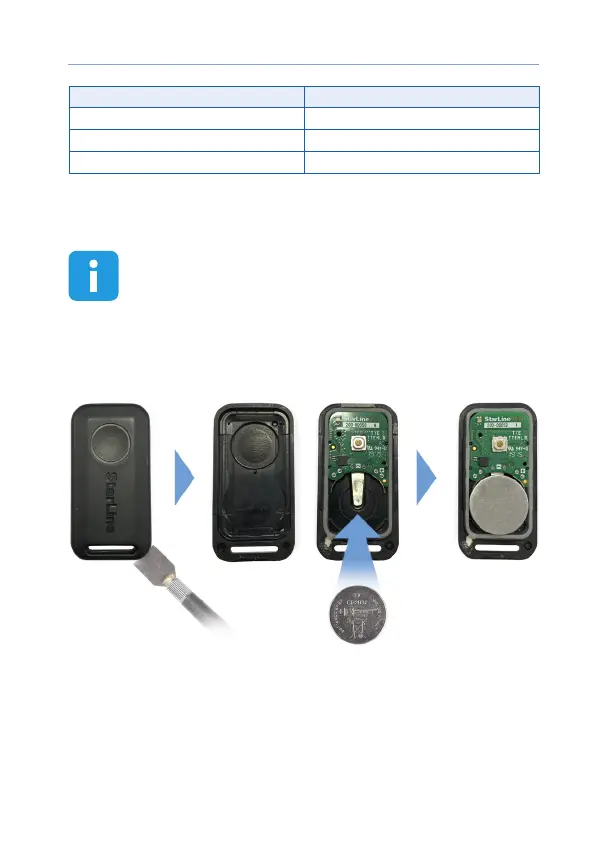
To replace battery open a tag casing carefully with a at metal or plastic
item, remove discharged battery from slot. Install a new battery in the
slot observing correct polarity (positive side up, as shown on picture).
Then x a cover back. Tag is ready for operation.
A smartphone with support of Bluetooth 4.2 and above can also be used
as a tag.
See Devices registration article to pair a smartphone as a tag.



 To Next Page