user manual
29
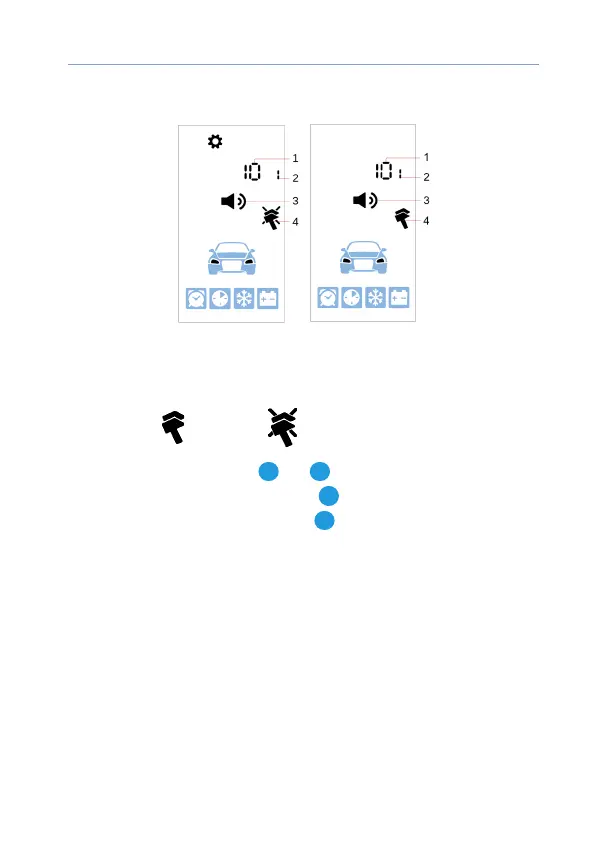
Setting commands confirmation signals
1 — selected signal type volume level
2 — selected sound prole number
3 — commands conrmation sound settings icon
4 — vibration: — enabled, — disabled
Sounds volume is tuned with
2
and
3
buttons short push.
Vibration is enabled and disabled with
4
button short push.
Next sound signal type is ipped with
1
button short push.



 To Next Page