9
Installation
Attach the Casters
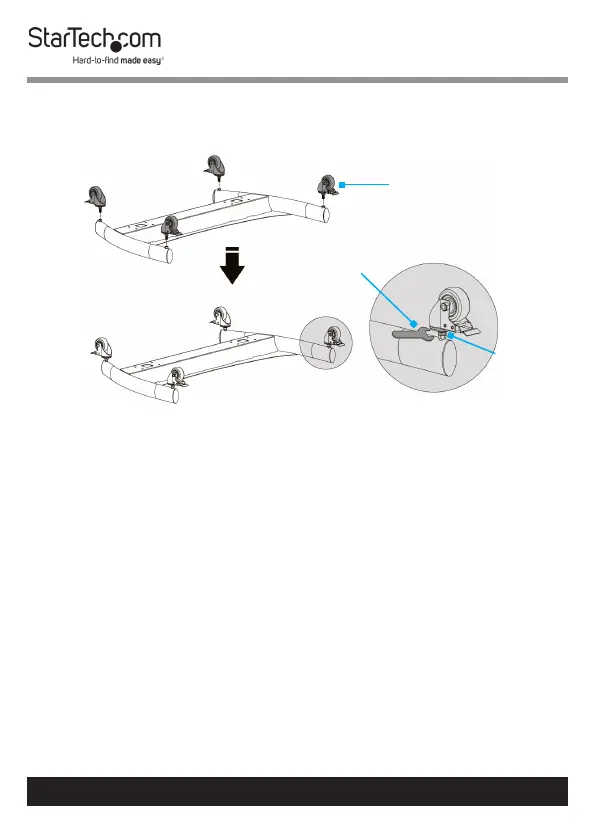
1. Flip the Base upside down and place it onto a clean and at
surface. (Figure 1)
Note: Cover hard oors with a soft cloth to prevent
scratching.
2. Insert each of the four Casters into the holes, located in the
bottom of the Base and tighten, using the Wrench.
3. Flip the Base upright so that the Casters are making contact
with the surface.
4. (For uneven surfaces) Flip the Base upside down and use the
Wrench to adjust the Nut located on each Caster.
To view manuals, videos, drivers, downloads, technical drawings, and more visit www.startech.com/support
Figure 1
Casters
Wrench
Nut



 To Next Page