13
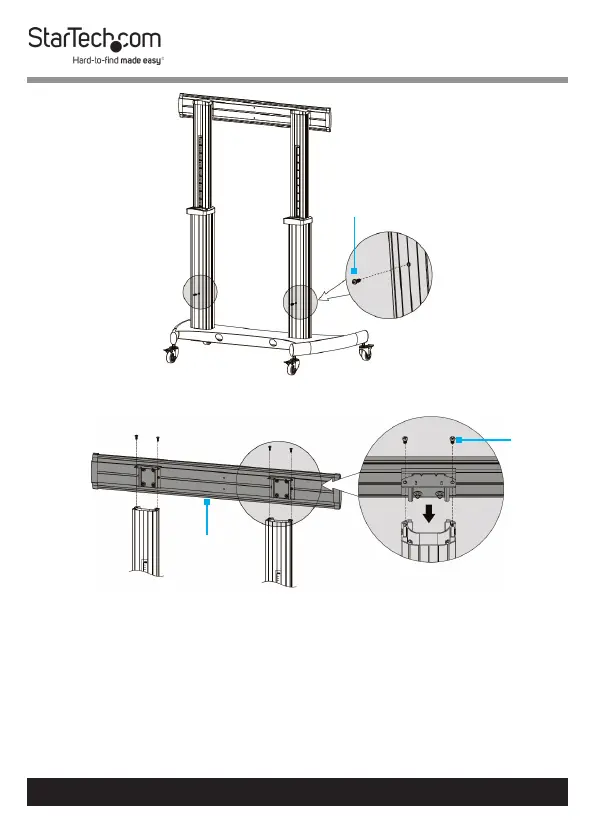
Attach the Universal Plate
1. Place the Universal Plate atop the Left and Right Columns
and align the four screw holes in the Universal Plate with
the two screw holes in each Column. (Figure 6)
2. Insert four M6 x 14 mm Screws through the Universal Plate
and into the Columns (two for each Column).
3. Tighten all four M6 x 14 mm Screws, using a Phillips Head
Screwdriver.
To view manuals, videos, drivers, downloads, technical drawings, and more visit www.startech.com/support
Figure 5
M6 x 25 mm
Screw
Figure 6
Universal
Plate
M6 x
14 mm
Screw



 To Next Page